Howard K.
Known Participant
Jul 13, 2024 4:04 PM UTC
Answered

Saving All Working Files

When using Adobe Photoshop Elements, how do you save your work-in-progress and the open files you use to create your master?

This topic is closed to new replies. Start a new post to keep the conversation going.
Glenn 8675309
Glenn 8675309Correct answer
Legend
Jul 14, 2024 2:05 PM UTC

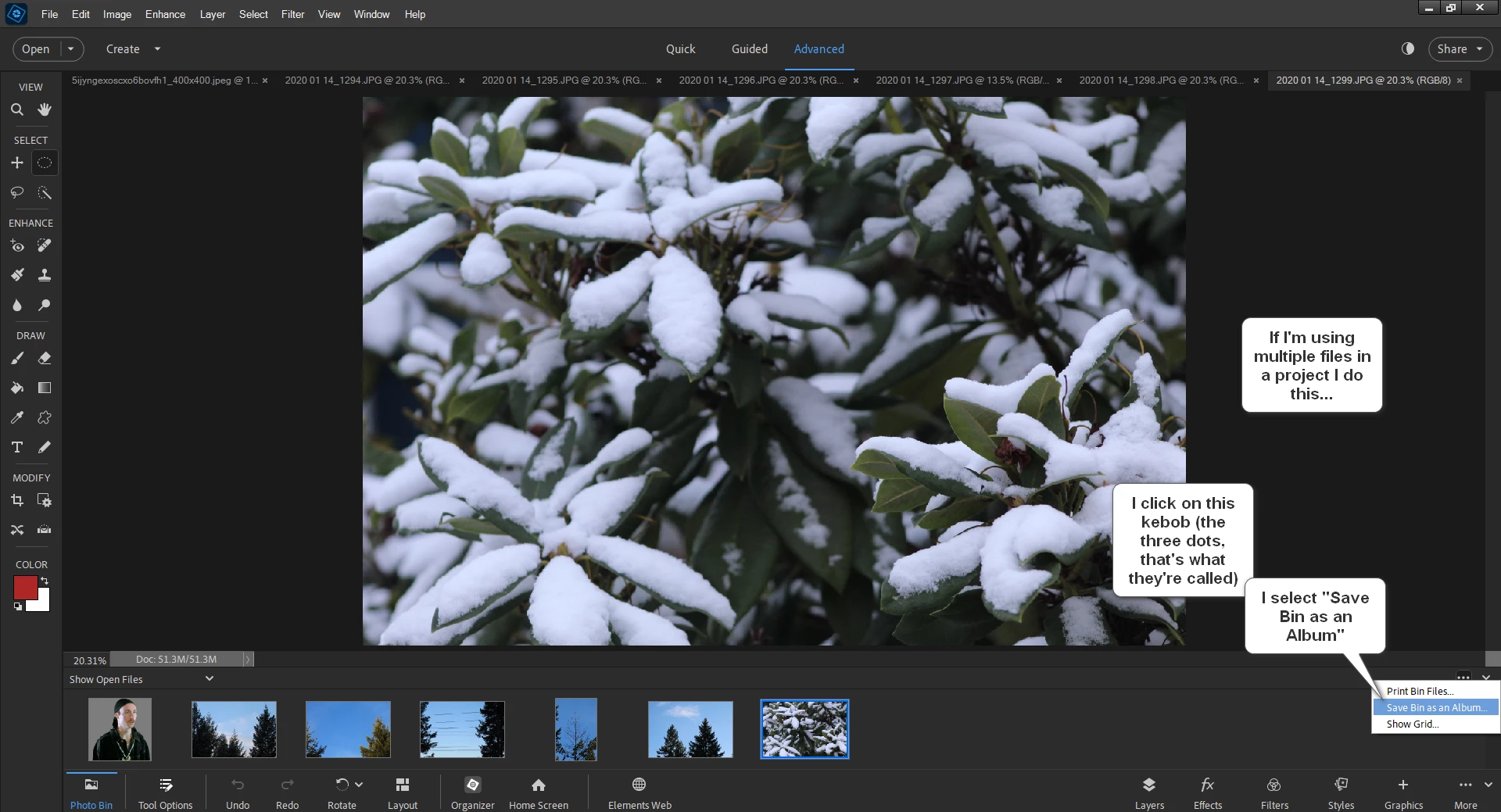
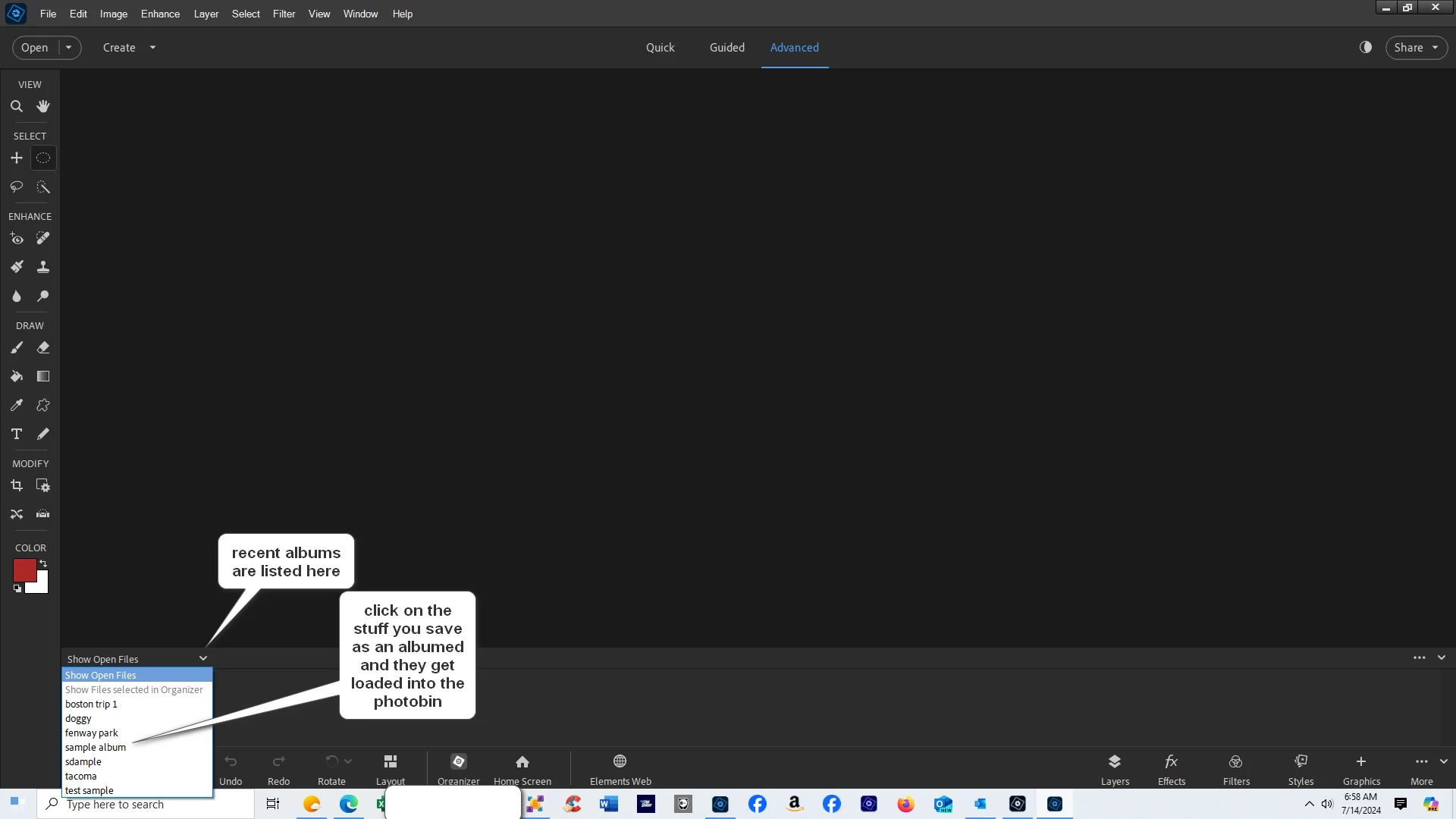
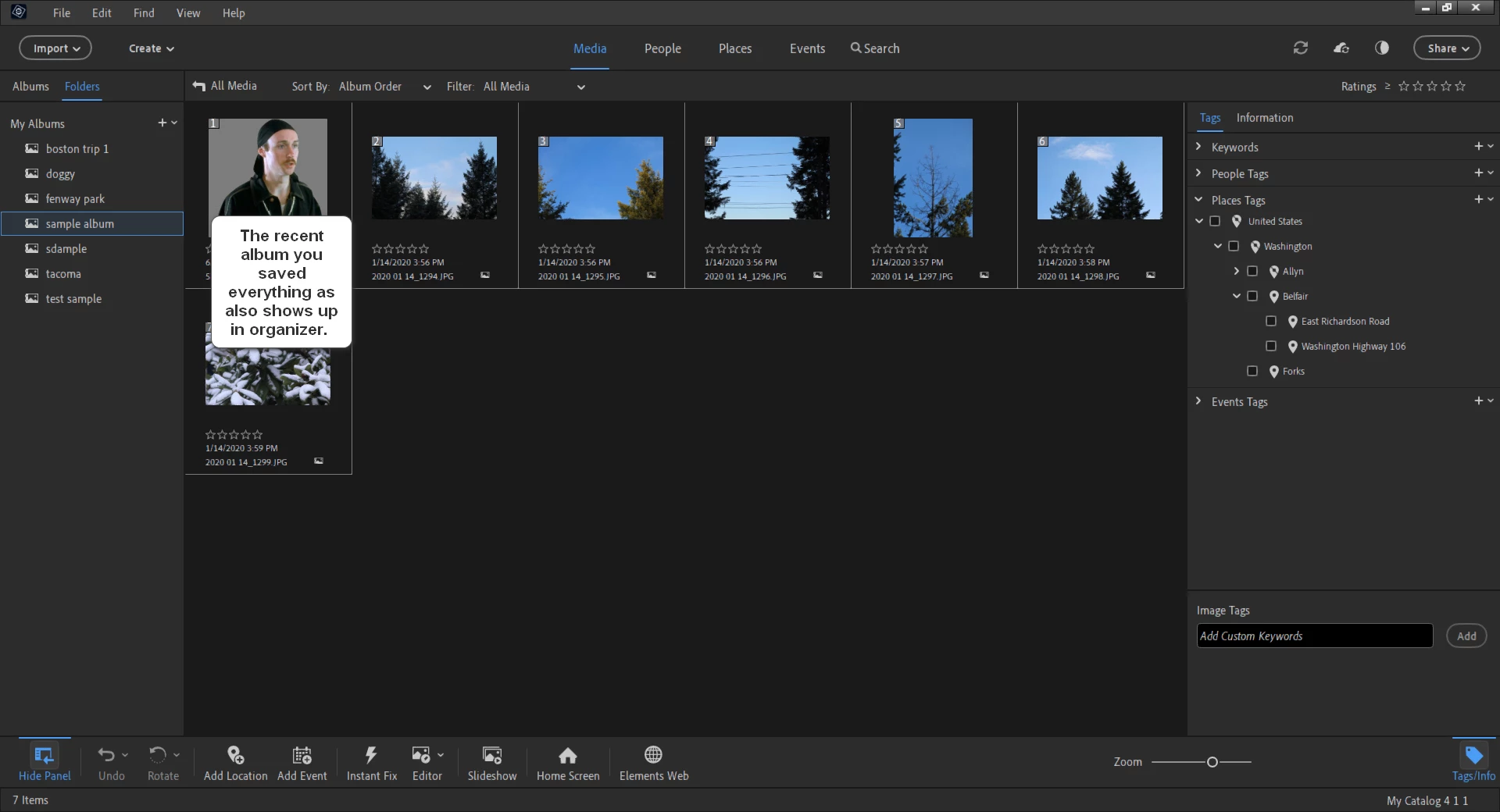
This is something, if I understand you correctly, that I did all the time when working on projects in the past. It saves all your open files as an album.


4 replies

Glenn 8675309
Glenn 8675309Correct answer
Legend
Jul 14, 2024 2:05 PM UTC

This is something, if I understand you correctly, that I did all the time when working on projects in the past. It saves all your open files as an album.


Translate
Howard K.
Howard K.Author
Known Participant
Jul 14, 2024 5:59 PM UTC

Thanks, to both of you -- Greg and Glenn -- who offered solutions to the issue I raised. I am using both techniques.

Translate
Greg_S.
Community Expert
Community Expert
Jul 13, 2024 8:07 PM UTC

When you close the program, the history of your edits is not saved.

If you are creating a new file as a collage or composite, you should save your master as a new PSD file which will retain all of your layers.

If you wish to return to work on this master image again and use the same source files that you used originally, you can access them from the File>Open Recently Edited File menu.

If you want to use a selection from your prior editing session, you can save it under the Select>Save Selection menu and then use the same selection by using the Select>Load Selection menu under your new editing session.


If I have not answered your question, please explain what you want to do in more detail.

Translate
Howard K.
Howard K.Author
Known Participant
Jul 14, 2024 5:58 PM UTC

Thanks, both of you   -- Greg and Glenn --who offered solutions to the issue I raised.  I have already put both of them to work.

Translate