


Inspiring
September 10, 2021
Question

Saving Captions in PSE 2021

  • September 10, 2021
  • 5 replies
  • 531 views

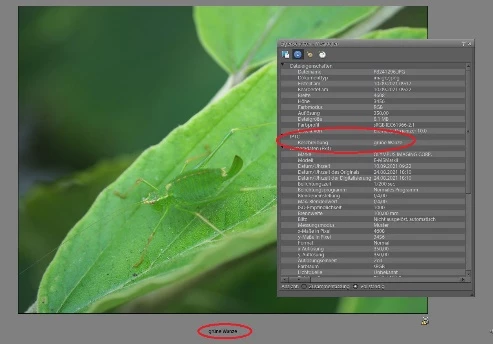
I upgraded from PSE 10 to PSE 2021. Now I have problems with saving the captions. I cannot see them by looking the details in the attributes oft the JPG in Windows 10 Explorer. After loading JPGs from my Olympus Camera E-M5 II into PSE the IPTC details shown in PSE are empty:
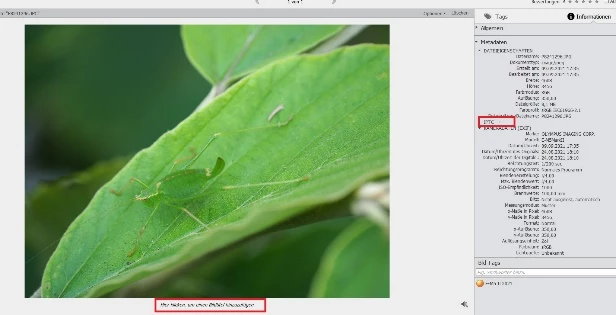


In Windows 10 Explorer I find in their details in attributes the IPTC the name: OLYMPUS DIGITAL CAMERA.
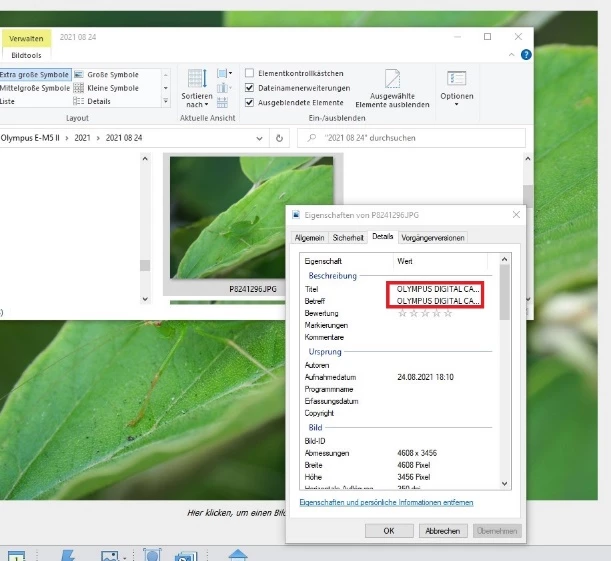
 

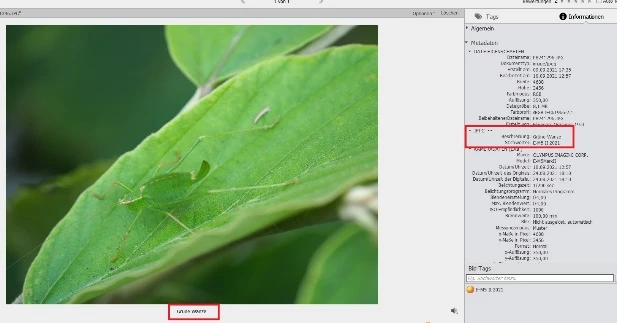
After entering a caption in PSE and saving Metadata (CTLR+W) the description in PSE is filled:
 

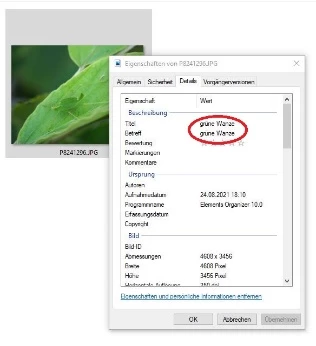
But in Windows 10 Explorer I read still OLYMPUS DIGITAL CAMERA:
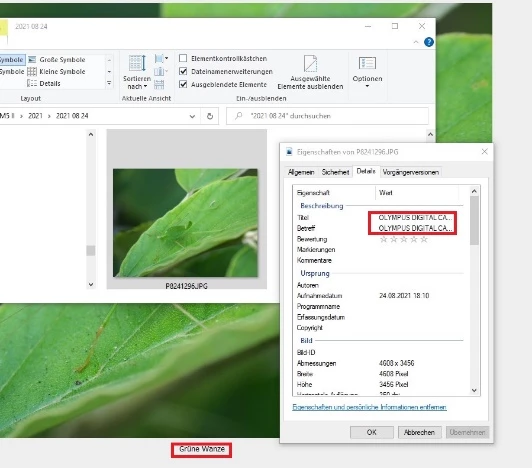


Doing the same under PSE 10 the caption is visuable in the details oft the attributes in Windows 10 Explorer:


How can I solve this problem in PSE 2021 ?

This topic is closed to new replies. Start a new post to keep the conversation going.

5 replies

Inspiring
September 12, 2021

Dear Adobe Community,

now I found a work around to solve my problem saving captions given in PSE 2021 in the JPGs. This problem only appears when I am loading JPGs from a Olympus Camera. The Olympus Cameras automatically fills in the caption field "title" and "subject" in the meta data. The problem seems to be that PSE 2021 does no longer overwrite the field "title" by CTRL+W (saving metadata) -as PSE 10 did- when prefilled by the Olympus Camera.

After loading the JPGs to the PC I delete the input in the fields "Titel" and "Subject" in the Windows Explorer:

Afterwards the caption I put in in the PSE 2021 Organizer is saved by CTRL+W (saving metadata):

Greg_S.
Community Expert
Community Expert
September 11, 2021

Well, this is a little strange.  I tried the following with a jpeg from my Sony camera.


  1. Clicked on the IPTC button in the Info Panel (...) - the Edit IPTC Information dialog appeared
  2. Clicked on the Remove IPTC data
  3. Added text in the Description field
  4. Clicked the Save button.
  5. Used Ctrl+W to save the metadata


I then used the Location button to open the file in a Win Explorer window and examined the file's properties.  My text did not show up under the Details>Description tab.


Next, I opened the file into the Editor and opened the File>File Info menu dialog.  My added description was present:

I then saved the file as a copy in a version set.  This time, Windows File Explorer showed the description in the Properties dialog:


So, I'm not sure what to make of all this and will do some further testing to see why saving the metadata to file did not show up in Windows file properties but copying the file did.  (It could have been my user error.)  In any event, you may want to try what I did (particularly removing the IPTC metadata in the original file to see whether it removes the Olympus Camera information from the description field and see what results you get in Windows File Explorer.


I think the bottom line is that there are no standards or consistency beteen programs as to how metadata is used.

Inspiring
September 12, 2021

Hello Greg,

Thanks for your answer, but with JPGs from a Sony Camera (Sony RX100) I have no poblems to save the caption in the metadata; only with JPGs from a Olympus Camera. I think the problem is, that the Olympus Camera automatically fills in the caption field in the meta data. 

Greetings

Barbara


MichelBParis
Legend
September 11, 2021

Very old problem with Olympus:

https://johnrellis.com/psedbtool/photoshop-elements-faq.htm#_Camera_name_appears


So, Olympus hijacks the caption field for his own advertisement.

I don't have PSE10 on this computer, so I can't compare now, but from memory, the only thing which may have changed for recent versions is the organizer preference. Can you check in the preferences, Files, if the "import exif caption" is checked? Maybe try with or without this option.

I suppose unchecking would prevent Olympus to write the name first. Ctrl W would write or overwrite the caption you have given.


Inspiring
September 11, 2021

Hello Michel,

I tried this yesterday and today again, but it doesn't work. In Windows Explorer I find still OLYMPUS DIGITAL CAMERA.

Beside, I can only uncheck a field called "EXIF-Informationen importieren"

Greetings

Barbara