
Participant
September 12, 2020
Answered

Scrapbooking with Elements 2020

  • September 12, 2020
  • 1 reply
  • 648 views

I do a lot of scrapbooking but I want to start doing more digitally - I used to have a great simple tutorial for this but I cannot locate it!! This is what I am trying to do: I have a photo and I have a frame or cluster or something of that nature - I want the photo to fit in the space intended for the photo whether it be a circle or square or rectangle or letter or  whatever - how do I go about doing that - I know you use clipping masks but not sure how to actually do all the steps - any help would be appreciated! Here is sample I found online of what I am trying to do I have attached it here for reference
This topic has been closed for replies.
Correct answer hatstead

ok

1. Open the image of the girl

2. Double click the Background layer in the layers palette to convert the locked layer into a regular layer

3.,Engage the Elliptical marquee tool. Set feather=0. Drag out an ellipse surrounding the girl.

4. Go to select>inverse and hit backspace.

5. Go to Edit stroke> (Outline) selection. Place stroke inside. Stroke width 5-10 px (experiment). Set foreground color to suit - red in your example. ok it

6. Add any decorative elements of choice.


1 reply

hatstead
Inspiring
September 12, 2020

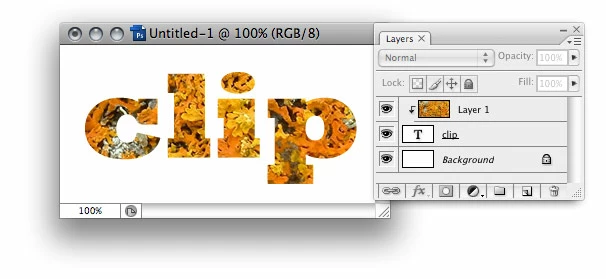
This is called SETTING AN IMAGE IN TEXT

1. Open the image that you wish to use.as the source for the text.

2. The type tool has a slot for several tools (press T). Select either the horizontal or vertical  type mask tool.

3. Select a blocky font. 110-130 px size. If the font is too small, you will not see much of the image

4.Don't commit (green checkmark) until you are happy with what you have. This step is irreversible.

5. Remove the non-text portion of the image. Go to Select>invere and hit Backspace on the keyboard

6. You can copy>paste the selection into another document

5. Another option is to place the type masks selection on another layer (press CTRL+J), then adding a layer style to the new layer.

Participant
September 12, 2020

Thanks for that - but I dont really want to do text - this is great for future I will bookmark - what I am trying to do is put a photo in a frame - like a decorative piece of clip art that has a space or opening for a photo  - thanks!