


Participating Frequently
October 16, 2026
Question

Selection and description of the functions partly in Japanese

In the selection window of Photoshop Elements 2026, the display of the functions is partly in German but mostly in Japanese. This occurred after an update. How can I change this? In the settings, German is selected as the default.
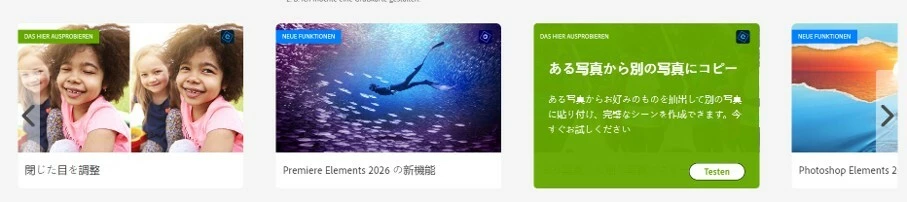
Thanks in advance for yout support.

    9 replies

    K._S.5833Author
    Participating Frequently
    October 16, 2026

    Hi, Phinny, my preferred language is german. All other functionalities  are in german only in this selection window  is displayed the wrong language.

    Translate
    Phinny
    Legend
    October 16, 2026

    That’s different.  Try this 1st …

    Close Photoshop Elements.

    Hold Ctrl + Alt + Shift while relaunching

    When prompted, choose Yes to delete the settings file.

    Restart Elements and check the language.

    Translate
    K._S.5833Author
    Participating Frequently
    October 16, 2026

    Ok thanks, I carried out your tip, the settings file of Photoshop elements was also emptied. But, that's not where the problem is. The faulty language is displayed in the selection screen in front of it, where you can choose between Photoshop, Premiere Elements and Organizer. I use both programs.

    Translate
    Phinny
    Legend
    October 16, 2026

    What is your preferred language?

    Translate