Participant
February 13, 2021
Answered

Shadowed Fonts

  • February 13, 2021
  • 1 reply
  • 793 views

Is it possible to type a word with a font background shadow?  I was using MS Picture It 7 and of course it no longer works on Windows 10 NOW!  Thank you for any advice.

This topic has been closed for replies.
Correct answer hatstead

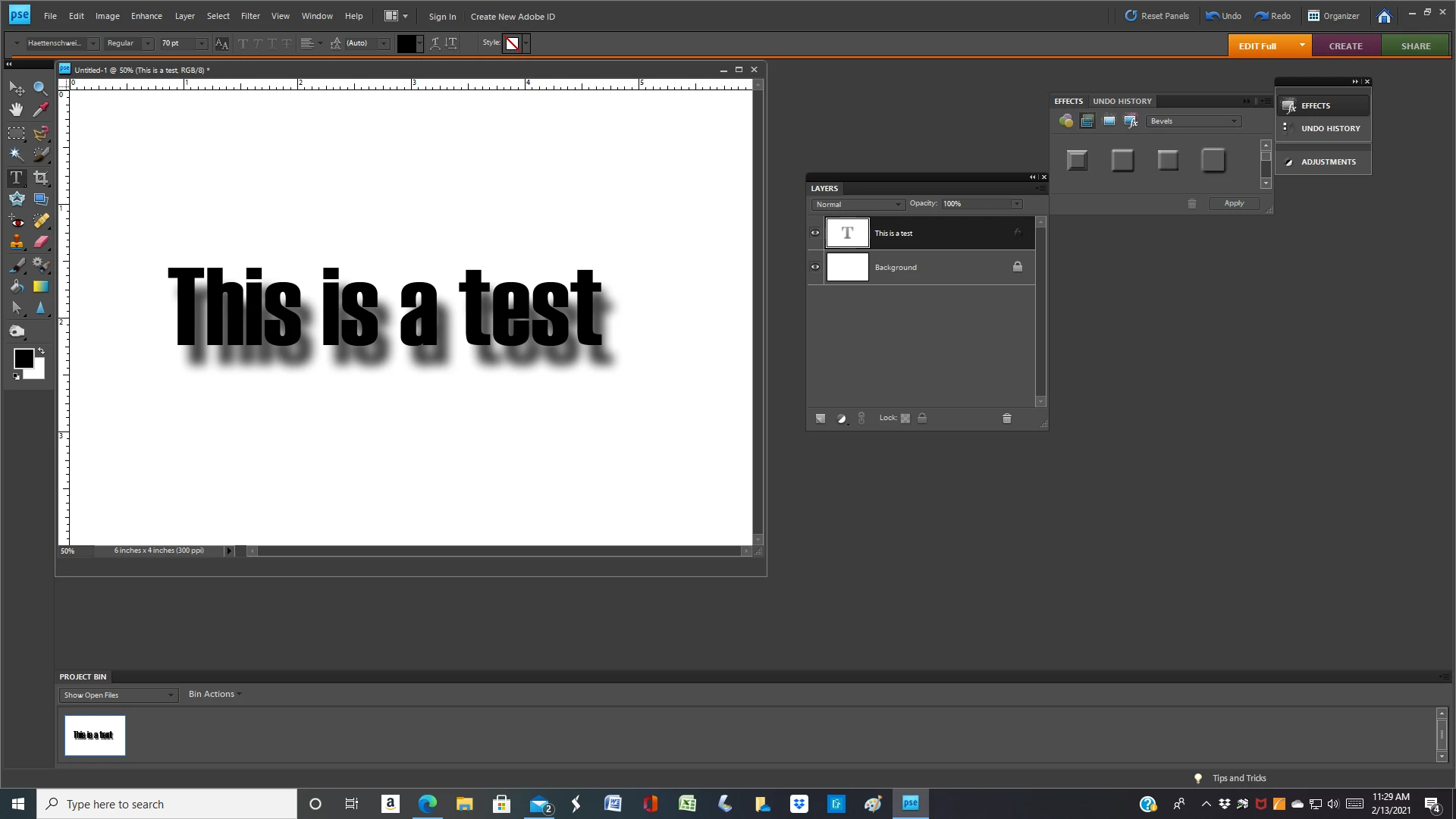
Yes, you can do this readily. Open the Effects palette - - if you don't see it, go to Window menu and check Effect,

In the palette, there are several options. The ones that I find most useful are Drop Shadows & Bevels.


For drill do the following:

1. Open a blank, new file

2. Type your text. A blocky font works best

3. In the Effects palette apply a drop shadow. To fine tune the shadow, go to the Layer menu>layer style>style settings and work the sliders to best advantage.


1 reply

hatstead
hatsteadCorrect answer
Inspiring
February 13, 2021

Yes, you can do this readily. Open the Effects palette - - if you don't see it, go to Window menu and check Effect,

In the palette, there are several options. The ones that I find most useful are Drop Shadows & Bevels.


For drill do the following:

1. Open a blank, new file

2. Type your text. A blocky font works best

3. In the Effects palette apply a drop shadow. To fine tune the shadow, go to the Layer menu>layer style>style settings and work the sliders to best advantage.


Participant
February 13, 2021

Thank you.  So mad at MicroSoft for AGAIN ending a great program.  This was very helpful.

hatstead
Inspiring
February 13, 2021

You're welcome. Glad to help.