
Inspiring
April 13, 2017
Question

Shadows/Highlights, even an adjustment of 1 causes major changes to some photos

  • April 13, 2017
  • 1 reply
  • 1910 views

On some images when editing, Auto Smart Fix, Auto Contrast, or even a setting on 1 in the Lighten Shadows command cause extreme changes to the image.I have seen this in multiple previous versions and still see it in version 14 (I have not upgraded to 15, will likely wait for 16). This image sort of highlights the problem as it is of sand dunes at Wight Sands NM, but I do see this problem enough that it is annoying. I am attaching an image that you can try this with.
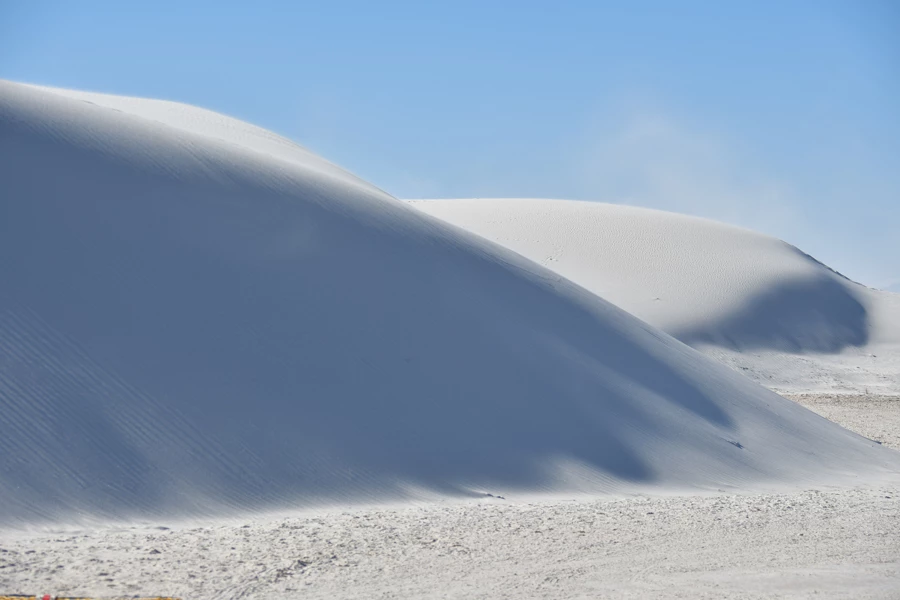
My other Pet Peeve is Auto Smart Fix or Auto Contrast blowing highlights (again, on some images).

This topic has been closed for replies.

1 reply

hatstead
Inspiring
April 13, 2017

Try an alternate approach:

In Editor, Expert tab, go to File>Open as, point to your file, and in the dialog go to Open as > Camera Raw in the drop-down

Reset your white point

Work the sliders, esp. Temperature, Tint, Contrast

Then, go to Open Image to open the file in conventional editor for other adjustments.

jctangneyAuthor
Inspiring
April 13, 2017

That is an interesting way to approach avoiding the problem, and does appear to work. However two things:

  1. I am trying to point out what I believe is a flaw in Photoshop Element as a change from 0 to 1 should not be as dramatic as it is. I strongly believe that it is an issue that should be fixed.
  2. The tint etc was not off. These dunes are at White Sands National Monument and are made from gypsum, so they really are very pure white!

John

hatstead
Inspiring
April 13, 2017

Suggest that you contact Adobe corporate.

Feature Request/Bug Report Form