
December 23, 2025
Question

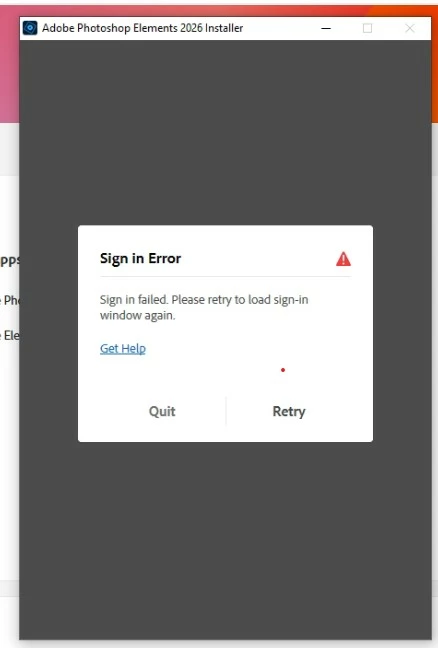
Siogn in Error without code during installation of photoshop elements 2026

  • December 23, 2025
  • 1 reply
  • 70 views

While installing i got a message sign in error without any code and no login screen or further info

I do the installation with admin rights  and dectivated firewall

The OS is windows 10 pro
1 reply

Glenn 8675309
Legend
December 23, 2025

Couple of things come to mind:

1. Antivirus software is blocking it.
2. You're not online during the sign in process.

A user generally uses the same email address to login into this help community. 

Here is what AI says:

When Adobe sign-in fails, it's usually a password, browser, or account lock issue; try resetting your password via the "Forgot password" link, use an incognito/private browser, clear cache/cookies, try a different device/browser, or contact Adobe Support for locked accounts or persistent problems, ensuring your OS is updated. 
 
Quick Fixes
  • Reset Password: Go to the sign-in page, click "Forgot password," and follow the prompts to reset it.
  • Try Another Browser: Use an incognito/private window or a completely different browser (Chrome, Firefox, Edge).
  • Clear Cache/Cookies: Clear your browser's data or try signing in from a different computer or device.
  • Check Your Account: Ensure you're using the correct email and that your account isn't suspended.