
Small problem with "New image from clipboard"
I open a file on-screen and select part of it using the lasso tool or magic wand.
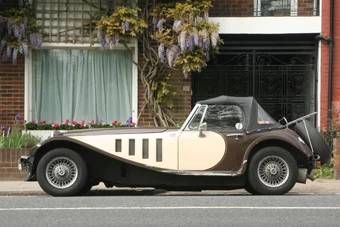
I do CTRL+C to save the selection to the clipboard then do "File - New - Image from clipboard" and my selection should appear as a standalone image.
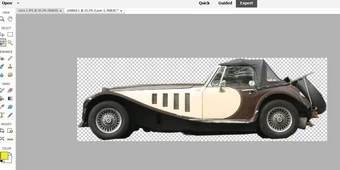
Up till now that has always worked but a couple of weeks ago (without me changing any settings or preferences) the clipboard image started dropping itself on top of my original image, rather than as a standalone image.
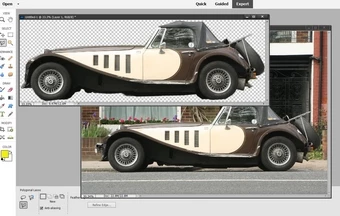
If I do "Save" only the new clipboard image gets saved, not the "composite" picture, so at least I can save the selection. But it's annoying if I just want the clipboard image on screen for editing. After poking around I discovered that if I go to "Layout" on the bottom toolbar and select "Default" the clipboard image appears on screen as a stand-along image, as it should have done in the first place. Unfortunately that "default" setting isn't retained. So every "New image from clipboard" appears as an overlay and I have to do "Layout - Default" every time. I can't find any setting or "preference" which will change this.
Oh, and while you're there, on my very old PSE (which I had to scrap when I got Windows 11) if I had multiple images open they conveniently appeared as thumbnails at the foot of the screen. Now they are hidden in the Photo Bin. So I open it to find the image I want, then click the "Move" tool" so I can drag the required image on screen - and the Photo bin closes again and has to be re-opened. Hardly a life-threatening problem, but is there any way to keep the thumbnails open for convenience? Adobe say the Photo bin offers various options but I can't see one for "keep thumbnails open".


 AdChoices