Answered
smart Tags elements 15
How do I get auto analysis to work in elements 15 to get smart tags on the pictures in my catalogue

How do I get auto analysis to work in elements 15 to get smart tags on the pictures in my catalogue
Hi Paul,
By default , Smart tags analysis is ON which keeps running in background while you work on your catalog. To check the generation of SmartTags, you can click on the search icon on top right corner of the application to open the search panel and navigate to first icon in left panel items, which would list down all the smart tags till now generated on your media.
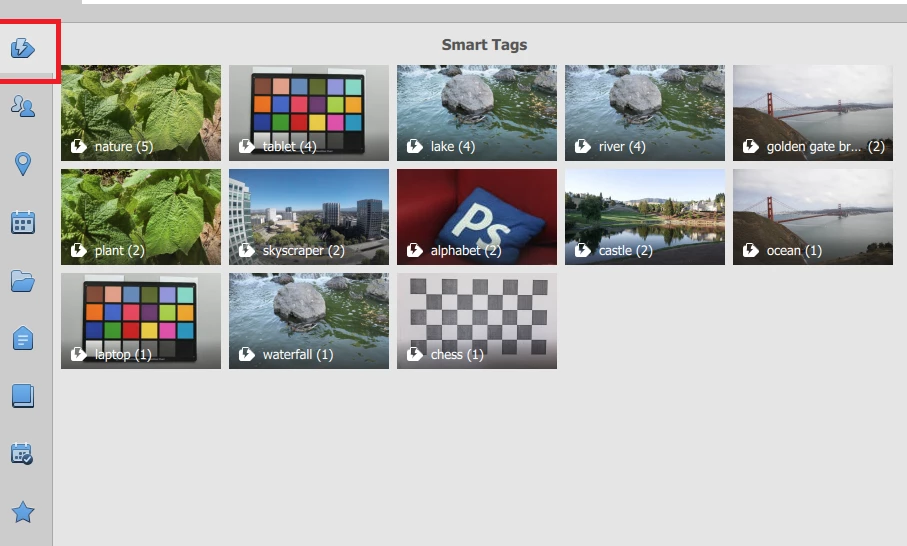
In case you can't spot the Smart tags icon in search panel, make sure that this option in Preferences (Ctrl + K) is checked:
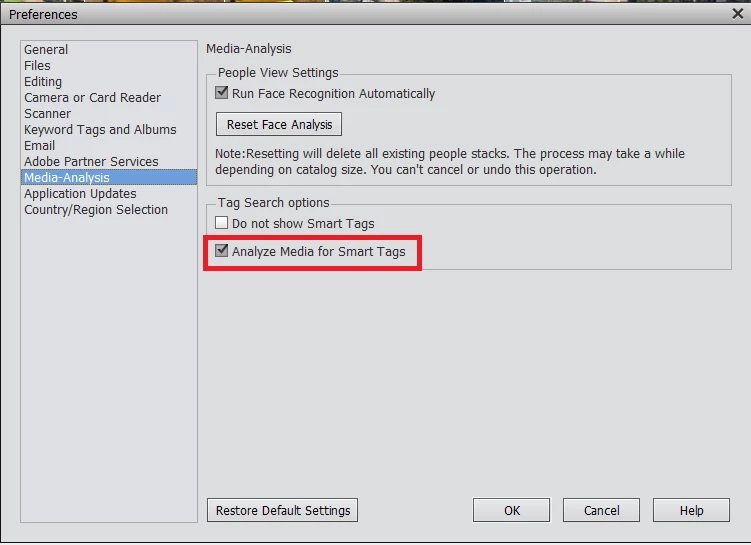
Hope this is helpful.
Thanks,
Arshla
Already have an account? Login
Enter your E-mail address. We'll send you an e-mail with instructions to reset your password.


 AdChoices