

Glenn 8675309
Legend
October 20, 2023
Answered

Sorting images by camera type SOLVED---= Read my response how I did this.

  • October 20, 2023
  • 2 replies
  • 1021 views

I imported some images, about 200 into organizer directly from the chip I took out of the camera.

When I imported them they got imported into the files of the same date--- all images I took with my phone.  Now have 7 dates that contain both images I took with my phone and with my camera.

Is there a way to sort the images,, based upon the meta data, in particular, by the camera type?  All the camera photos do not contain gps data, all the images taken with my phone do contain GPS data, so using the gps data is also another option for sorting. 


This screenshot is from pse 2023, I have since set up Organizer 2024 with all my images. 
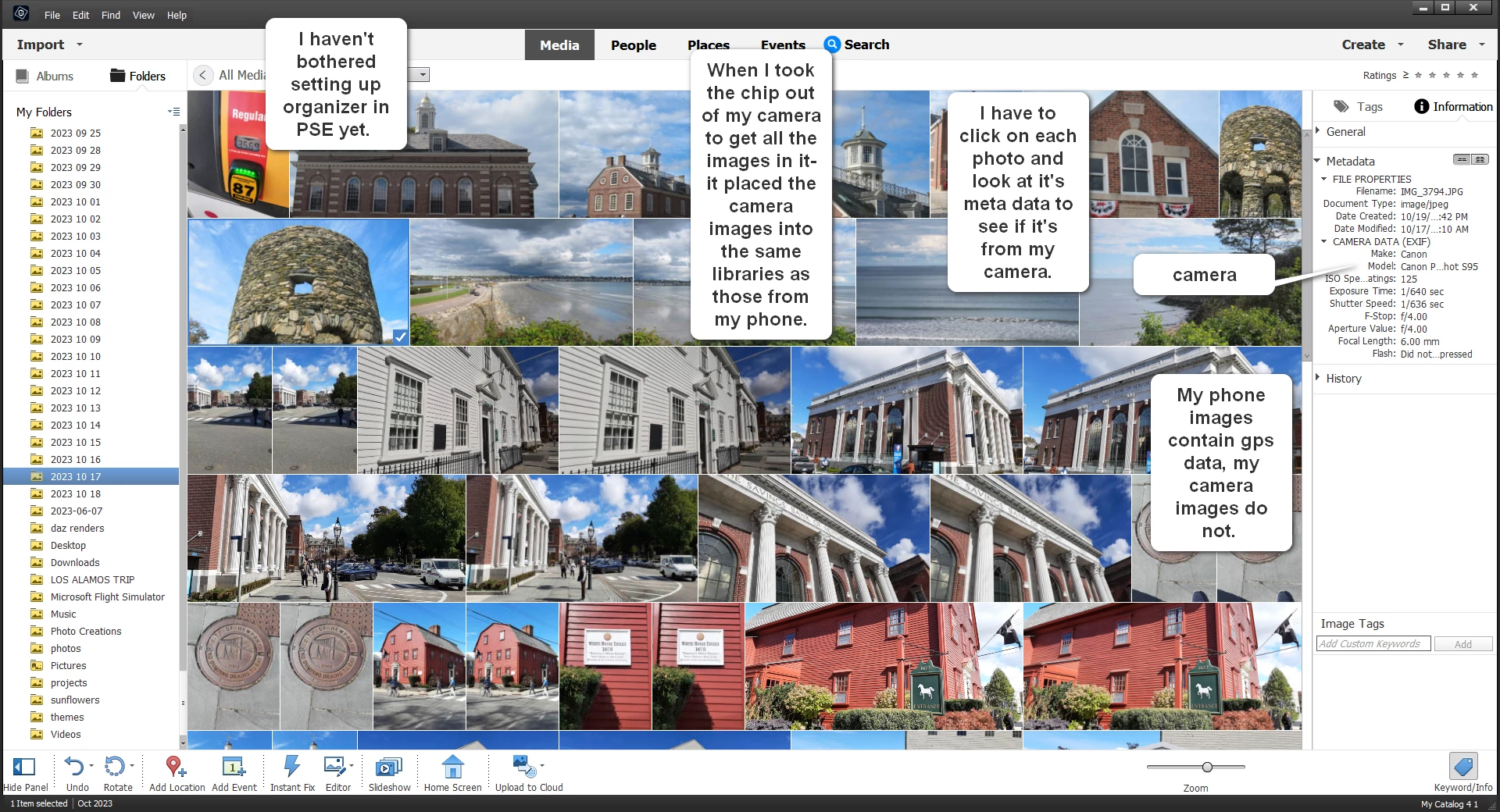


I can do one at a time by viewing the meta data of each image, but I would have to review over 600 images.

I have all the adobe products: PSE 2024, Photoshop. illustrator, etc....
This topic has been closed for replies.
Correct answer Greg_S.

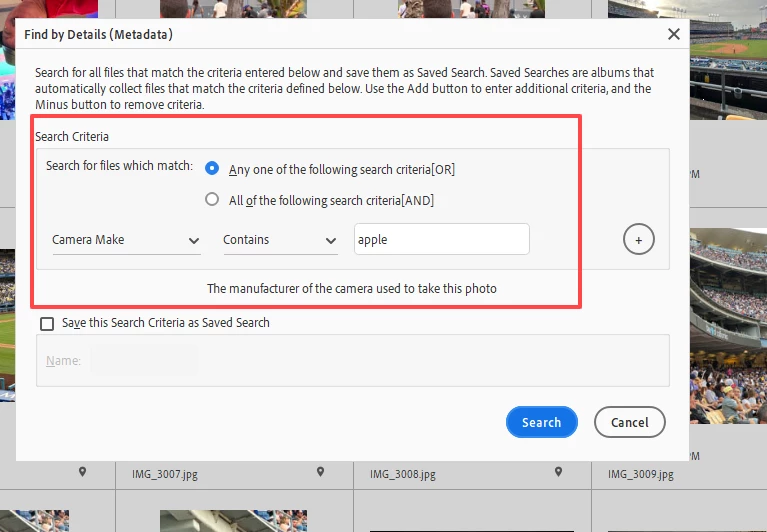
Glenn, in the Organizer you can use the Find>By Details (Metadata) search option to find images at a very granular level.


I also tend to use the APD to import files from cameras or iPhones.  I place my iPhone photos in a separate directory.   I also split up my images and videos between different drives.  The APD allows me to filter the imported files in order to do this.

2 replies

Greg_S.
Community Expert
Greg_S.Community ExpertCorrect answer
Community Expert
October 20, 2023

Glenn, in the Organizer you can use the Find>By Details (Metadata) search option to find images at a very granular level.


I also tend to use the APD to import files from cameras or iPhones.  I place my iPhone photos in a separate directory.   I also split up my images and videos between different drives.  The APD allows me to filter the imported files in order to do this.

Glenn 8675309
Legend
October 20, 2023

MAN OH MAN!  I like that much better that messing with the windows search stuff, thanks!   It's really easy!  Using your suggestion I may end up using Organizer mire, thanks!

Glenn 8675309
Legend
October 20, 2023

I ended up using the basic file explorer in Windows.    I went to view the folder and it was as simple as adding camera maker and camera model to the items I could see in the Windows basic file explorer, in the detailed view.

I had to set up the new "detailed view" for each folder,
it's easy to change the detailed view default to include new items to view for your entire system if you want--- I'm not doing that- I'm only concerned with 8 folders of images from a recent trip