Participant
January 12, 2023
Answered

Spot healing brush

  • January 12, 2023
  • 1 reply
  • 742 views

Photoshop Elements 2023.

Windows 11

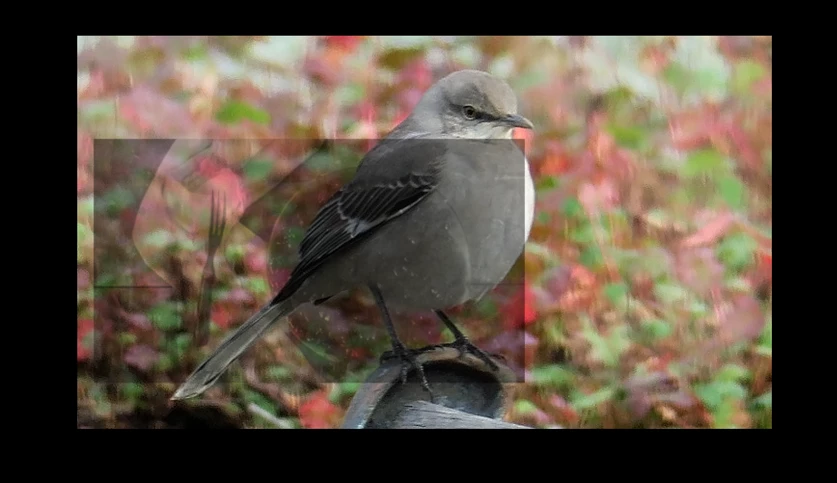
The spot healing brush has a weird box and I can't get rid of it.

It's actually clear in the center with thin black outlines of different image but it won't show when I copy/paste or use PrtSc. So I held down the left mouse to darken it so you could see it. When I right click on the spot healing brush there's no option to reset it and I can't find one in the toolbar.



This topic has been closed for replies.
Correct answer Jeff Arola

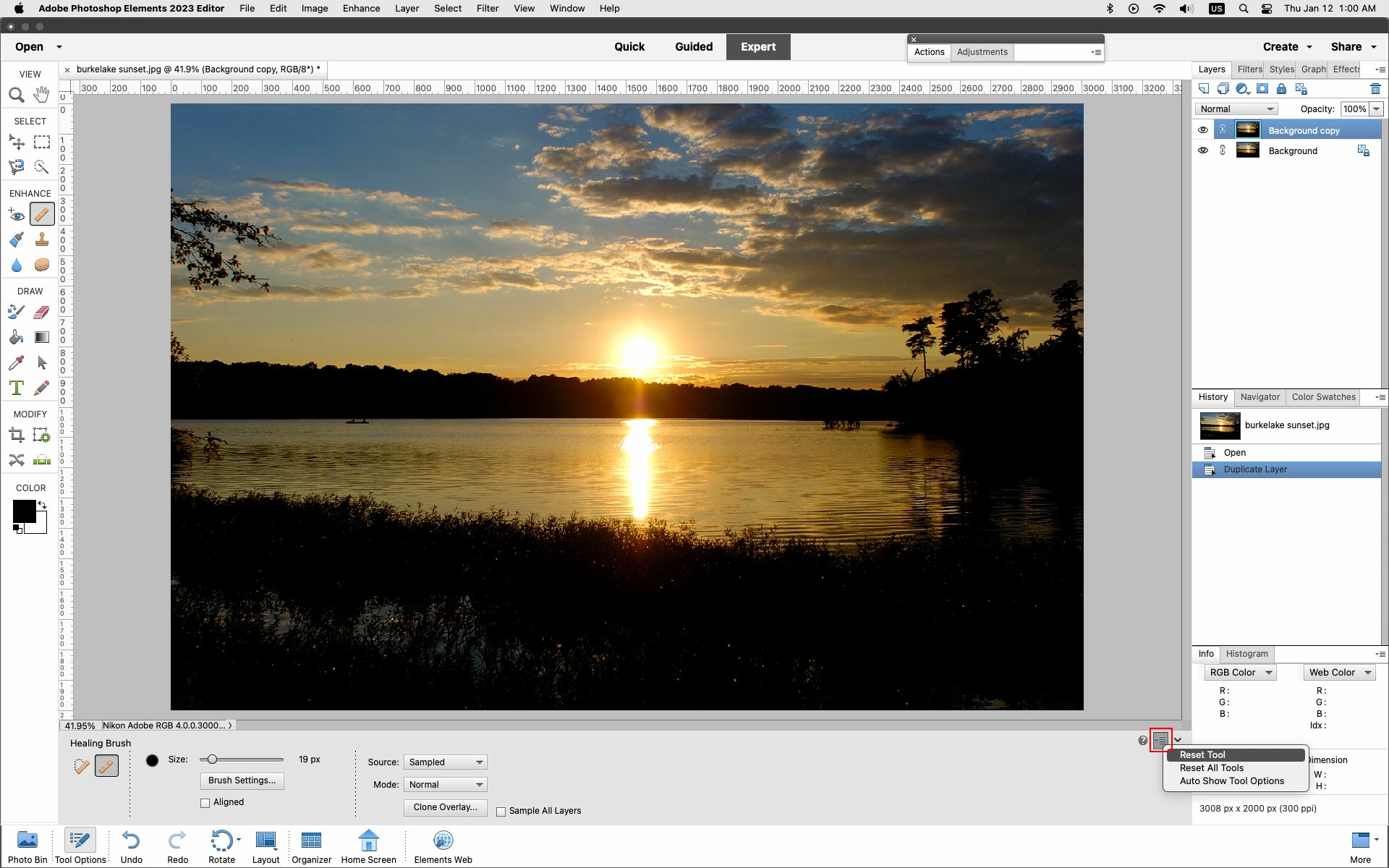
You can reset a tool by clicking on the small downturned arrow with four lines as shown in the screenshot below.


1 reply

Jeff Arola
Community Expert
Jeff ArolaCommunity ExpertCorrect answer
Community Expert
January 12, 2023

You can reset a tool by clicking on the small downturned arrow with four lines as shown in the screenshot below.


Participant
January 12, 2023

Thank you so much. That worked!