
PaulFBarrett
Known Participant
January 23, 2017
Answered

Spot Healing Cursor Colour

  • January 23, 2017
  • 1 reply
  • 613 views

Hi

I am using PSE 11.  I am having a problem with the spot healing cursor colour.  There does not appear to be a preference setting for cursor colour (or line thickness for that matter) and, as I am doing a lot of retouching of scanned negatives with a lot of grey tones, the spot healing cursor disappears into the background and become almost invisible.  On my 27in monitor it could be almost anywhere!

I have tried the paint brush instead of the gunsight, but that isn't as precise.

If this issue is fixed in PSE 15 it would be the ONE reason I would upgrade.  Otherwise PSE 11 seems to do everything I need.

So, is it any different in 15 or are there lots of additional goodies for photo retouching that would make it worthwhile to upgrade?

Thanks for your help

- Paul
This topic has been closed for replies.
Correct answer Jeff Arola

I don't see a difference here between pse 11 and pse 15 on a mac as far as the cursor is concerned.

If you lose track of the cursor, you can press the spacebar to show the hand cursor.

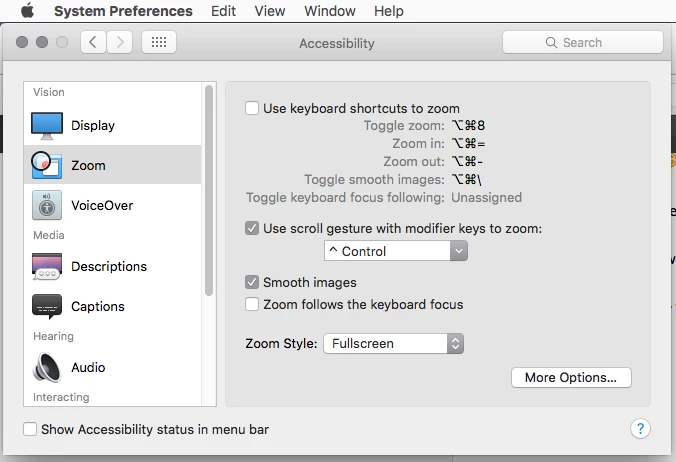
Sometimes it helps if one magnifies the whole screen using one of the Keyboard shortcuts in System Preferences>Accessibility>Zoom

In reality that's been a problem for quite awhile on the mac side in both photoshop elements and photoshop.

1 reply

Jeff Arola
Community Expert
Jeff ArolaCommunity ExpertCorrect answer
Community Expert
January 24, 2017

I don't see a difference here between pse 11 and pse 15 on a mac as far as the cursor is concerned.

If you lose track of the cursor, you can press the spacebar to show the hand cursor.

Sometimes it helps if one magnifies the whole screen using one of the Keyboard shortcuts in System Preferences>Accessibility>Zoom

In reality that's been a problem for quite awhile on the mac side in both photoshop elements and photoshop.

PaulFBarrett
Known Participant
January 24, 2017

Thank you for the space bar tip.  That's very useful.  As you say, it enables you to locate the cursor when you lose track of it.

And I use zoom all the time for really fine editing.  But actually, that's part of the problem rather than the solution because it just means that the vast tracts of mid tone greys / browns where the cursor becomes invisible are even bigger.

I do find it odd that the cursor is so crude in a piece of software that is so slick in many other ways.  Yes, it does a reasonable job of deciding whether to be white on a dark background and black on a light but it does a very poor job at the tipping point between the two. And it's a crude, broken circle that lacks any proper definition.  If it had a better outline, and perhaps the ability to increase the width of teh outline, it would be better.

I'll move the rest of the question into a separate thread