iroc1968
Participant
August 6, 2018
Answered

text in a shape problem.

  • August 6, 2018
  • 2 replies
  • 4495 views

I'm trying to type text in the shape of a heart.  I have followed the tutorial by creating the shape and then selecting the text tool, making sure I am on the horizontal type tool.  When I hover over the shape (i am on the shape layer in the layer palette) I do not get the cursor with the circle.  outside of the shape I have the cursor wit the box,  on the edge of the shape I get the cursor with the squiggly line, but it won't give me the circle to enable me to type in the shape of the heart.  any suggestions?

thanks in advance!

    This topic has been closed for replies.
    Correct answer Jeff Arola

    yes, I drew the shape using the custom shape tool. (i tried different shapes too) I get the regular text cursor outside of the shape.  I see the squiggle line on the edge of the shape, then when I hover over the shape, it goes back to the regular text cursor.  I see how it works for other people.  It seems very easy.  except mine doesn't change to the circle cursor.  I don't know how to fix it. Maybe I ll try to delete the program and redownload it.  What a  pain in the butt though.  any suggestions?


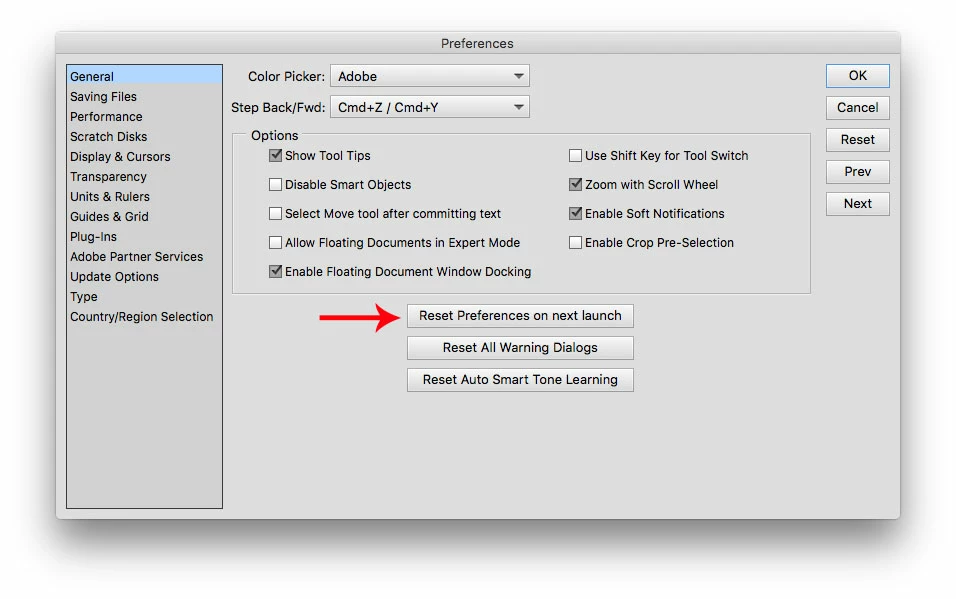
    See if resetting pse 2018s preferences makes any difference.

    Go to Edit>Preferences>General, click on Reset Preferences on next launch and then restart the pse 2018 editor.

    2 replies

    Participant
    November 19, 2024

    Sometimes pen tool settings changed to "Intersect Shape Areas" just change it to "Combine Shapes".

    Then create a path and click on it with Text tool 'T'.

    You can modify the path later by pressing 'A' and holding Ctrl.


    Glenn 8675309
    Legend
    November 19, 2024

    That's photoshop, this is a Photoshop Elements community.  

    Jeff Arola
    Community Expert
    Community Expert
    August 6, 2018

    What version of photoshop elements and operating system are you using?

    iroc1968
    iroc1968Author
    Participant
    August 6, 2018

    PSE 18 and windows 10

    Jeff Arola
    Community Expert
    Community Expert
    August 8, 2018

    So you drew out a Heart Shape using the Custom Shape Tool?

    Then hovering with the Horizontal Type Tool selected and hovering the cursor inside the shape you don't get the cursor with the circle as below?

    Then you can type in the shape.