
Answered
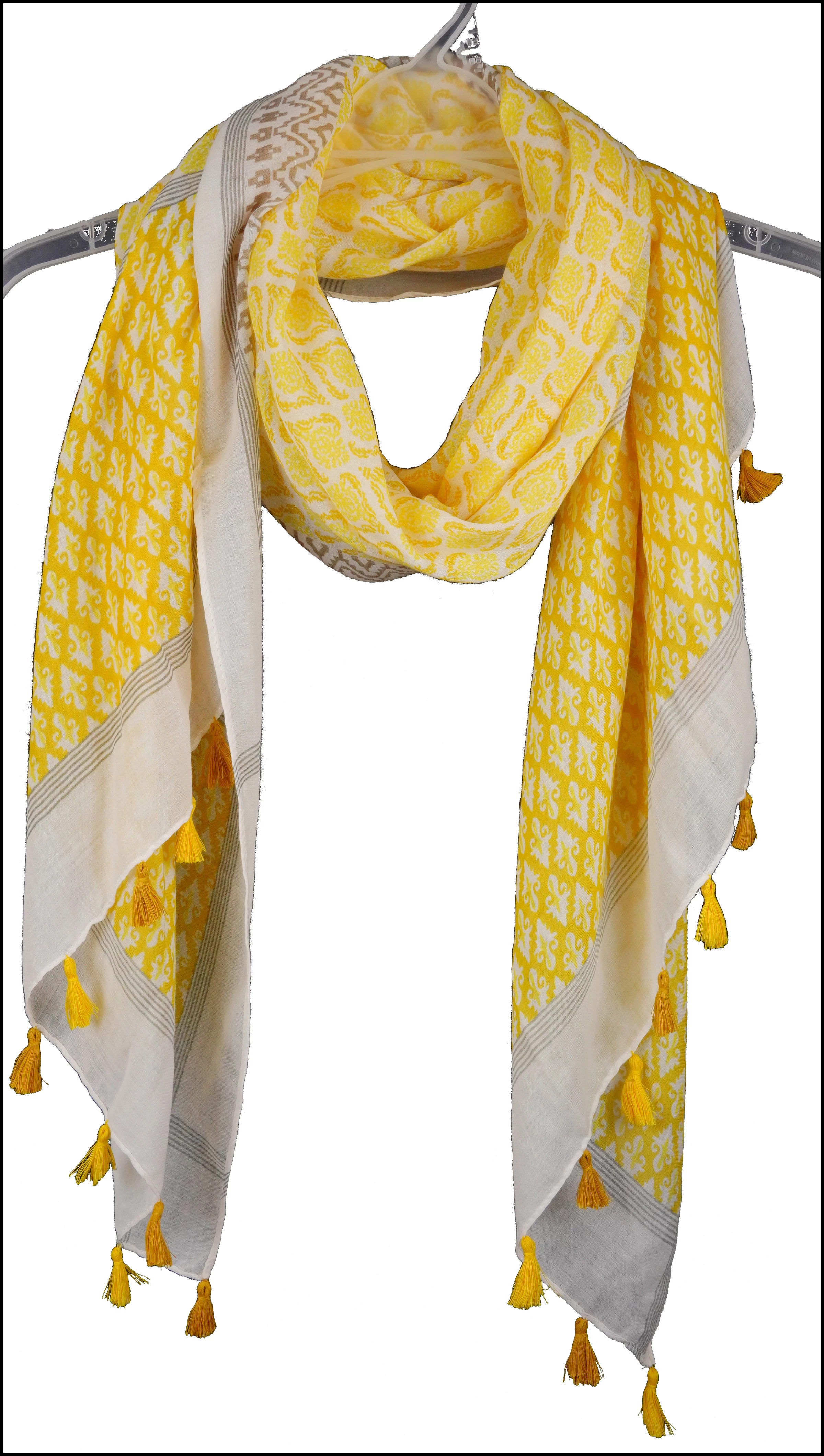
The Background Eraser Tool lives "dirty" erased background, and dark spots along the edges.
Hello everyone,
I am on a product photography project, and I need quickly and accurately turn the background in an absolutely clear white area. I tried using the Background Eraser Tool and got in the result: (1) a "dirty" erased background, and (2) dark spots along the edges. (see attached pictures: "before" and "after").
I tried several times on background curtains of different colours (at first white, then black), and always got the above-mentioned problems.
What is that happening?!
Any input will be greatly appreciated.
I am ready to discuss remuneration for the consultation which would help me resolve these problems.
IMAGE BEFORE THE "BACKGROUND ERASER TOOL":
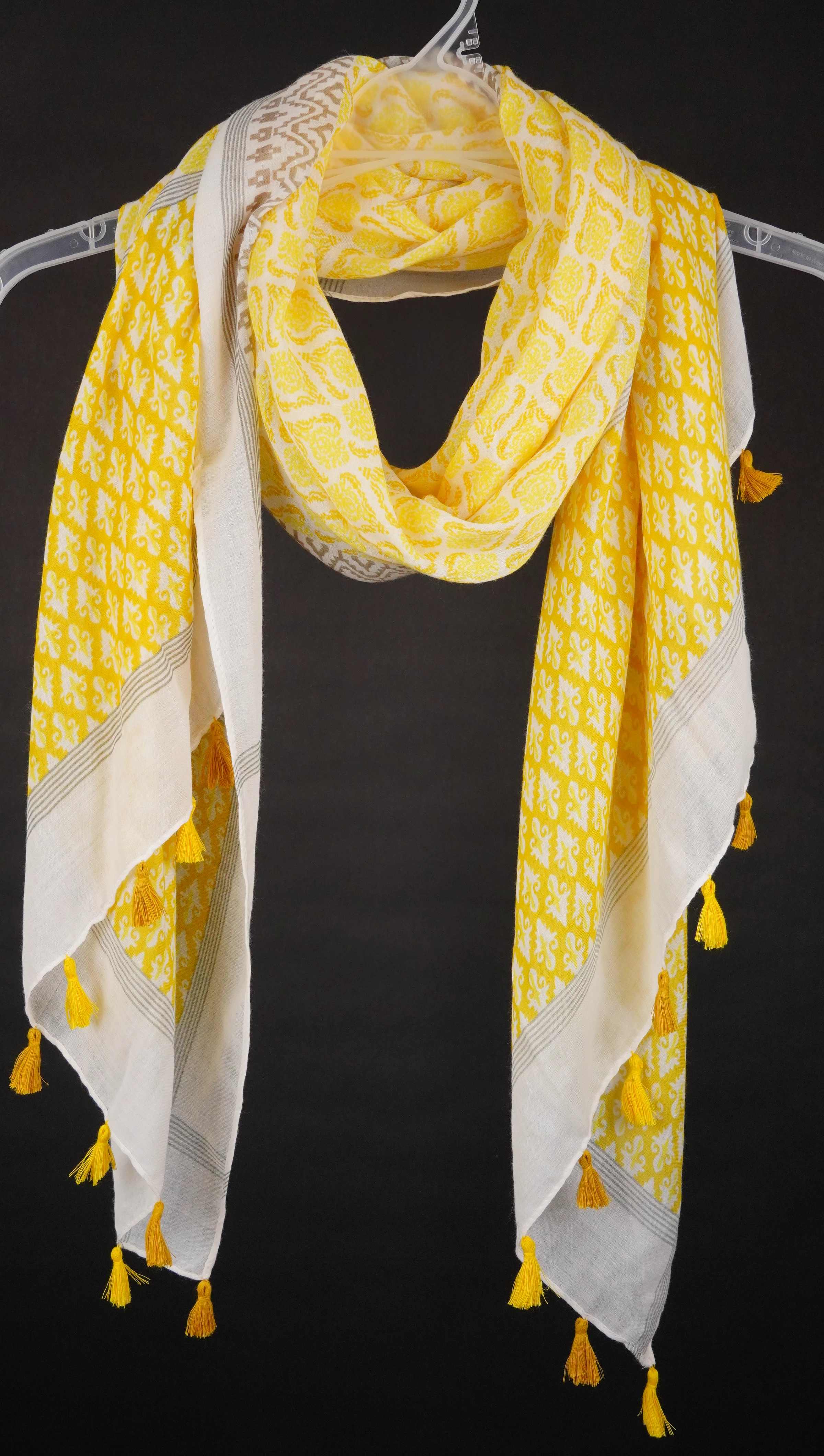
IMAGE AFTER APPLYING THE "BACKGROUND ERASER TOOL":

 AdChoices