Participant
October 8, 2018
Answered

The Elements "Home" Page

  • October 8, 2018
  • 1 reply
  • 699 views

I would like to immediately go to the Organizer and skip the "Home" page when I click on the desktop icon for Elements 2019.  There was a selection for this option in previous versions.  Is there one in this version, and if so, where is it?
    This topic has been closed for replies.
    Correct answer MichelBParis

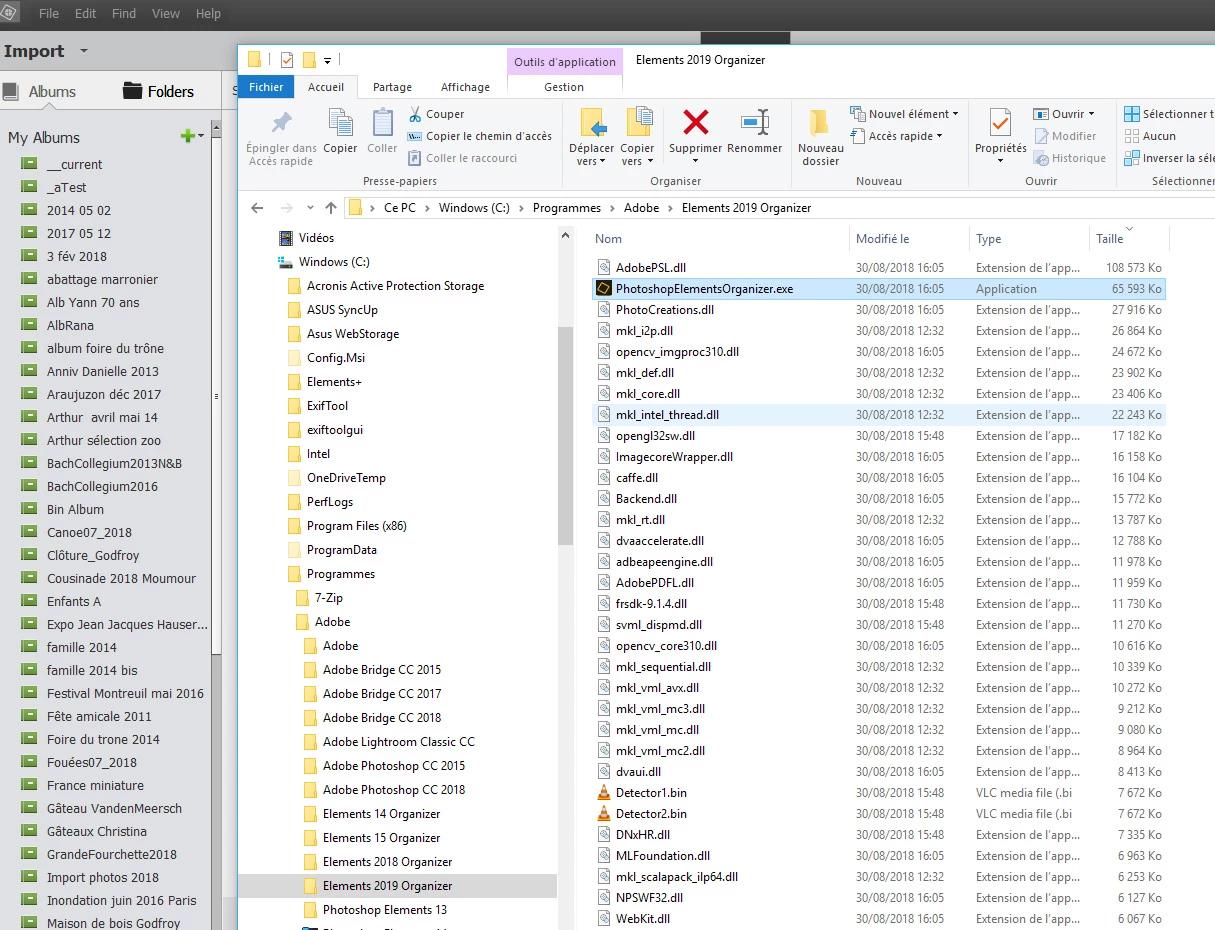
    That's in Win 10.

    Create a desktop shortcut.

    1 reply

    MichelBParis
    MichelBParisCorrect answer
    Legend
    October 8, 2018

    That's in Win 10.

    Create a desktop shortcut.

    jonmradioAuthor
    Participant
    October 8, 2018

    I had forgotten about this solution.  I was focused on the way I did it in years past...where there was a way to select this option from the "Home" pages.  Thanks.