



Walter_H
Legend
April 26, 2021
Answered

The Font I Want To Use ONLY Places Uppercase Characters

  • April 26, 2021
  • 2 replies
  • 1039 views

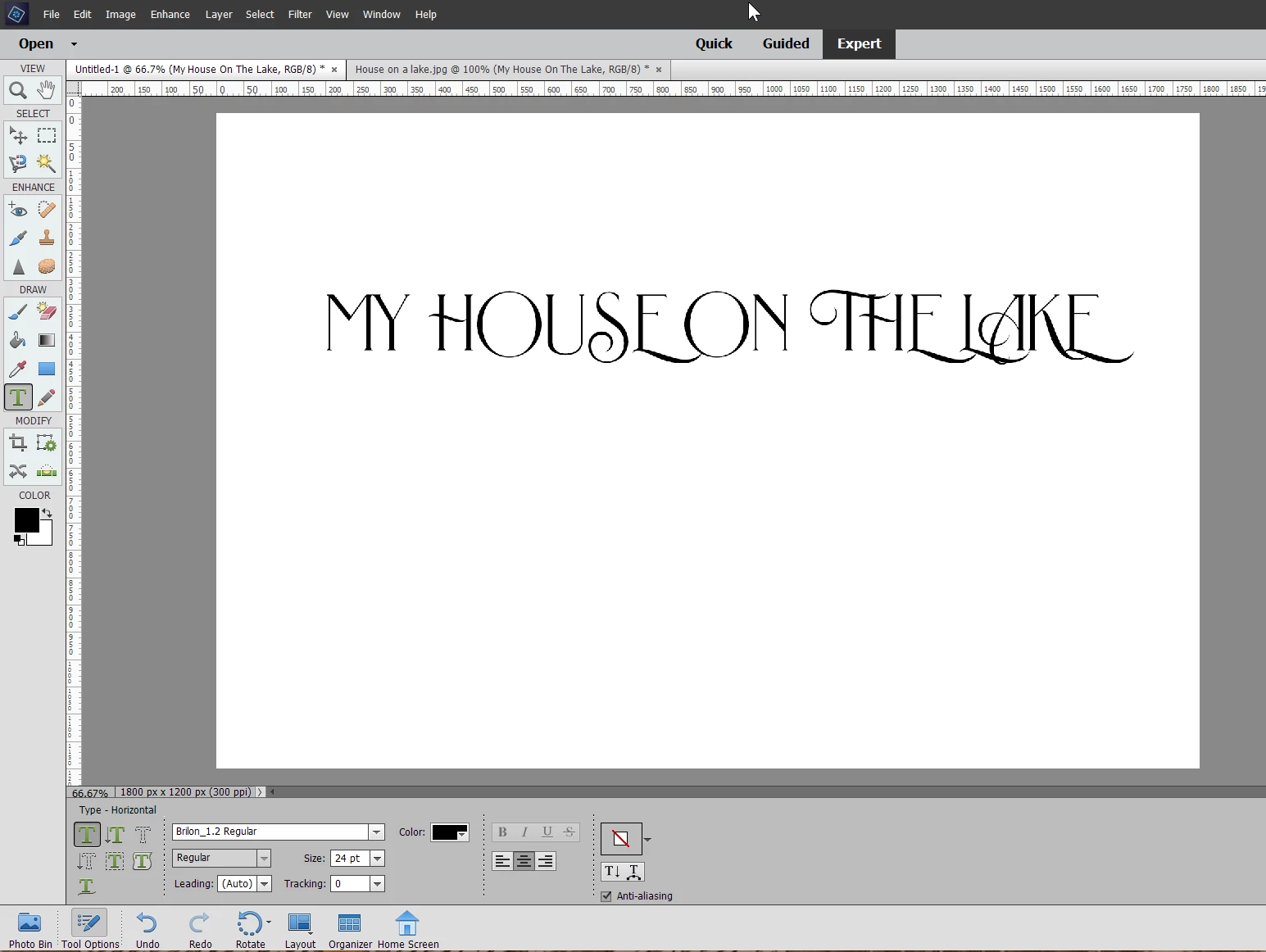
I am using PSE 2020 on a Windows 10 PC. I am trying to place some text on a photo using the Brilon font from the Heritage Type Co. The PSE Editor will ONLY place the uppercase characters even though I do not have caps lock enabled on my keyboard. This font works fine in MS Word. I don't have this problem with other fonts that I've tried, but I like this font. I've attached a few screen clips to show the problem.


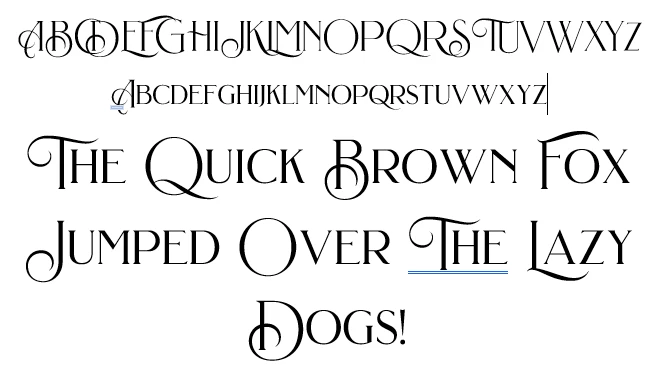
This is a sample of the font typed into MS Word.


This is a sample of what I get in the PSE Editor.


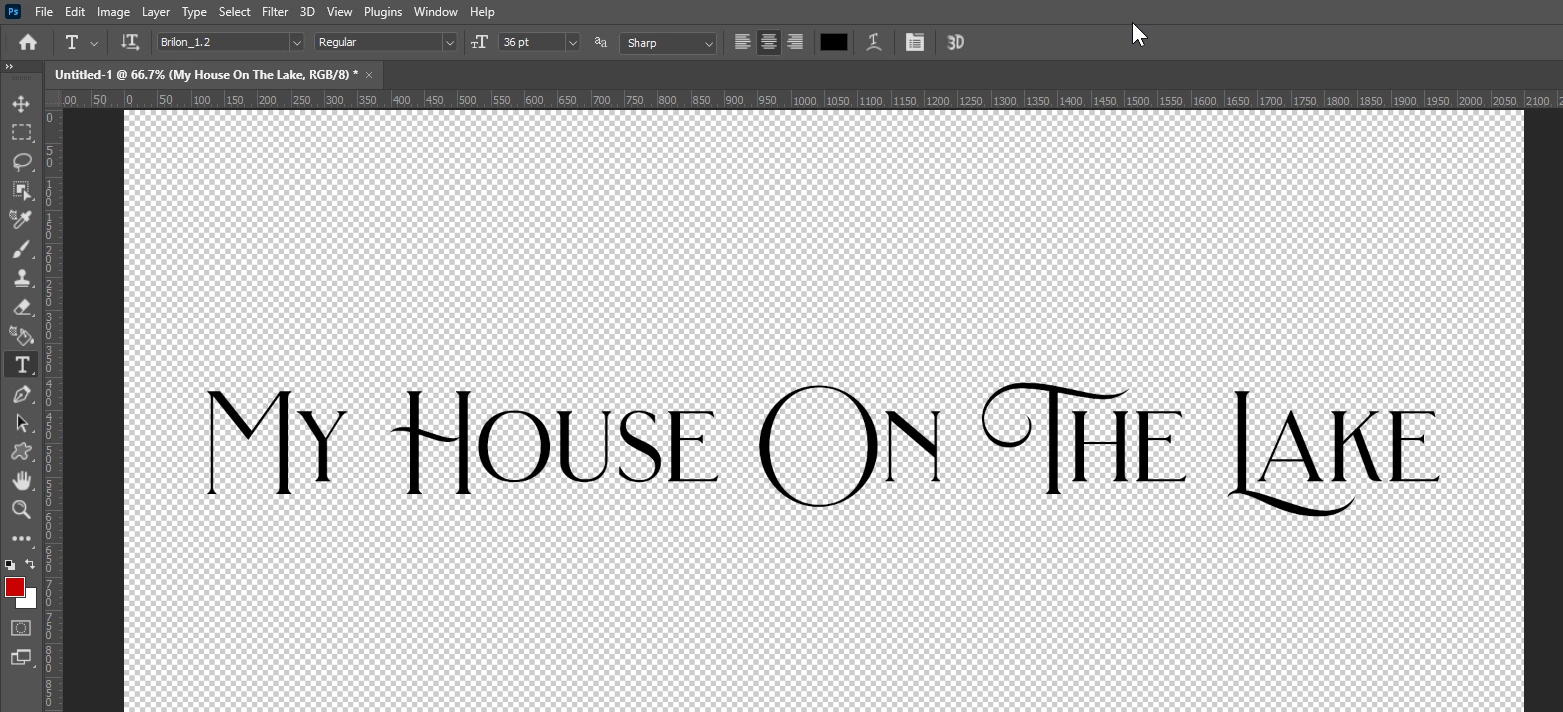
It should look like this. (typed in MS Word)



Also, this Brilon font works fine in Photoshop.


Have I got something set wrong on my PSE to cause this?

 

This topic has been closed for replies.

2 replies

Jeff Arola
Community Expert
Jeff ArolaCommunity ExpertCorrect answer
Community Expert
April 26, 2021
Walter_H
Walter_HAuthor
Legend
April 26, 2021

Hi Jeff,


THANK YOU!! That "Ctrl + Shift + Y" solved the problem!


I have to ask how my PSE got forced into all caps? And why did it only affect the Heritage fonts??


Thanks again!


--Walter in Davie, FL
Participant
June 21, 2021

I have the same problem with PSE2018 but it affects all fonts and this has only started happening recently.  I have successfully used Joe Hawes' solution as suggested but surely I shouldn't need to.

Walter_H
Walter_HAuthor
Legend
April 26, 2021

This is an UPDATE to my original post.


I have five other fonts from Heritage Type Co. They are: Blackriver, Mirosa, OldAlfie, OldErika, and RoyalSignage. ALL of these Heritage fonts have the same exact problem - I can only get the uppercase characters in the PSE Editor. But, they all work fine in MS Word & Photoshop v22.3.1.


I guess I'll need to contact Heritage to ask about this problem.


--Walter in Davie, FL