

boba44585016
Known Participant
December 23, 2020
Question

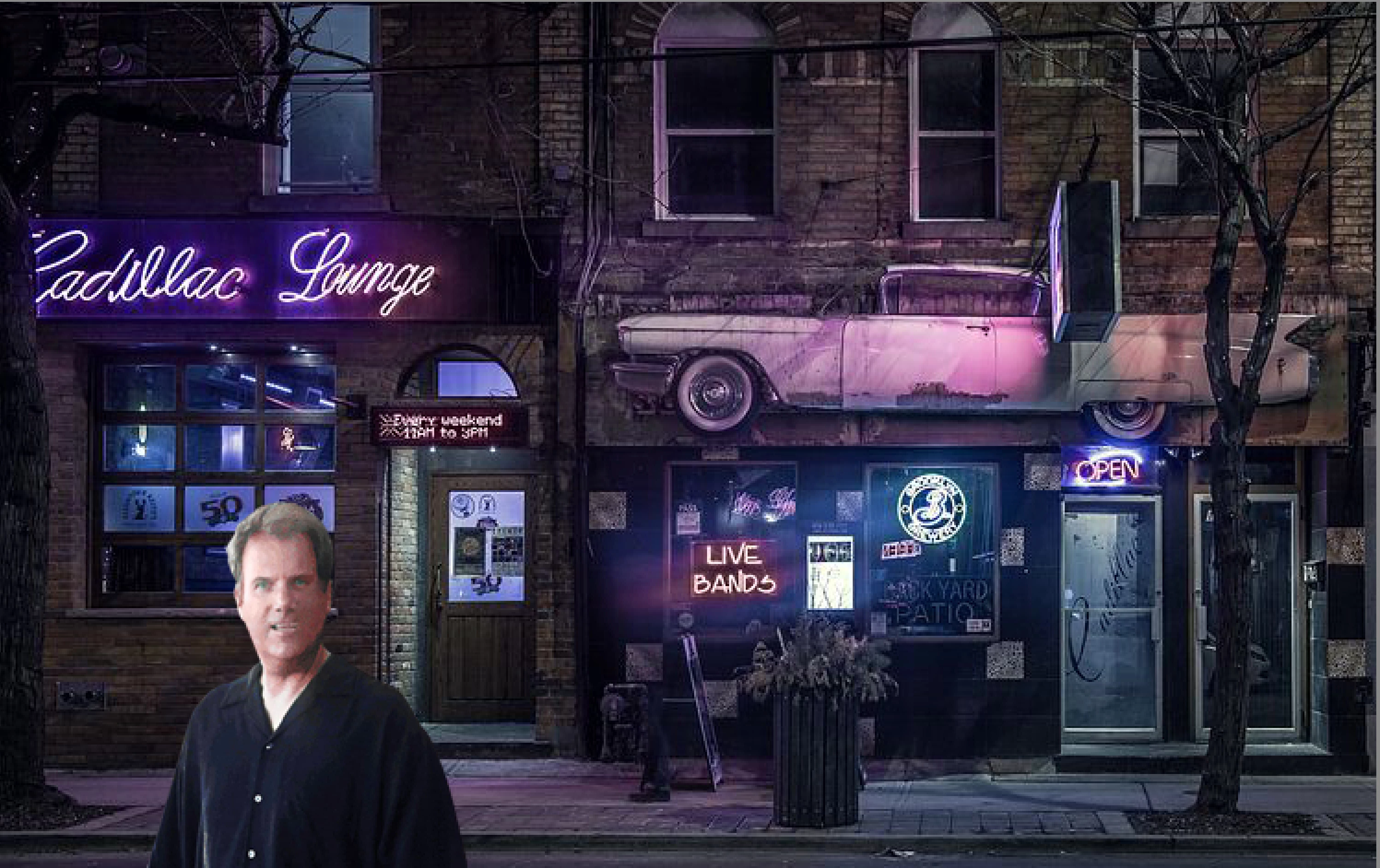
The image is too bright?

  • December 23, 2020
  • 1 reply
  • 378 views

I put the image on the background but the image is to bright. How do I blend the image and the background together?



This topic has been closed for replies.

1 reply

Greg_S.
Community Expert
Community Expert
December 23, 2020

There are probably many different ways to do this.  A simple way would be to select the person, add a levels adjustment layer, and make some levels adjustment.  Here, I just used the Output level of the white point to tone down the brightness.  Feathering the selection would also help blend the two images.


You can also start off with the Automerge Compose Guided Edit.  This has a tool to Auto Match Color Tone.  In this case, the tool actually brightened the person, but using the Luminosity slider I  lowered the brightness.

Hope this helps.