



Things to do before you purchase and download a new version.....
A new version of PSE typically gets released about the second week of October through about the first week of November, sometimes a tad later than that.
NO! I don't know when-I doubt that even Adobe knows.....
Be prepared!
TIME FOR SOME HOUSE KEEPING: (you should have backup copies of all this stuff allready....)
Make a backup copy off all these items, and tuck them away where you can find them:
Custom shape libraries you've downloaded.
Custom styles you have downloaded and installed (right now some of you are thinking.... "wait... what? we can download custom styles???").
All custom brushes you have downloaded and installed, or created.
Any custom color pallets you have downloaded and installed, or edited.
All actions you have downloaded and installed.
Remember: A new version installation does not update an older version- it's a brand new installation, just like when you installed it for the very first time.
Any custom libraries / content you have added to, created, or edited will not appear in the new version- you have to manually reinstall / add them.
Make sure you know how to login to your adobe account: double check everything the arrows point to: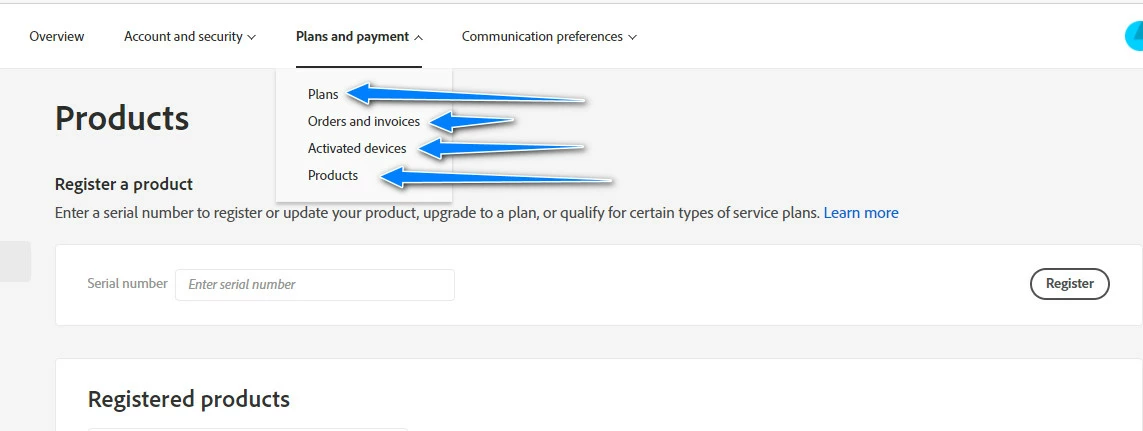
 AdChoices