
Participant
November 19, 2024
Answered

Transparente Fläche in schmalem Bereich färben

  • November 19, 2024
  • 2 replies
  • 168 views

Hi,

Ich bin Anfänger was Photoshop betrifft und konnte bisher die Dinge die ich machen wollte auch irgendwie hinbekommen, aber bei diesem Problem weiß ich einfach nicht wie ich da ran gehen soll, wenn ich nicht jeden Pixel einzeln färben möchte.

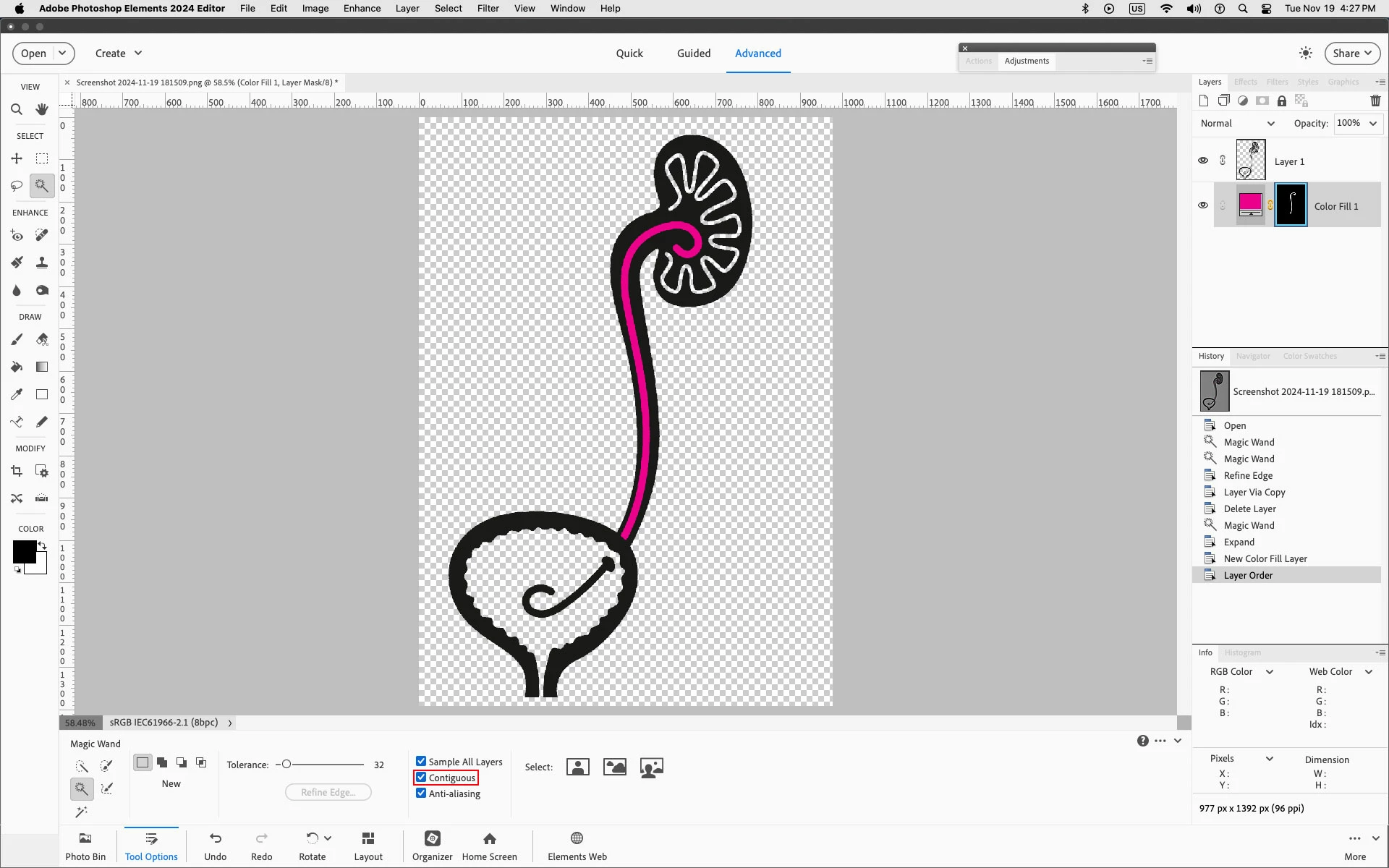
Ich habe eine Art Piktogramm auf transparentem Grund, und möchte eine schmale Linie mittendrin Magenta färben. Leider färbt das Füllwerkzeug immer den gesamten Hintergrund. Zuerst war noch eine Lücke zum Hintergrund, diese meine ich aber geschlossen zu haben. Manuell diesen schmalen Bereich auswählen ist extrem schwierig, und es gibt bestimmt eine bessere Methode, ich hoffe ihr könnt mich erhellen.

This topic has been closed for replies.
Correct answer Jeff Arola

In the Tool Options for the Magic Wand check Contiguous (Benachbart) and then try selecting the area.


2 replies

Jeff Arola
Community Expert
Jeff ArolaCommunity ExpertCorrect answer
Community Expert
November 21, 2024

In the Tool Options for the Magic Wand check Contiguous (Benachbart) and then try selecting the area.


Participant
November 23, 2024

thanks!! now it's working as expected 🙂

Jeff Arola
Community Expert
Community Expert
November 19, 2024

You could use the Magic Wand Tool to select the narrow area then go to Select>Modify>Expand and enter 4 or 5

Then go to Layer>New Fill Layer>Solid Color

Finally move the Solid Color Fill layer below your pictogram


Participant
November 21, 2024

Danke für die Antwort. Das Problem ist, Ich kann mit dem Zauberstab den schmalen Bereich nicht auswählen, er wählt immer alles aus.. Vielleicht weil es transparent ist?