

Travel photos on 2nd (small) PC
Hello,
I use Elements 15 and now have it on 2 computers, a small one for travel and my main one.
I am trying to work out the best way to continually organise things, so I can easily transfer my travel photos to my main PC after I return.
I do not use the cloud or want to use external storage for all my photos. I will not keep a copy of the photos on my small PC.
I want all the photos from my small PC to be in my current (and only) catalogue on my main PC.
They have been manually tagged and I use facial recognition. But I do not usually have albums or anything else created at this stage.
I also use smart tags, and am aware that once I delete a smart tag from a photo Elements is intelligent enough not to recreate that smart tag for that photo, will I lose all this info and it will start to recreate all the smart tags again once the photos have been moved? Not so critical but useful to know for next time?
I have looked at a number of forum threads and the following seems the way to proceed.
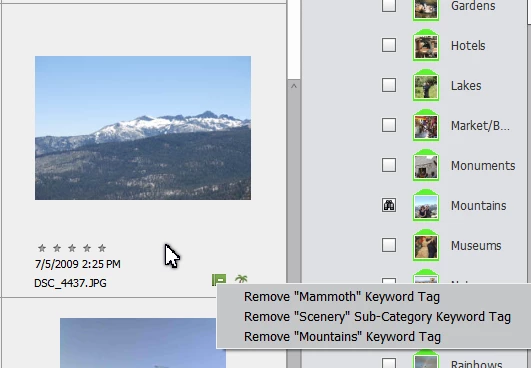
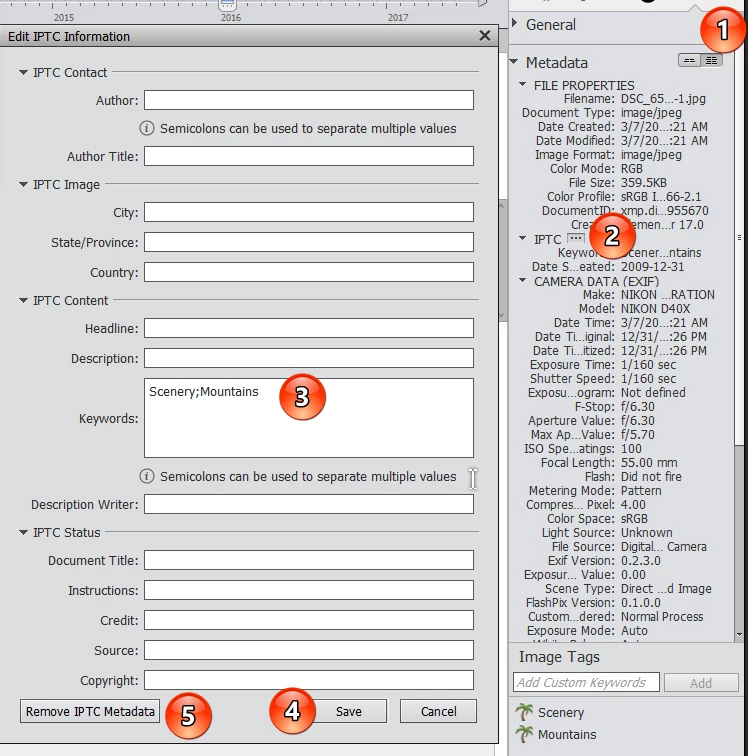
But I need to know how to remove incorrect tags already saved to these photos first please, but I do not want to remove the other metadata.
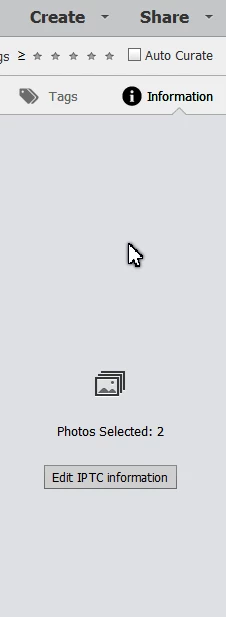
(Can removing tags be done in bulk through Elements?)
If this can be done then the following seems the way to go
1. Remove incorrect tags from all photos on small PC.
2. Save my new, correct tags (metadata) to all photos
3. Move/Copy the files in Explorer, this will allow the same file structure to add them to the main PC (I use date order)
4. Import into elements, and obviously create any new tags at this time.
Am I missing anything here, I get the impression the backup and restore options would not work as it is going into a catalogue that already exists and also they do not have the same folder structure.
Thank You
Leanna


 AdChoices