
Trouble resizing images in layers to make a collage
I hope someone can help me. I am using Photoshop Elements 2018. I am trying to shrink about 10 4"x6" images so that I can print 2 per 4"x6" page. I made a new blank file that is 4"x6" and is white. I went through and resized all 10 of my images from 4"x6" to approximately a 4"x3" size so that I could fit 2 images on each 4"x6" piece of paper.
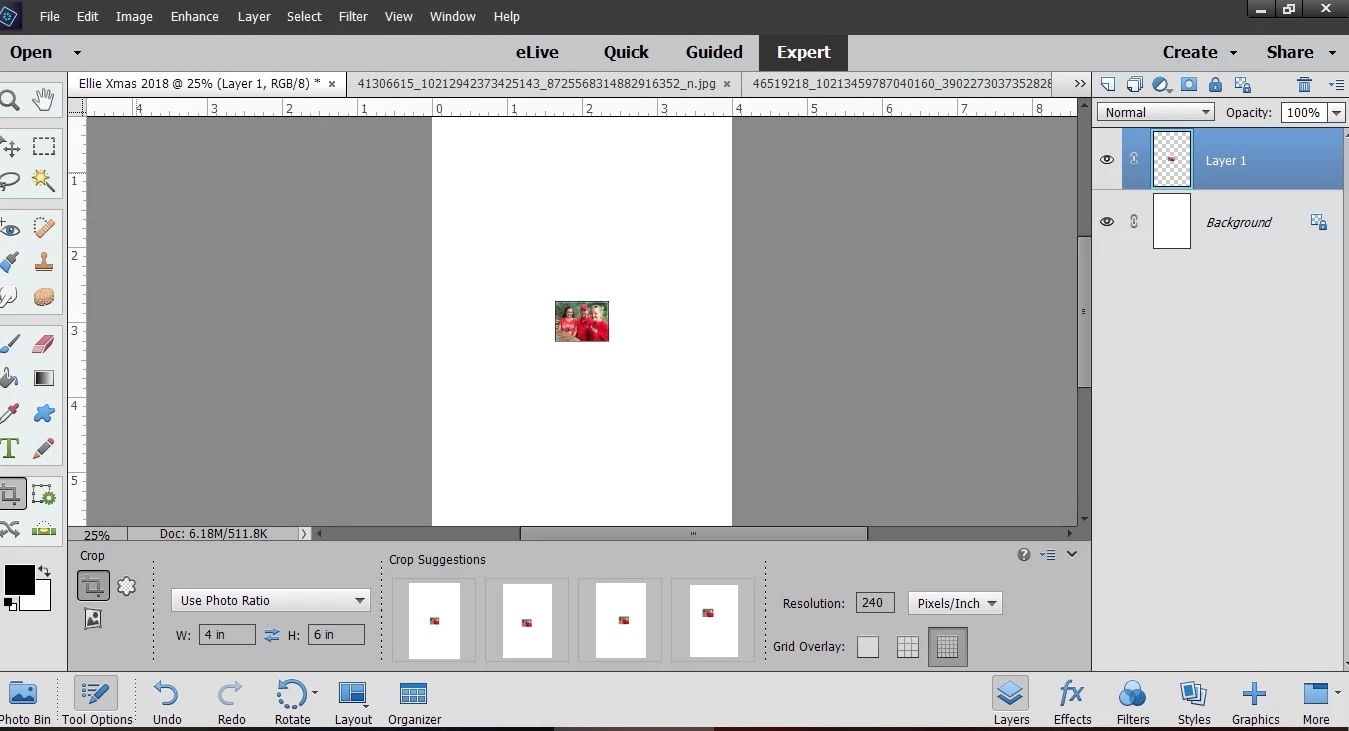
I select the first image and go to Select>All. I then Copy the image, create a new layer, and paste my 4"x3" image to the blank file. The problem is the measurements do not add up. The 4"x3" image is clearly much smaller than it should be. I have tried this for about an hour and do not know what I am doing wrong. I am including a Print Screen of my desktop.
Would someone please tell me what I am doing wrong? Thank you in advance for your help.
Julie
 AdChoices