
lynns45105784
Participating Frequently
February 17, 2025
Question

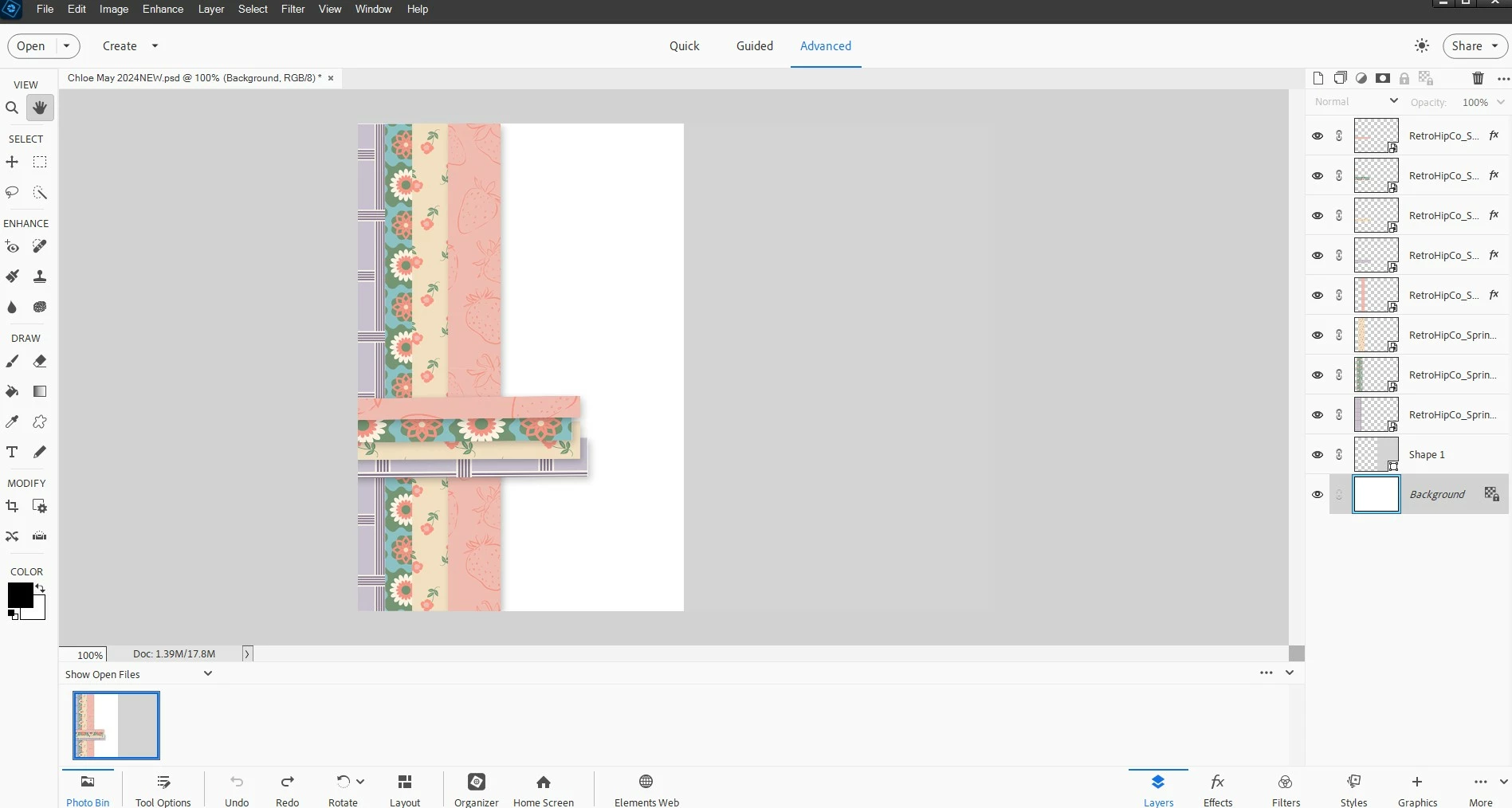
Trying to open a psd file created in Photoshop Elements 2018 in Photoshop Elements 2024

  • February 17, 2025
  • 2 replies
  • 253 views

I just downloaded the single purchase Photoshop Elements 2024. I am trying to open a psd file I created in PSE2018 and it comes up showing the layers but I can not edit them. I have tried:

1. Resaving as a tiff. in 2018

2. Save as in 2024

Nothing worked. It opens fine in PSE2018.

It's like it is all frozen. Any suggestions would be so welcome. 
2 replies

Glenn 8675309
Legend
February 17, 2025

Do what the arrow is pointing to.


lynns45105784
Participating Frequently
February 17, 2025

I tried your suggestion and the file still opens but I can't access any of the layers. 

Jeff Arola
Community Expert
Community Expert
February 17, 2025

How did you create the psd in PSE 2018?


Did you use Guided Edit or one of the Create options like Photo Collage?


Can you post a screenshot of the psd opened in PSE 2018?

lynns45105784
Participating Frequently
February 17, 2025

This is the file in PSE2018