

Trying to understand rendering intent, etc
I just got an Epson Ecotank ET-3950 and I would like to printmon photo paper as well as matte and glossy sticker paper. I have Photoshop Elements 15 (yeah I know it is old, will upgrade if I can get some proof that it will do what I need) on a Mac.
My images are brightly colored paintings and I would like to retain the pop. I understand RGB colorspace is more vivid and when you print to CMYK it gets a little more dull. I used to do tech support for Photoshop Elements and Photoshop, and worked in a print shop, 20+ freaking years ago, so I am not totally clueless, BUT a lot has changed with the tech over the years.
So I am looking at Rendering Intents and changing those but my prints look no different from Rendering Intent to Rendering Intent so maybe I am missing something. I'm letting Photoshop Elements do the color management instead of the printer, and maybe that's a mistake. My prints look pretty decent so far though. BUT then I tried a different set of images and the color seems a bit off. Unclear if I was supposed to run a maintenance mode on this printer when switching papers. Very unfamiliar with color inkjets, sadly.
Also trying to decide if I should choose something other than the default colorspace. Options are overwhelming.
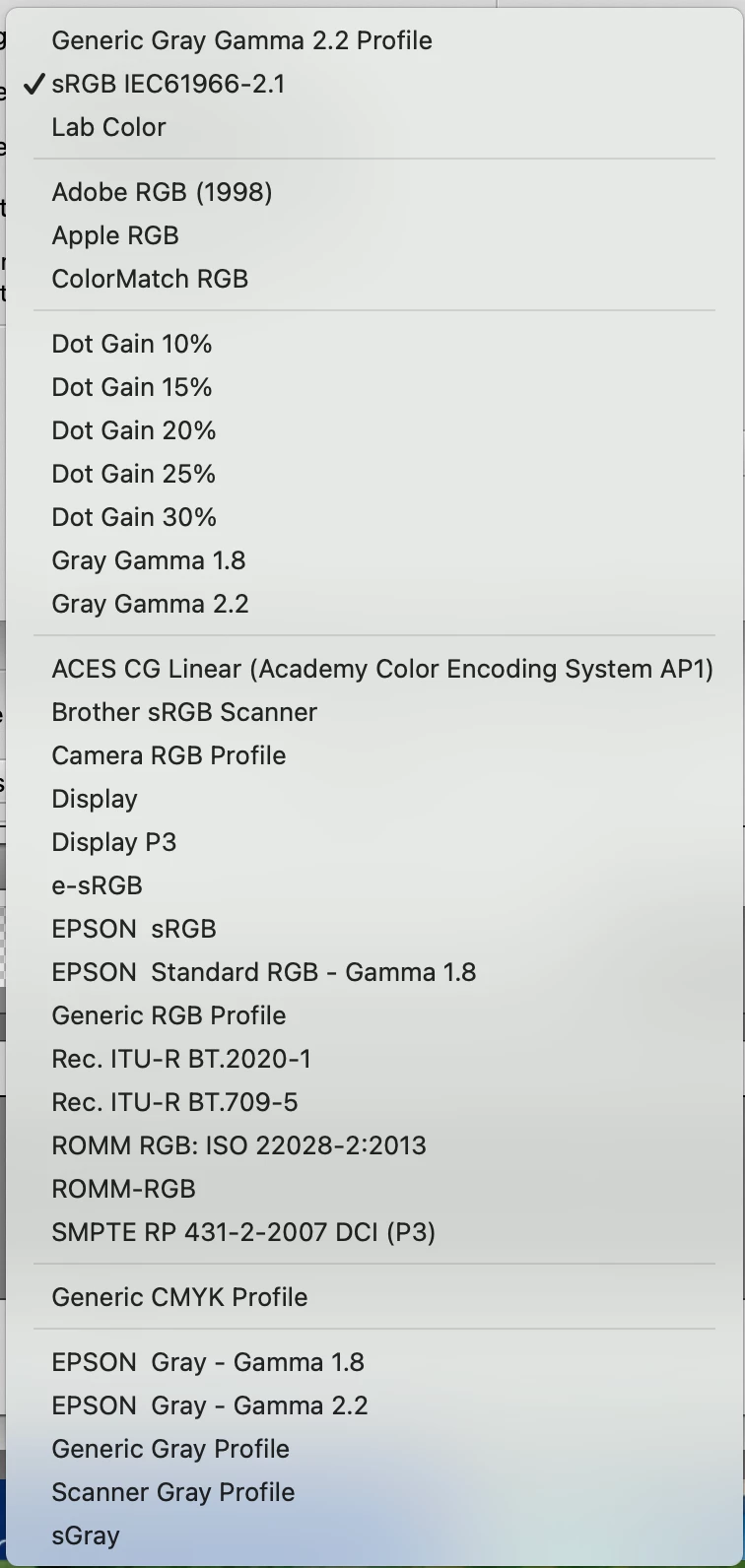
Your advice? heeelp?! Thank you.


 AdChoices