
Kurt_K1993991
Participant
March 6, 2023
Question

Überarbeiten>Beleuchtung anpassen>Tiefen/Lichter reagiert nicht oder sehr träge

  • March 6, 2023
  • 2 replies
  • 421 views

Elements 2023 (21.0) auf macOS Monterey mit 16GB RAM:

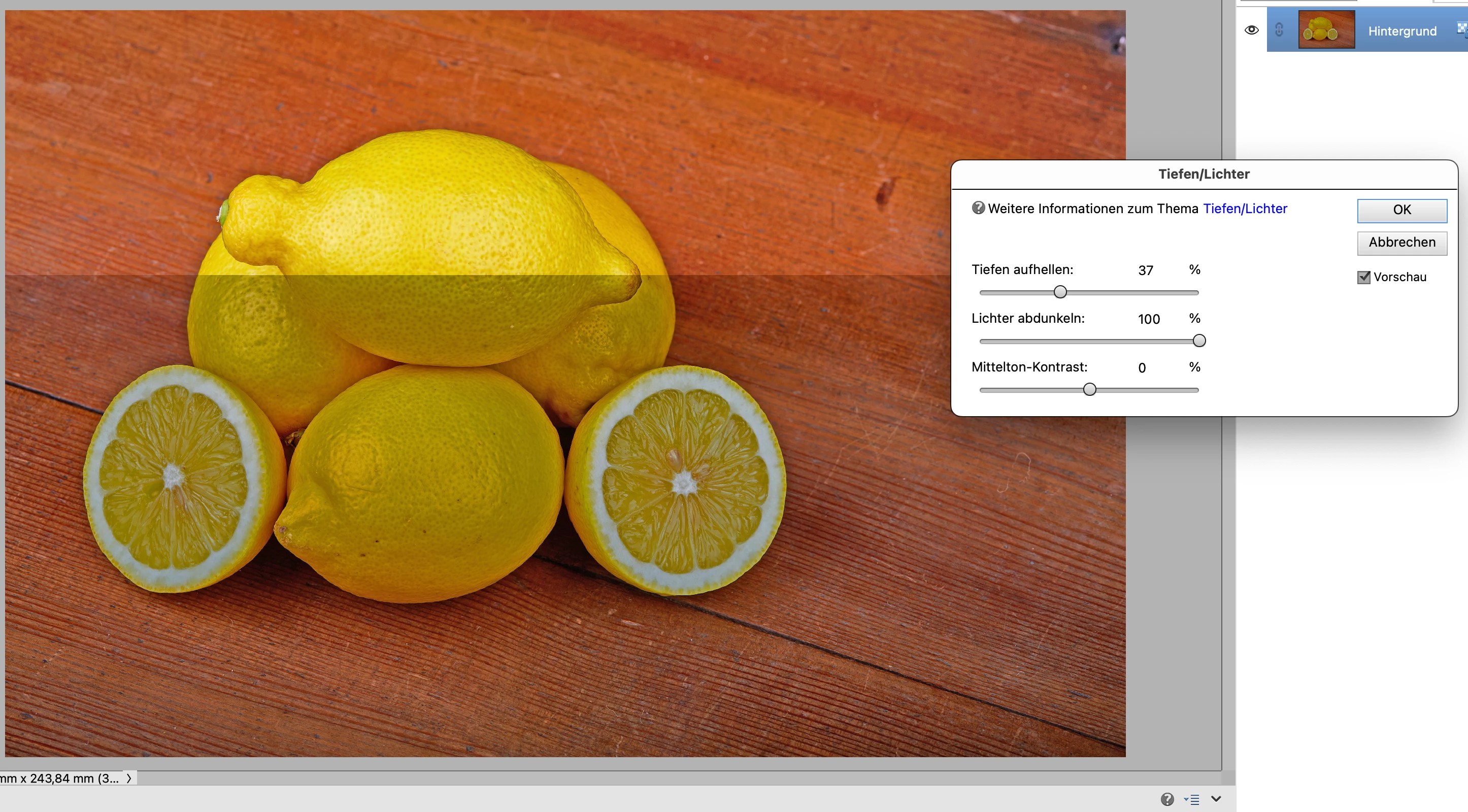
Der Dialog Tiefen/Lichter kann nicht oder nur sehr träge mit aktiver Checkbox "Vorschau" betrieben werden. Ich muss den Haken in Vorschau immer wieder deaktivieren und aktivieren damit das Bild geändert wird. Oft wird nur ein Teil des Bildes aktualisiert (Screenshot). Die anderen Module – z.B. Tonwertkorrektur – laufen aber flüssig.
This topic has been closed for replies.

2 replies

Jeff Arola
Community Expert
Community Expert
April 7, 2023

Adobe just released an update for pse 2023 that seems to fix the issue, so hopefully you'll be getting a notice about the update one of these days when you first start pse 2023.

https://helpx.adobe.com/photoshop-elements/release-note/update.html?mv=product&mv2=pse

Kurt_K1993991
Participant
April 9, 2023

Thank You, Jeff, for this information. Yes, i have received the notice about the update, installed it and tested it. I am glad that the bug has been fixed.

Jeff Arola
Community Expert
Community Expert
March 6, 2023

If you highlight the value fields and then use the mouse scroll wheel or keyboard arrow keys you'll see the changes to the whole image.


Kurt_K1993991
Participant
March 6, 2023

Thank You, Jeff. If i highlight the value fields and use the arrow keys on keyboard the effect of changing is seen correctly and  immediately. First success! But pushing the sliders by mouse takes only effect after unchecking/checking the Preview-checkbox. And that only faultily, see "X" on my next foto, but anyway – your hint was helpful for me, so i have to use the keyboard instead of mouse. (By the way, my Apple-mouse has no wheel and sweeping the mouse surface doesn't work.)

Kurt_K1993991
Participant
March 17, 2023

By the way, after re-activating PSE 2018 (16.0), this older version does not show any problems when i use the Shadows/Highlights dialog – the sliders can be moved fluently and show instantly effect. So i can eleminate the influence of my computer operating system. Meanwhile another bug occured using PSE 2023 instead of 2018: crashing when changing the features of a square-brush.