
Participant
May 27, 2019
Question

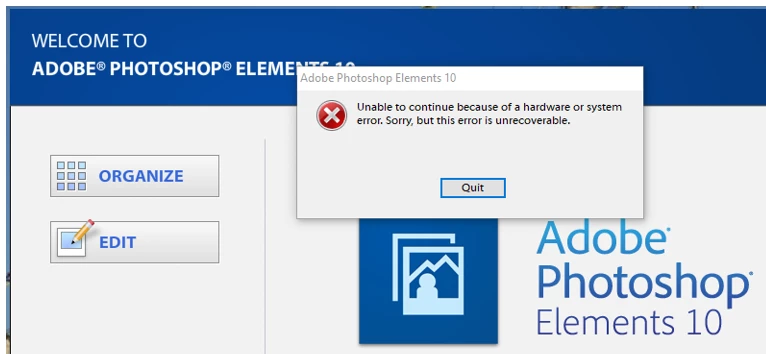
Unable to continue because of a system or hardware error. Windows 10

  • May 27, 2019
  • 1 reply
  • 441 views

After getting the start up window and clicking on EDIT, I get the above error message and it says it is unrecoverable. I have had Windows 10 installed for more than a year and this problem just started a couple of months ago. I haven't done any other major upgrades of antivirus, malware, etc. apps.  Can this be fixed by re-installing Elements 10 ?  Or has a recent patch to Win 10 upset something?

[Title typo corrected by moderator]
This topic has been closed for replies.

1 reply

Sahil.Chawla
Adobe Employee
Adobe Employee
May 27, 2019

Hi Fred,

Sorry to hear about the start up error that you get whenever you hit the Edit tab.

Could you please try updating or rolling back the Graphics drivers from the manufacturer's website and let us know if it helps?

Also, please check if there are any pending Windows update for the operating system.

If that does not help then try resetting the preferences of Photoshop Elements,

Note: Deleting the preferences file is an action that cannot be undone.
Preference file locations for Photoshop Elements and Premiere Elements
To restore the preferences: Press and hold Alt+Control+Shift (Mac: Option+Command+Shift) immediately after Photoshop Elements begins launching. Click Yes to delete the Adobe Photoshop Elements settings file.


Regards,
Sahil