
Unable to upload files after migrating from PSE14
Unable to upload any files after upgrading from PSE 14.
I never did get a resolution to this problem when I experienced it 2016 and added my dilemma to the Forum in
the hope there was a solution. I tried many options and finally ran out of patience and the time needed for any more debug.

My environment
OS: Windows Professional, Version 6.1 Service Pack1 with 16GB.
Currently have 4,584 photos loaded.
PSE 16 had been announced and I decided to try this new version, but got exactly the same results. Currently 14, 15 and 16 all have the same content in their catalog.
File==>Get Photos and Videos==>From Files and Folders===>Organizer Stopped
There was no chance to even select a folder, as soon as the “From ..” was selected the Organizer stopped.
I decided to try a different approach in debug with PSE 16.
Created a new Catalog which would then have no entries.
Tried the upload procedure and got the same “Organizer Stopped”
My current thinking was that it never was a catalog problem and probably an Organizer problem.
I went through the “Preferences” section on “Files” but could find nothing that looked out of the ordinary compared to PSE 14.
Unfortunately I am strictly “hunt & peck” when typing and have been loath to try explain this on a CHAT session.
I even have a video that my wife made using her iPad, but no way to upload to the Forum.
Anybody have a suggestion?
12/9/17: I would add that when I try to download from my phone I get the following result.
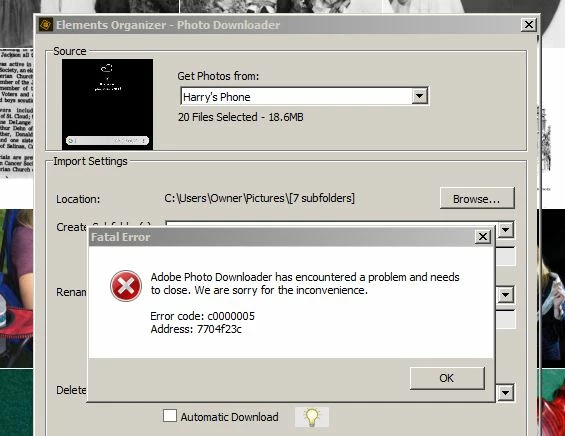
12/12/17: spent 4 hours with an Adobe tech using remote support but never resolved the problem.
There were lots of changes to security settings but to no avail.
I have offered to try any suggestions if they would contact me via email.
 AdChoices