
Participant
December 3, 2024
Answered

Unable to use Elements as cannot clear 'What's new in Photoshop Elements 2025' popup

  • December 3, 2024
  • 1 reply
  • 152 views

Hi,

I am unable to close the 'What's new in Photoshop Elements 2025' popup in Elements. So I am unable to use Elements.

All the options behind the popup are greyed out so I am unable to use them. There are no close or size buttons on the popup - I cannot get rid of the stupid thing. If I click onto the 'Learn More' or 'Save Now' button it just takes me to my browser and popup remains.
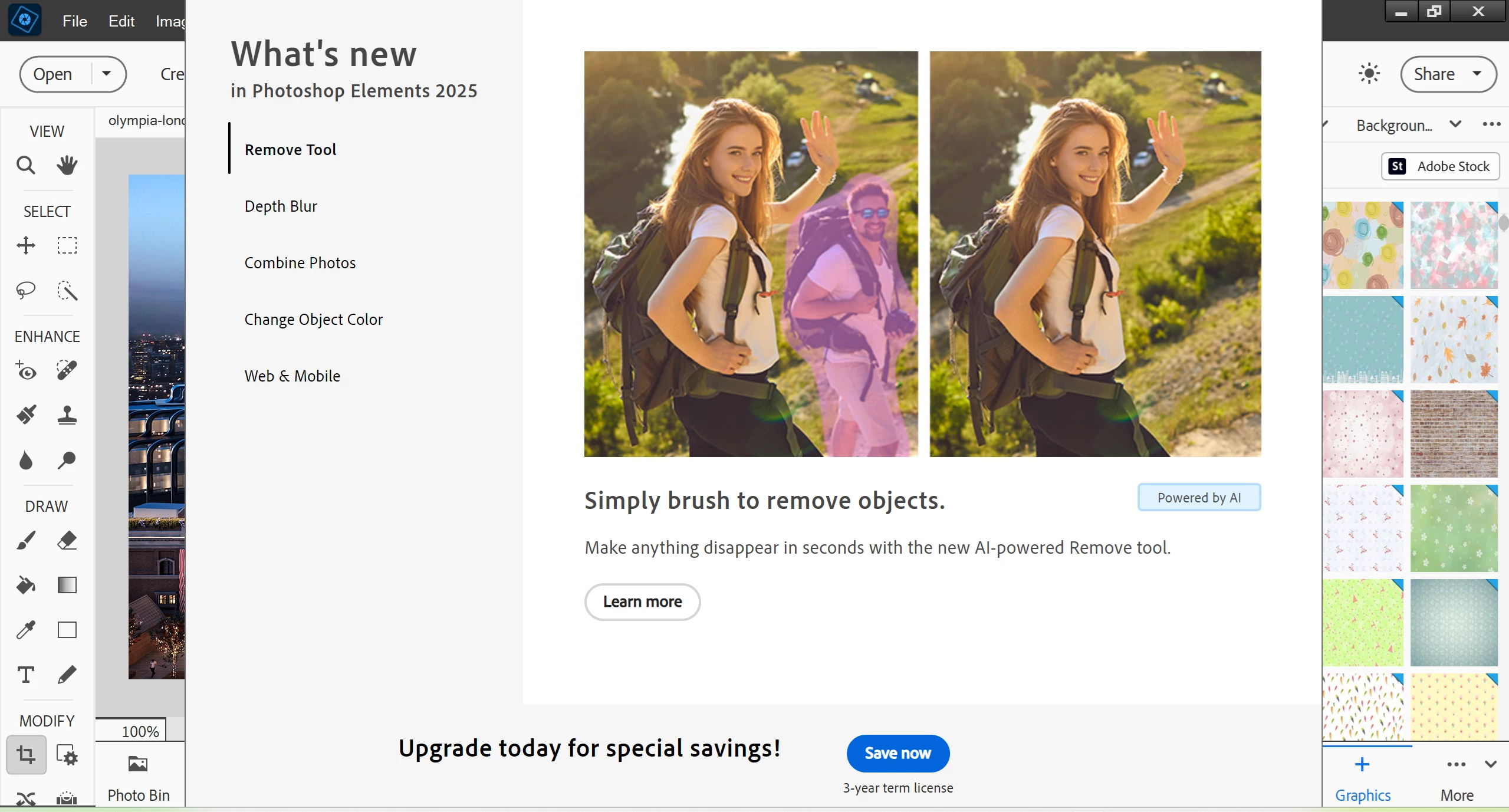
 

Any ideas? screenshot attached.

This topic has been closed for replies.
Correct answer Jeff Arola

Pressing the ESC key should dismiss that 2025 advert screen.


What version of Windows are you using?


If you set the Windows scaling by right clicking on your desktop and selecting Display settings, going to Scale and layout and try a setting like 100%, then start Photoshop Elements you should hopefully be able to get to the Do Not Show Above Content Again checkbox in the bottom right corner.

1 reply

Jeff Arola
Community Expert
Jeff ArolaCommunity ExpertCorrect answer
Community Expert
December 3, 2024

Pressing the ESC key should dismiss that 2025 advert screen.


What version of Windows are you using?


If you set the Windows scaling by right clicking on your desktop and selecting Display settings, going to Scale and layout and try a setting like 100%, then start Photoshop Elements you should hopefully be able to get to the Do Not Show Above Content Again checkbox in the bottom right corner.

Participant
December 3, 2024

Thanks - that worked. Can't believe I didn't try that.