
Participant
May 13, 2023
Question

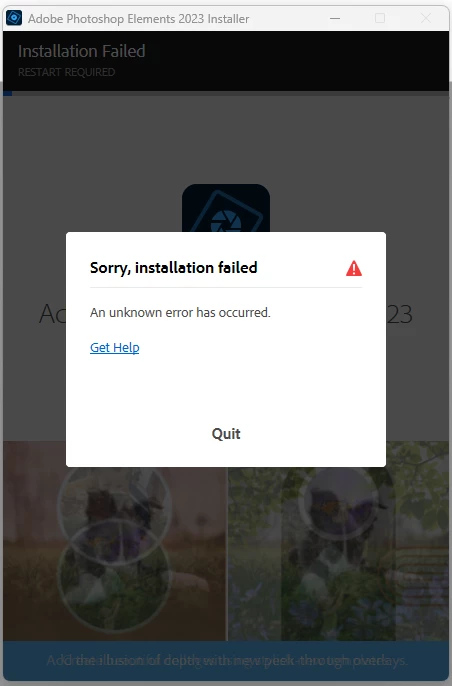
Unknown error installing Photoshop Elements 2023 on Windows 11

  • May 13, 2023
  • 1 reply
  • 1131 views

I have tried over the last couple of days to install Elements 2023 on my Windows 11 PC.
Pc is an i9 48Gb RAM 1TB etc.  
I have tried the following
Rebooting (plenty of times)
Running installer as Admin

Clearing all cache and temp files in browsers and system
Turned off all startup programs

Each time I get the same error at roughly the same point 2-3%.  As a last resort I have even installed a fresh version of Windows 11 and done all of the updates etc.  Device manager is happy with all devices.  Still no joy.

Does anyone have any further ideas please?   Frustration is growing.
This topic has been closed for replies.

1 reply

Ranjisha Sengupta
Legend
May 27, 2023

Hi @Howard261039682uxs 


Thanks for highlighting this. We understand your concern.

From where did you download the application? Do you have any firewall or anti-virus installed on your system?

Please try the steps mentioned in the article: https://helpx.adobe.com/download-install/kb/troubleshoot-installation-photoshop-elements-premiere.html.


Let us know how it goes.


Best,

Ranjisha

Participant
May 27, 2023

Hi Ranjisha.  I have recently fixed the problem by trashing windows again and loading elements before anything else.  I believe that the issue was to do with microsoft runtimes (C++ ) etc.  I have successfully installed all my other software and all are working as they should.  The reason I did this process is because I also use CorelDraw (because I prefer it for vector) and had the same issue with it if I had Elements installed. 

So the process was.  Windows 11 first, let it settle down with all updates and drivers happy.  Then install Elements then Office then CorelDraw and finally all other software.  Now everything is working fine.
Thanks for getting back to me though.
Cheers Howard