Participant
October 28, 2024
Question

Untermenü Raster wird nicht angezeigt

  • October 28, 2024
  • 3 replies
  • 174 views

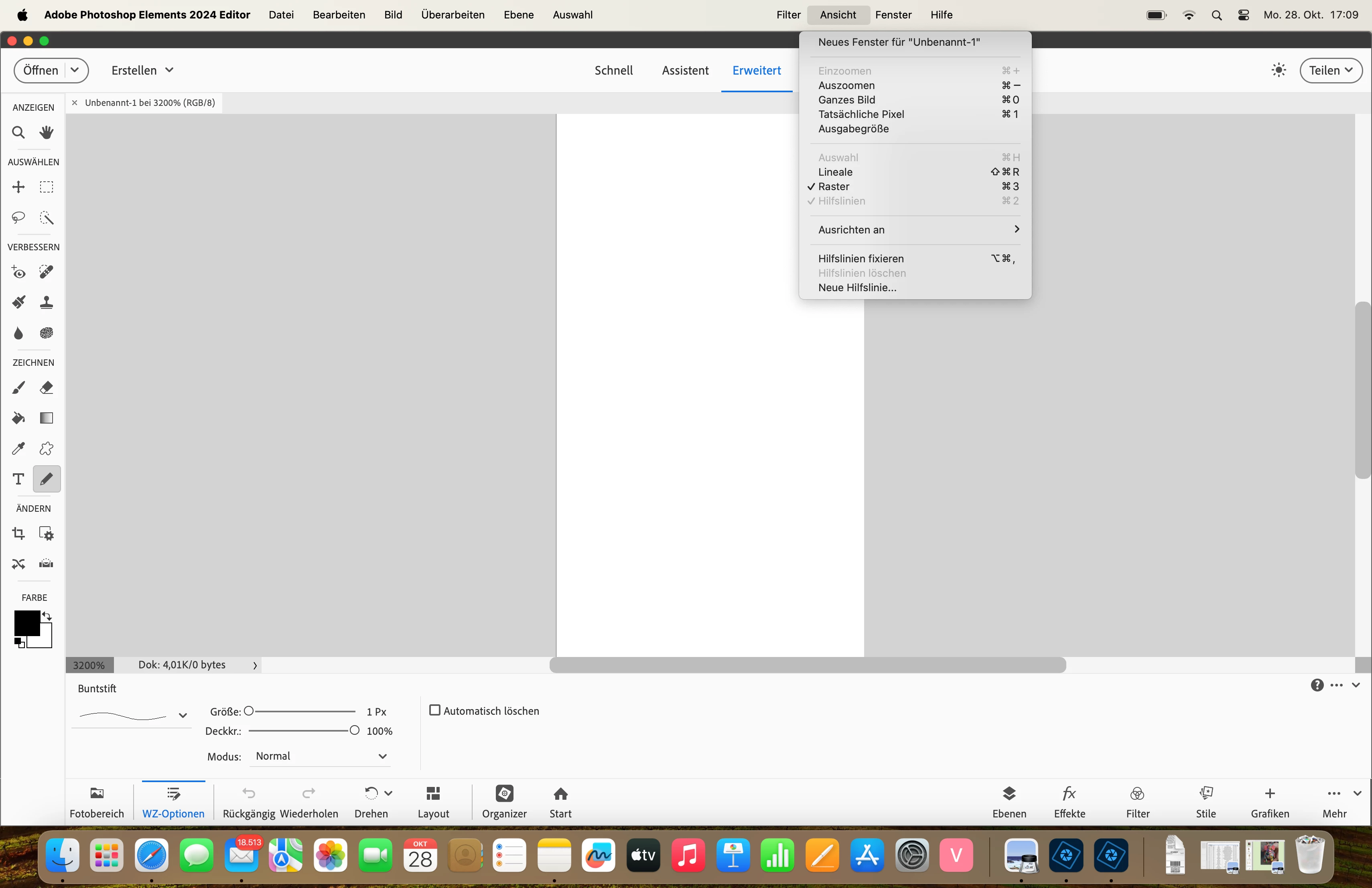
Hallo, in Adobe Photoshop Elementar 2024 wird im Menü "Ansicht " , Untermenü "Raster" (Command3) kein Raster angezeigt. Wie kann ich das aktivieren?

This topic has been closed for replies.

3 replies

Jeff Arola
Community Expert
Community Expert
November 12, 2024

Most likely your not seeing the grid because your document is zoomed in to 3200%

Go to View and click Fit on Sceen Cmd 0


If need be you can adjust the Grid settings in real time by having your document open, then going to Adobe Photoshop Elements 2024 Editor>Settings>Guides & Grid


Glenn 8675309
Legend
November 11, 2024

It's in your view menu, regardless of whatever version.   You can adjust grid settings in your preference file.   Since you say you dont have the grid in youtr view menu you can 1. reset yourr preferences.  2. reinstall the program.  If you choose #2 please log out of the editor first, the uninstall the program. 


Sameer K
Community Manager
Community Manager
November 11, 2024

Hey, @kunst-werk-design. Welcome to the Photoshop Community. I've moved your post to the Photoshop Elements board. 


Begin with resetting Photoshop Elements preferences by following the content here: https://adobe.ly/3O22D2H


Let me know if this helps. 

Thanks! 
Sameer K

(Use '@mention' to tag me when you reply)