
Participant
Nov 19, 2026 2:13 PM UTC
Question

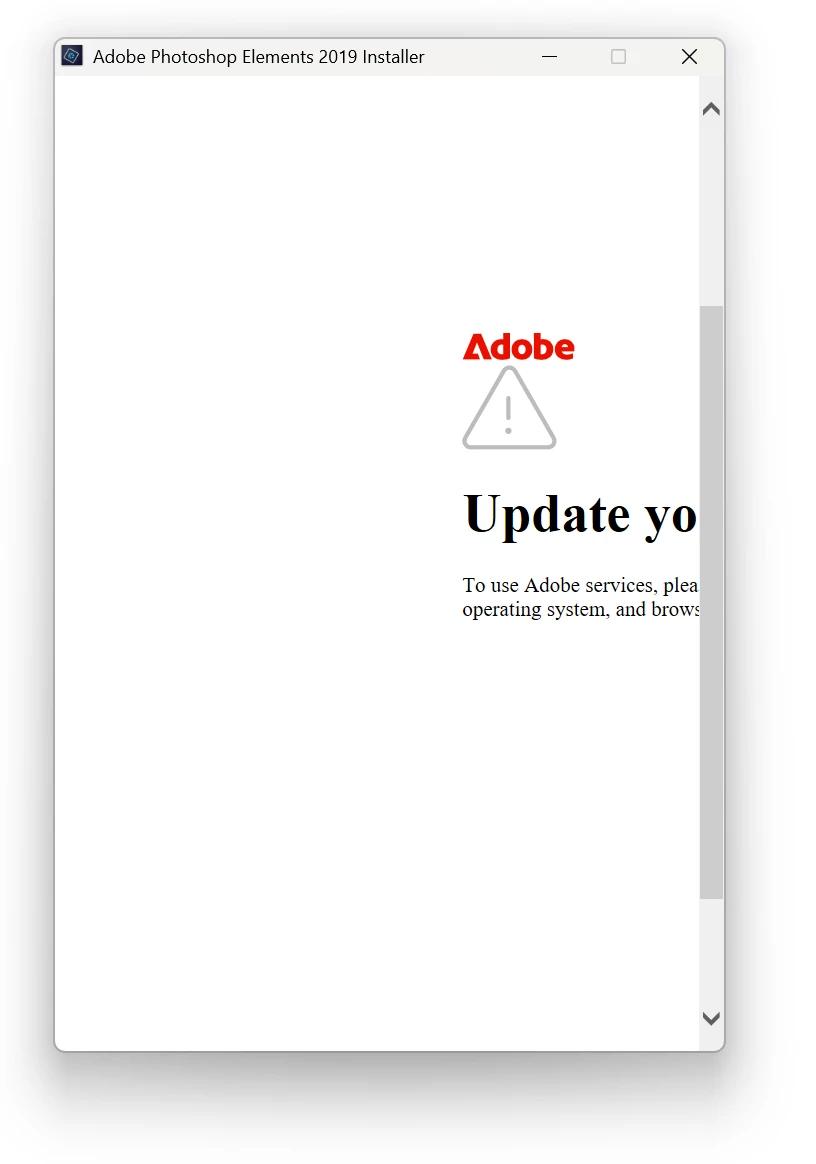
Update Operating System and Browser Settings in order to proceed with installation to use adobe services while trying to install Adobe Photoshop and Premiere Elements 2019

Attempting to reinstall Adobe Photoshop and Premiere Elements that was previously installed on the same computer after fresh reinstall of Windows.  Now I am receiving an error that I can’t read fully and cannot get past.  I have tried this with both download install files and disc installation and receive the same errors each time.  I’ve tried disconnecting from the internet to bypass and just get an error that the servers cannot be reached.  Running Windows 11 Pro 26H2 build 26300.9974
 

    3 replies

    Greg_S.
    Community Expert
    Community Expert
    Nov 19, 2026 8:53 PM UTC

    You can probably use the Tab key to get to any OK or Dismiss button on the installer dialog.


    Try downloading and installing the Microsoft Visual Studio 2013 package.  Install both the X64 and x86 versions.  This may help with the installation of Elements 2019.


    Also, if you have not signed out of Elements 2019 before you reinstalled the OS, Elements will treat this as a second installation as if you were on a different computer, and depending on other installations you may have completed, you may not be able to activate it.

    Translate
    Participant
    Nov 19, 2026 9:22 PM UTC

    I’ll see if installing Visual Studio 2013 package helps.   I did deactivate the installations prior to removing them before the OS install as I have been down that road before also.  Thanks!

    Translate