Participant
October 25, 2023
Answered

Upgrade from Adobe Photoshop Elements (PSE) 2023 to PSE 2024

  • October 25, 2023
  • 1 reply
  • 1375 views

I just upgraded my Adobe Photoshop Elements 2023 to Adobe Photoshop Elements 2024 (upgrade purchase).  Went just fine.  Question: Can I uninstall my previous version of Adobe Photoshop Elements 2023 that is still on my Windows 11 PC?

 

This topic has been closed for replies.
Correct answer Glenn 8675309

Yes you can uninstall it:  BEFORE YOU DO:  open up the PSE  EDITOR and LOG OUT OF IT. That will deauthorize it on that computer it is installed on.   previous versions never really take up much space so I generally leave them alone-- I probably have 6 or 7 versions installed at any one time-- I use them to help people with.

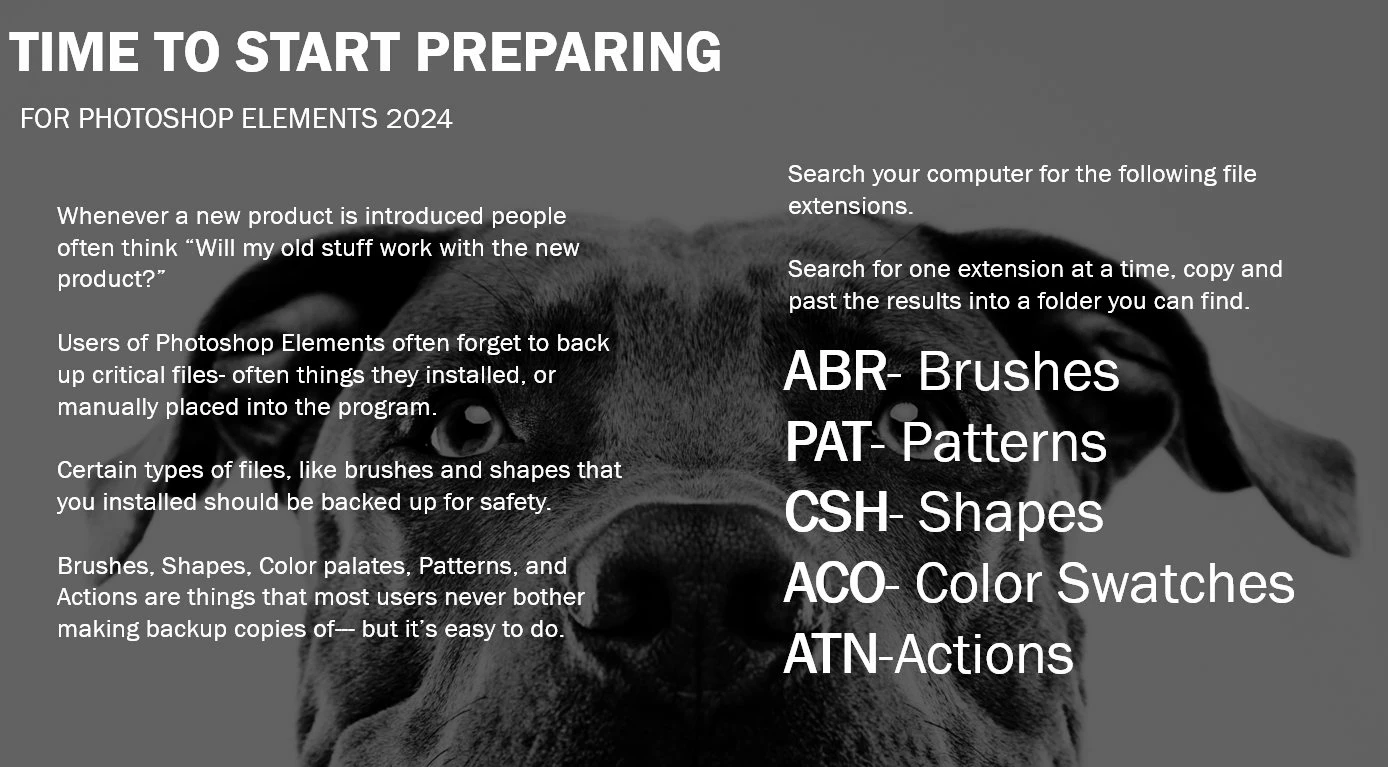
BEFORE YOU UNISTALL IT:   copy and paste any of your old content for installed- stuff like brushes and actions. 

This will help you find the needed files:

Any number of users here can help you place backup copies of these into PSE 2024, if needed. 

1 reply

Glenn 8675309
Glenn 8675309Correct answer
Legend
October 25, 2023

Yes you can uninstall it:  BEFORE YOU DO:  open up the PSE  EDITOR and LOG OUT OF IT. That will deauthorize it on that computer it is installed on.   previous versions never really take up much space so I generally leave them alone-- I probably have 6 or 7 versions installed at any one time-- I use them to help people with.

BEFORE YOU UNISTALL IT:   copy and paste any of your old content for installed- stuff like brushes and actions. 

This will help you find the needed files:

Any number of users here can help you place backup copies of these into PSE 2024, if needed. 

Glenn 8675309
Legend
October 25, 2023

I just checked:  Looks like I have 7 versions of PSE installed. 

There really isn't any reason for you to bother with any older versions-- I do like using PSE 14 every now and then.