
Participant
January 12, 2023
Answered

Using Crop Tool without Guidelines Photoshop Elements 2021

  • January 12, 2023
  • 4 replies
  • 571 views

Hello Gals and Guys -


I have Photoshop Elements 2021.  When I have the crop tool selected and open a files, it does not put cropping guidelines in.  I can just select the area I want and click check, but if I have a different tool selected and then hit crop, it puts the guidelines in, which usually are in the sport I'd least like to have them.  Is it possible to click the crop button and not have the guidelines show up?  Thanks for any help.
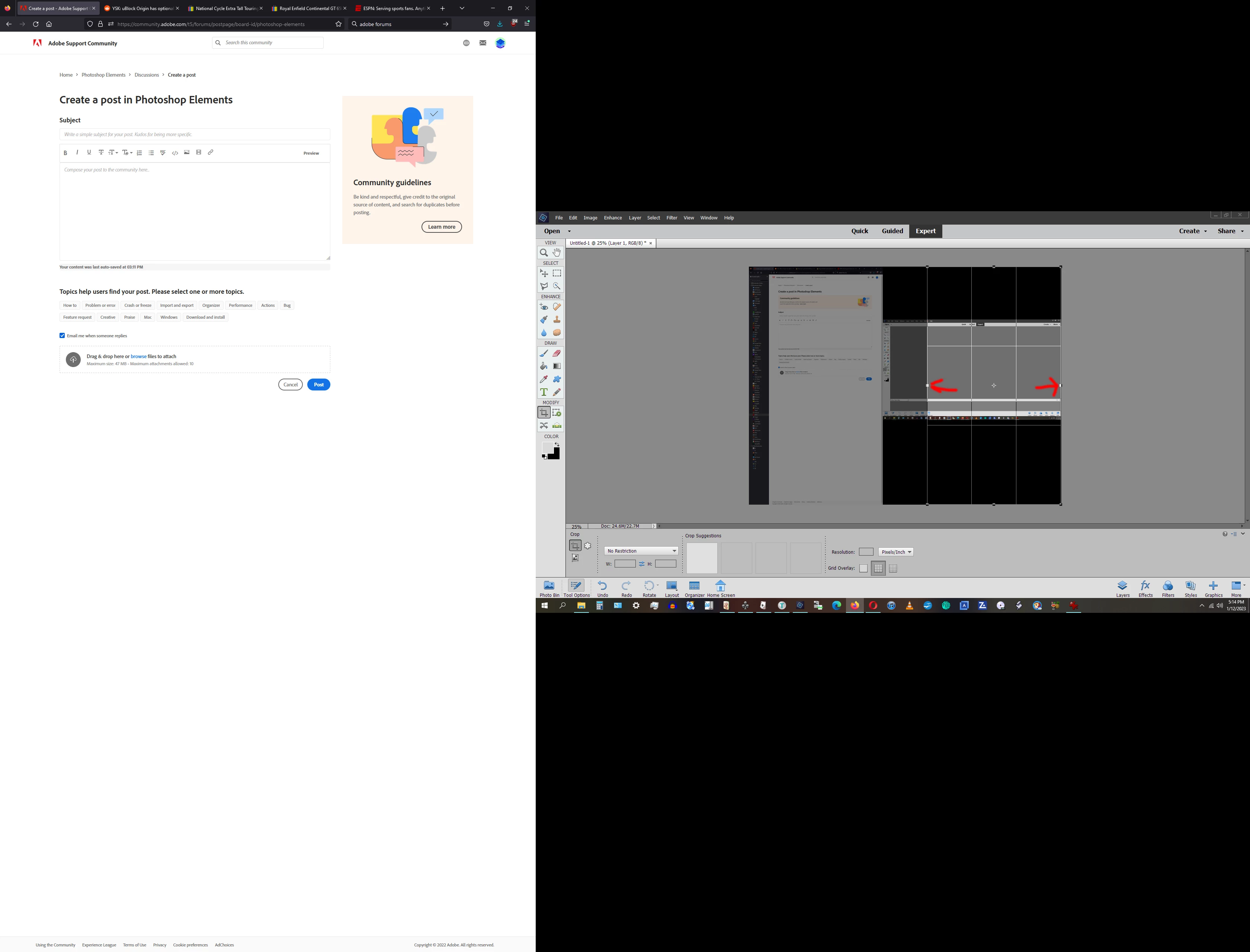
 

[Moderator has replaced link with image]

This topic has been closed for replies.
Correct answer Jeff Arola

Have you tried going to Edit>Preferences>General and unchecking Enable Crop Pre-Selection?

4 replies

Jeff Arola
Community Expert
Jeff ArolaCommunity ExpertCorrect answer
Community Expert
January 14, 2023

Have you tried going to Edit>Preferences>General and unchecking Enable Crop Pre-Selection?

Participant
January 15, 2023

Thanks for the replies.  Clearly, I had not tried that, but it seemed to do the trick. 🙂  Thanks again.

Greg_S.
Community Expert
Community Expert
January 14, 2023

OK.  I've never really paid attention to this before.  I think I see what you mean.  I believe the solution is to double-click the Crop tool button.  Or, if the unwanted grid appears, click the Crop tool button again.

Greg_S.
Community Expert
Community Expert
January 13, 2023

I'm not exactly sure what you are requesting.  But there are two possibilities.

  • Change the Grid Overlay to None.  (You currently have it set to Rule of Thirds)


  • Go to Edit>Preferences>Display & Cursors;  and uncheck the Use Shield box:


(And you can insert photos directly in a post using the third icon from the right shown in your screenshot.)

Participant
January 13, 2023

Thanks for the replies.  I appreciate the help.  I had tried the none button before, but it just made one big box as opposed to thirds.  Unchecking the Shield box did not yield the desired result.  I would like to get rid of the grid because when it's on and I attempt to select an  area to crop, it just moves the grid around instead of selecting the area to crop if that makes sense?  I can hit the stop button next to the green check and it turns the grid off, but adds a step, so I'd prefer not to have it at all if possible.  I used CS6 before buying Elements  and that's how it work, as does the Gimp on my Mac and Linux box, so it's what I'm familiar with using.  Thanks again.


[url=https://postimg.cc/z3GHrb4d][img]https://i.postimg.cc/z3GHrb4d/T.jpg[/img][/url]

Glenn 8675309
Legend
January 13, 2023


This is a screenshot from PSE 2022.