VVilliam
Participant
July 31, 2017
Answered

Using Text on Shape tool PSE 15

  • July 31, 2017
  • 1 reply
  • 1126 views

Hi

I recently brought PSE 15 app from Windows Store

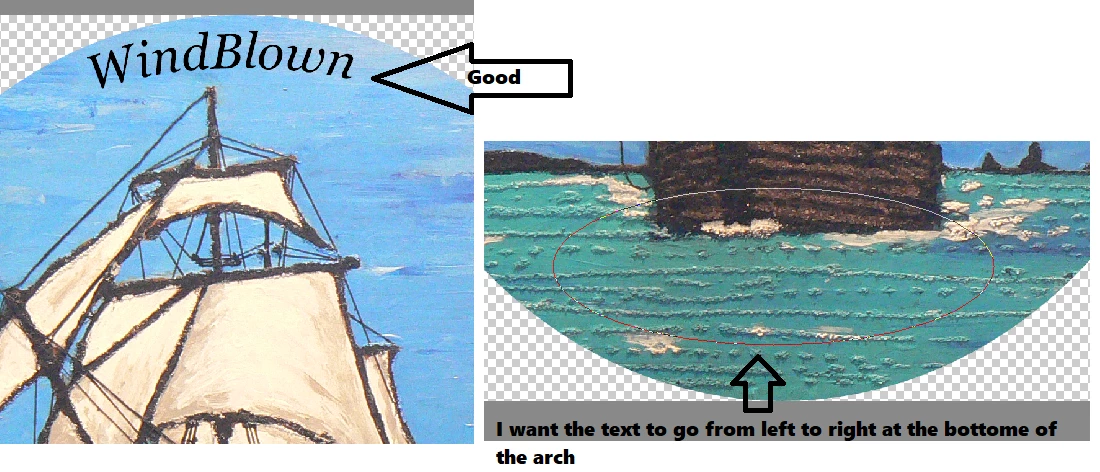
I am stuck with using the text shape tool...I did alright with the top of my picture but I want the text to run the other way at the bottom - to follow the bottom of the oval rather than the top...is there a way of achieving this?

Cheers

William
    This topic has been closed for replies.
    Correct answer Jeff Arola

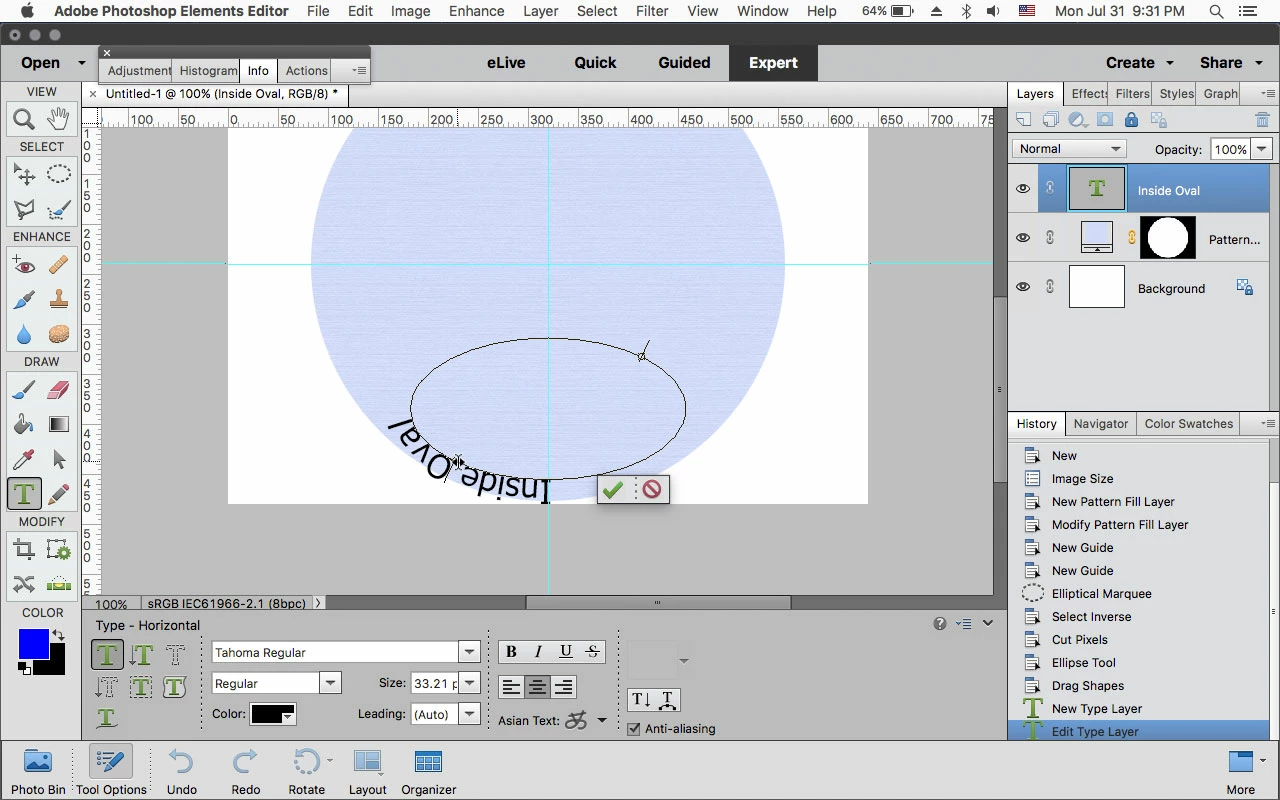
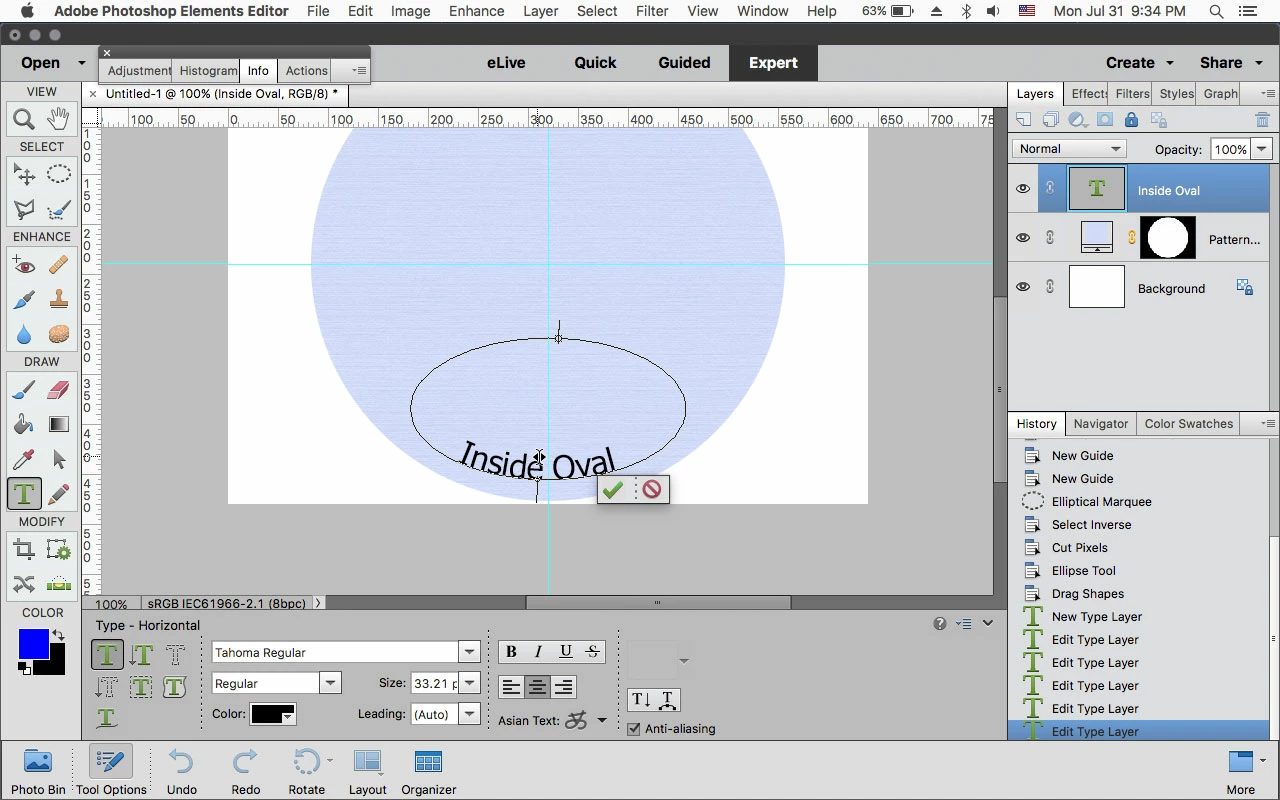
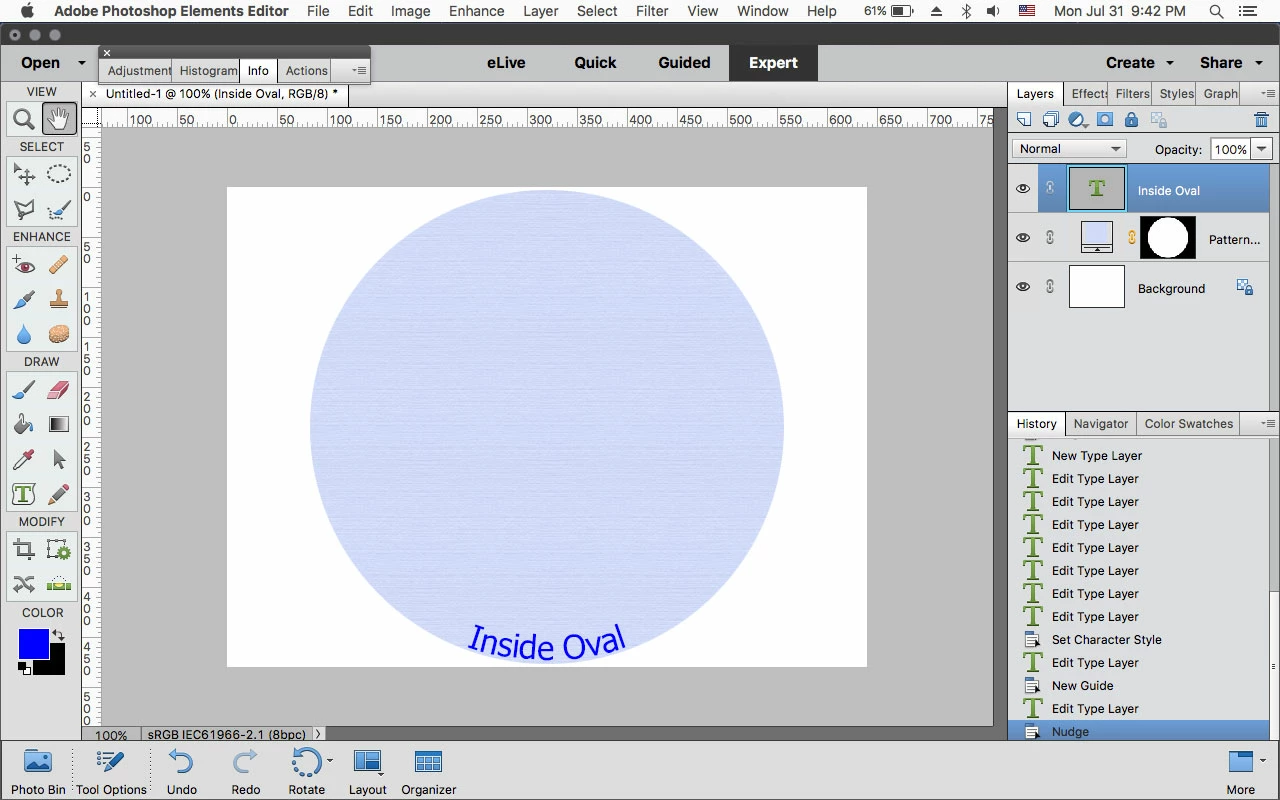
    While you still have the Type on Path tool selected and the text active or you can double click on the text layer, press the Ctrl key and when you slightly drag the text you'll see the cursor turn to double sided arrows and you can drag the text inside the ellipse and drag it around to place the text.

    1 reply

    Jeff Arola
    Community Expert
    Jeff ArolaCommunity ExpertCorrect answer
    Community Expert
    August 1, 2017

    While you still have the Type on Path tool selected and the text active or you can double click on the text layer, press the Ctrl key and when you slightly drag the text you'll see the cursor turn to double sided arrows and you can drag the text inside the ellipse and drag it around to place the text.

    VVilliam
    VVilliamAuthor
    Participant
    August 1, 2017

    Thank You for that!  Works a charm.

    Cheers

    William