
easternguy
Participant
December 3, 2022
Answered

Video files won't play at all in PSE 2023

  • December 3, 2022
  • 3 replies
  • 992 views


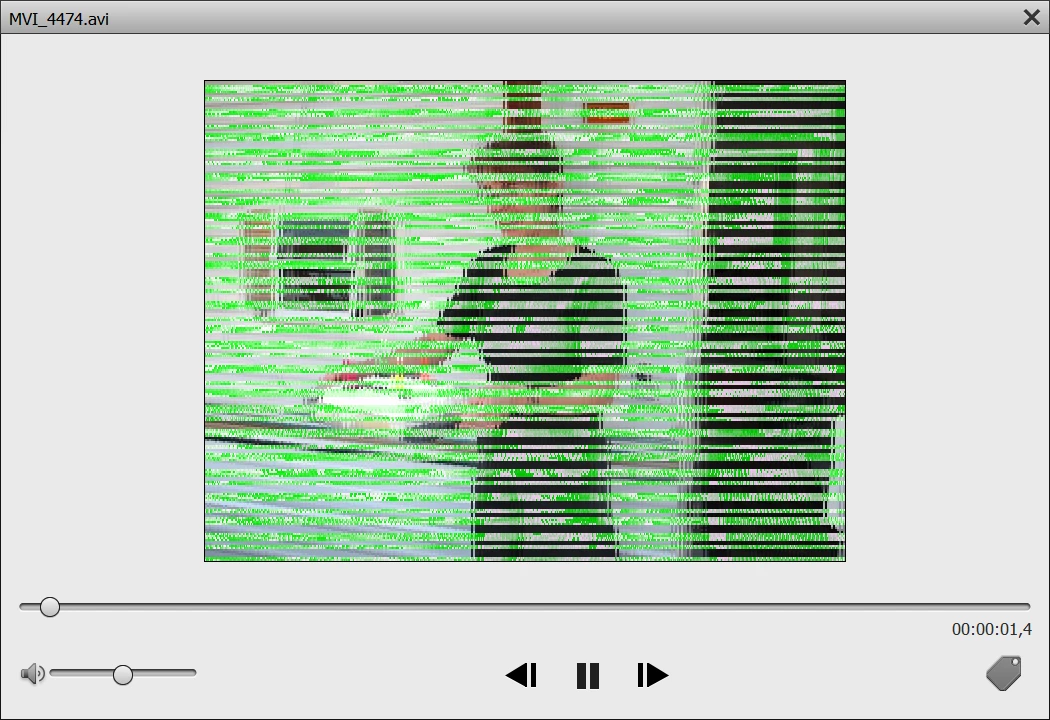
Just installed PSE2023 and imported a previous backup (from PSE15). Everything works fine beside the video files that wont play at all no matter what format. I get green lines garbage whenever I click on a video file (.avi, mpg, whatever). See att.


Outside PSE2023 these same video files are working just fine.

What did I miss??


TIA


This topic has been closed for replies.
Correct answer easternguy


Finally Mohd from Adobe online support, found the glitch. My ACER portable has 2 graphic cards, and the Intel UHD was causing the glitch. As I deactivated this card, everything worked beautifully.  The NVDIA card works just fine. All the videos are now working properly. Thanks for your support.  I will certainely update the Intel drivers.


Best

3 replies

Greg_S.
Community Expert
Community Expert
December 4, 2022

The screenshot you posted indicates that the problem has something to do with your GPU. 

I suggest you try contacting Elements support. You can start a chat session by clicking on the blue Contact Us button under the Help & Support menu at Adobe.com. Or you can contact Support by telephone using the numbers listed here: https://helpx.adobe.com/contact/phone.html. Hours of operation outside of the United States are limited. See the phone link for details.

easternguy
easternguyAuthorCorrect answer
Participant
December 7, 2022


Finally Mohd from Adobe online support, found the glitch. My ACER portable has 2 graphic cards, and the Intel UHD was causing the glitch. As I deactivated this card, everything worked beautifully.  The NVDIA card works just fine. All the videos are now working properly. Thanks for your support.  I will certainely update the Intel drivers.


Best

Greg_S.
Community Expert
Community Expert
December 3, 2022

In the Organizer's Edit>Preferences>Performance dialog, do you have the Use Graphics Processor for Video Playback box checked?  If yes, uncheck it.  If no, check it.

easternguy
Participant
December 4, 2022

Good point. Unfortunately it didn't work (both options with and without). I also uninstalled PSE2023 (using Revo uninstaller) and reinstalled it but no luck either. Same issue. Running out of options here.... Thanks for your support.

Greg_S.
Community Expert
Community Expert
December 3, 2022

Try updating your graphics card driver from the manufacturer. Don't rely upon the Microsoft update. 

easternguy
Participant
December 3, 2022

Thanks. I did it already to the latest version (NVDIA 526.98)