Participant
February 5, 2022
Answered

View in inches not pixels

  • February 5, 2022
  • 2 replies
  • 3378 views

My view has changed from inches to pixels. I have tried to correct it by "Image" to "Resize". I make the change but it does not change the page I am working on. I always want to have my work in inches, never pixels. Any help is appreciated. 

This topic has been closed for replies.
Correct answer Walter_H

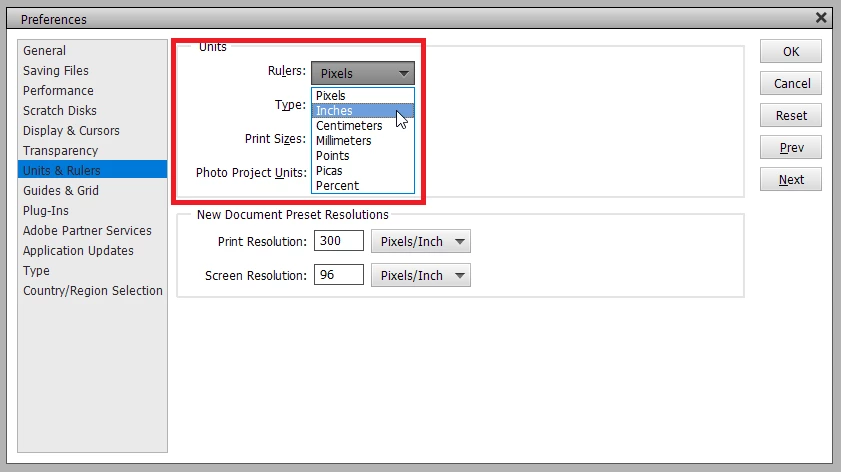
Hi Kim, If you have the Rulers displayed in your PSE, you can right-click on one of the rulers and pick Inches from the pop-up menu. Or, go to the menu bar and choose Edit > Preferences > Units & Rulers... and pick Inches as the unit for Rulers.


2 replies

sharleneb28573108
Participant
February 5, 2022

I believe you can change it permanently in the preferences window


Shar

(Email address removed by Moderator.)

Kim.FAuthor
Participant
February 5, 2022

Thank you. I have reset my preferences. 

Walter_H
Walter_HCorrect answer
Legend
February 5, 2022

Hi Kim, If you have the Rulers displayed in your PSE, you can right-click on one of the rulers and pick Inches from the pop-up menu. Or, go to the menu bar and choose Edit > Preferences > Units & Rulers... and pick Inches as the unit for Rulers.


--Walter in Davie, FL