Participant
January 14, 2023
Answered

Vollbildmoldus PSE

  • January 14, 2023
  • 3 replies
  • 384 views

Hallo,

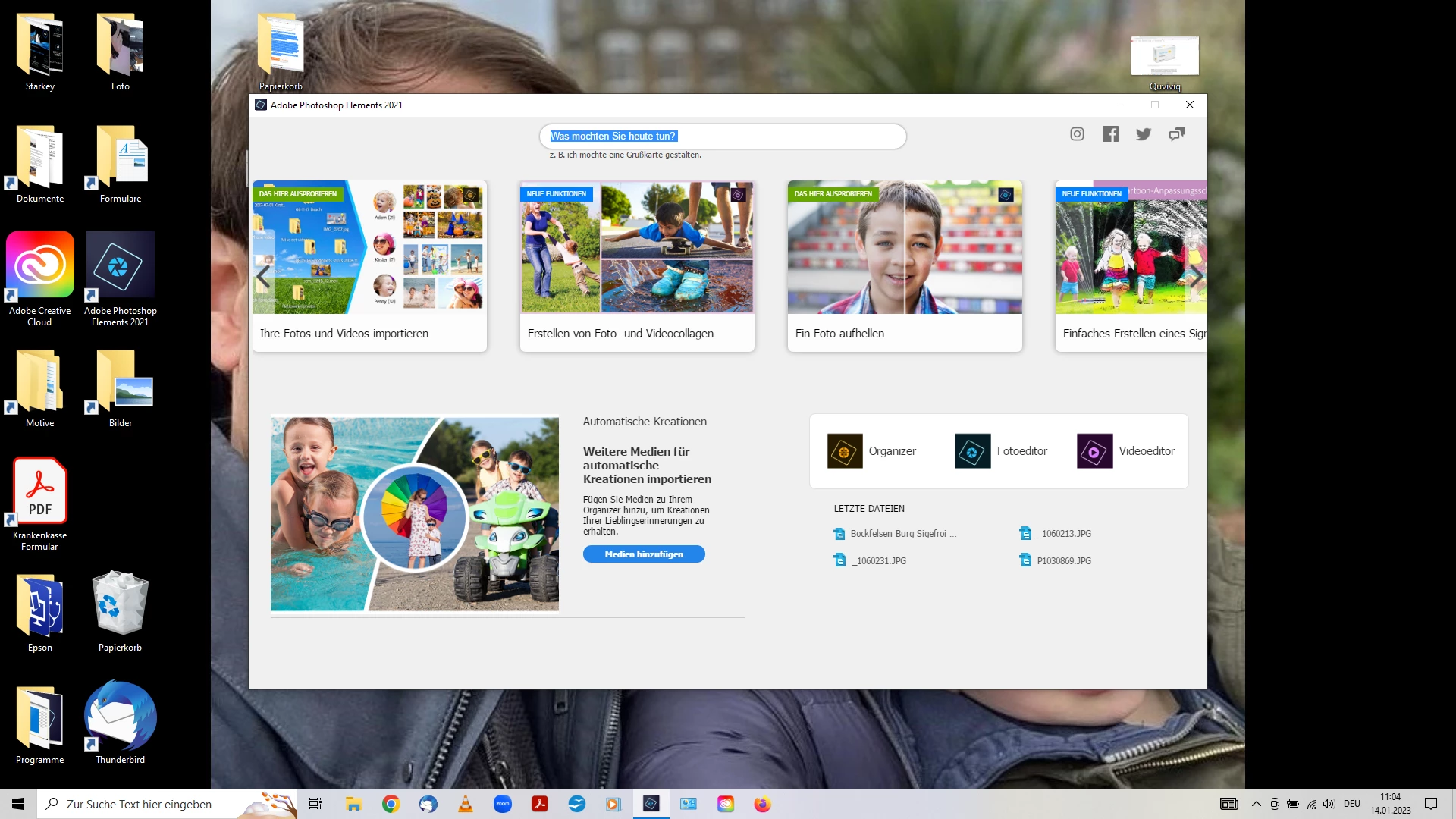
wenn ich PSE öffne, ist nur ein dreiviertel Bereich des Startmoduls zu sehen, kein Vollbildmodus. Wie kann ich das ändern?

This topic has been closed for replies.
Correct answer Greg_S.

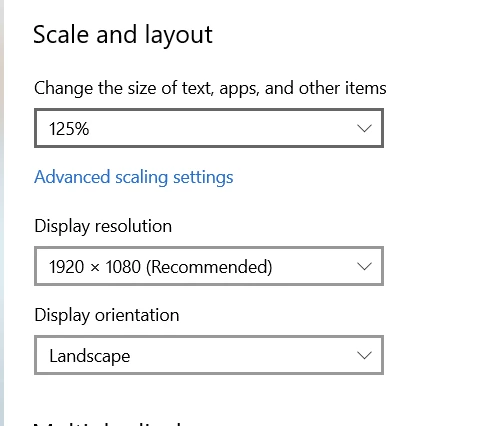
If you really want to increase the size of the Home Screen, you can do so in Windows>Display Settings. Change the  Scale and Layout setting.  Depending on the size and resolution of your monitor, you can increase the size to almost full screen.  On my 1920x1080 monitor, the size must be increased to 150% to fill the screen:

3 replies

Greg_S.
Community Expert
Greg_S.Community ExpertCorrect answer
Community Expert
January 15, 2023

If you really want to increase the size of the Home Screen, you can do so in Windows>Display Settings. Change the  Scale and Layout setting.  Depending on the size and resolution of your monitor, you can increase the size to almost full screen.  On my 1920x1080 monitor, the size must be increased to 150% to fill the screen:

Participant
January 15, 2023

Perfect answer. Thanks very much.

Erwin from Luxembourg

Participant
January 15, 2023

Hi Greg,

thanks for the replay. As you se in my annex, there are some modification apps above, which one could directely use. Therefore should be a full screen from start on.

Greg_S.
Community Expert
Community Expert
January 14, 2023

As far as I know, you cannot change the size of the Home Screen.  Why would you want to - it is only the pathway to open the Elements programs and provide links to tutorials etc.?