
Answered
what is the problem ?
I am tired of not knowing what to do about this happening. What is the problem and what can I do to correct this? Why is the image not showing? Thanks to anyone who can tell me the solution. 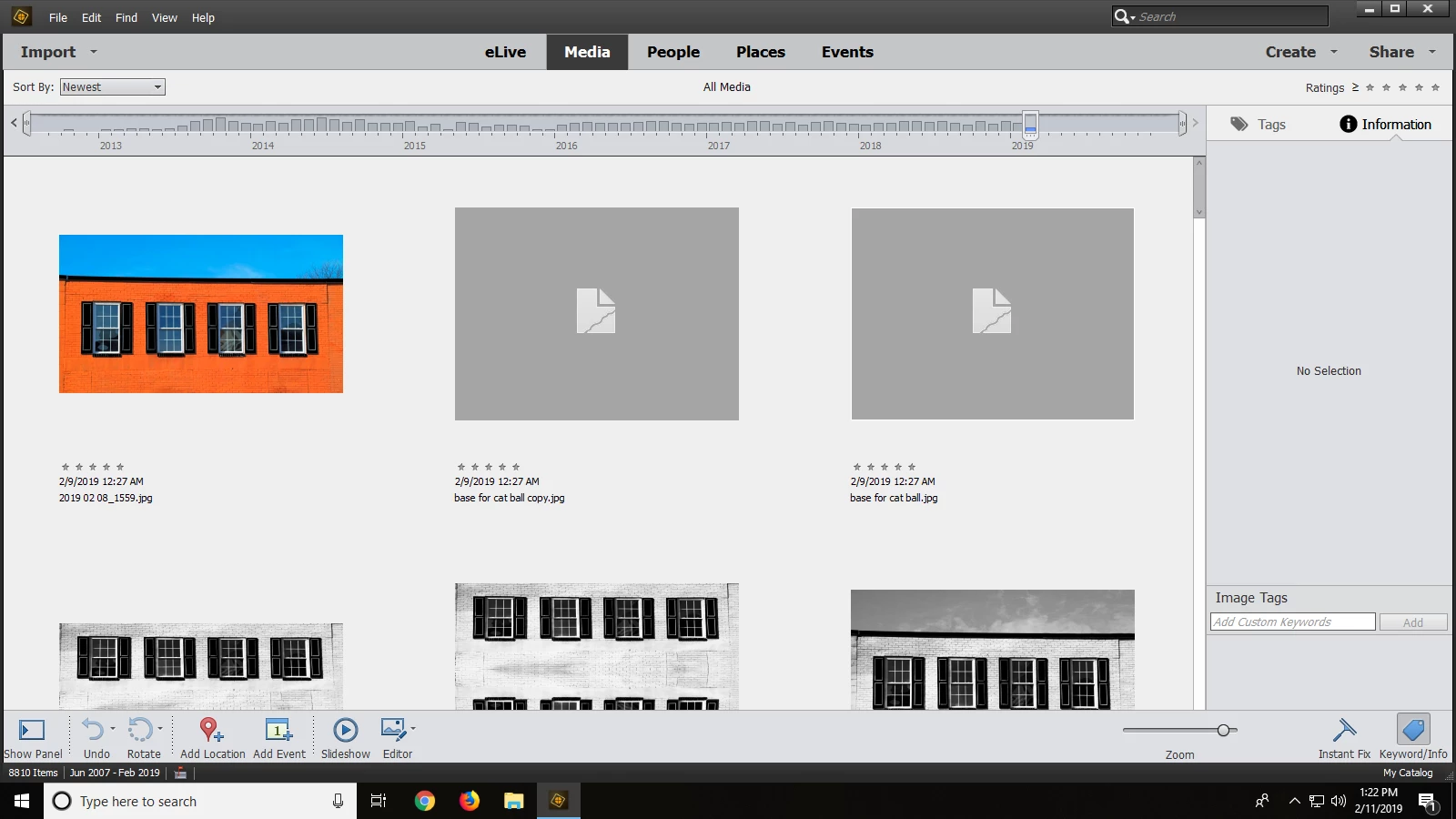

I am tired of not knowing what to do about this happening. What is the problem and what can I do to correct this? Why is the image not showing? Thanks to anyone who can tell me the solution.
Hi,
Please have a look at the at this article: Photoshop Elements maximum image size limits
As it is mentioned here, for systems having RAM > 2 GB, maximum supported size is 75,497,472 pixels. The size of your image exceeds this (8700 * 8700 = 75,690,000 pixels)
This article also mentions the steps to override this limit. See the section 'How to override the limit in Organizer'.
It also mentions to take a backup of the registry settings before making any changes. To take a backup, refer the 'Backup the registry manually' section of the link:
https://support.microsoft.com/en-in/help/322756/how-to-back-up-and-restore-the-registry-in-windows
Let me know if you are able to follow these steps or have any other queries.
Thanks,
Somya
Already have an account? Login
No account yet? Create an account
Enter your E-mail address. We'll send you an e-mail with instructions to reset your password.


 AdChoices