
Why do images look different, viewed on the same monitor in Bridge and Photoshop Element Organize
I've been wonder for some time why some of my images will look different when viewed in Adobe Bridge 2023 vs being shown in the Photoshop Elements Organizer 2022. I'm looking at them both on the same monitor, a BenQ SW 2700 driven by a NVIDIA RTS A2000 12 GB card on a Windows 11 Pro platform. The color profile is set to sRGB IEC 61966-2.1.
Here is a screen capture with each program showing their view of the same image file on the same monitor. The image on the left is being viewed in Adobe Bridge while the one on the right is the Elements Organizer.
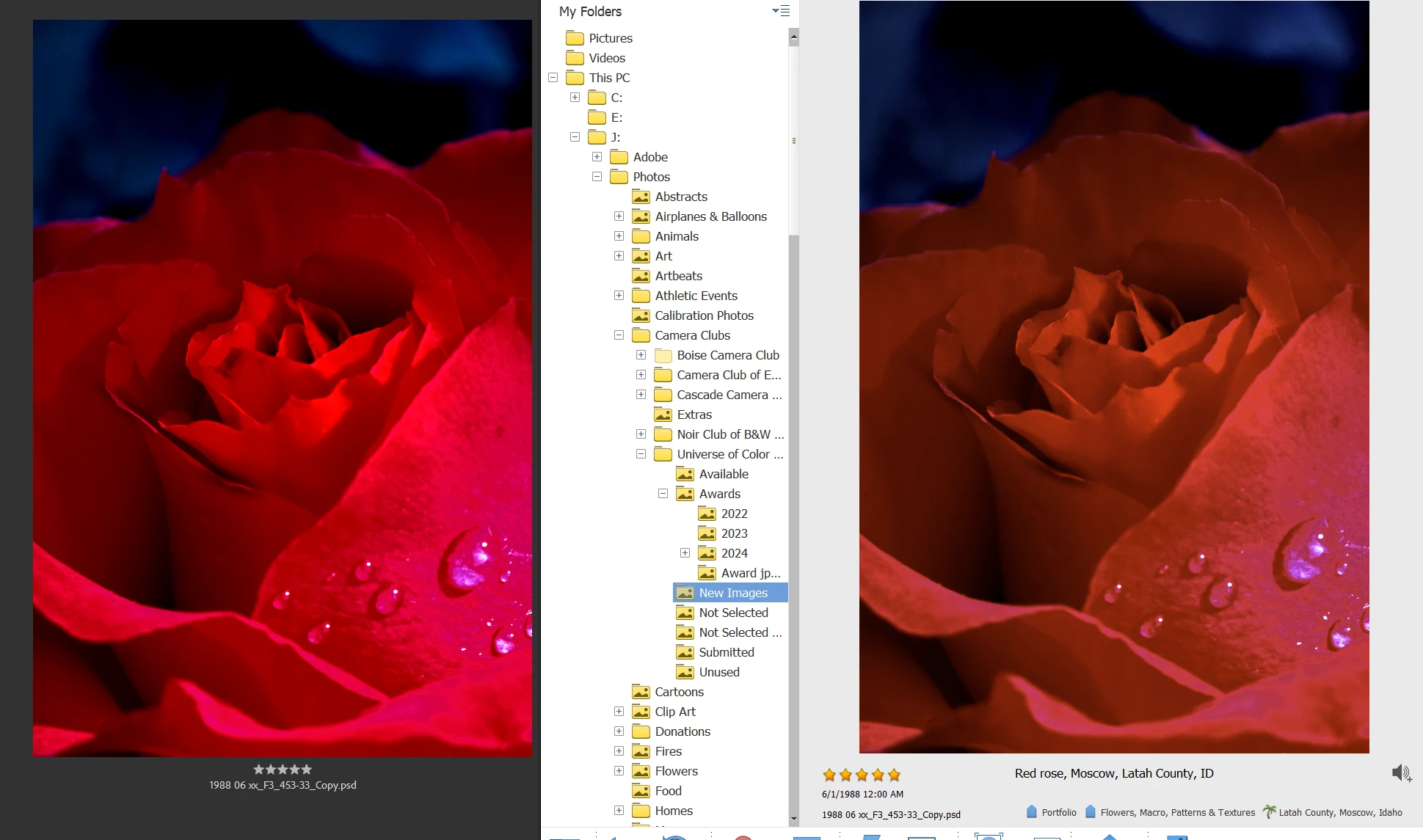
The center of the rose is somewhat brighter in Adobe Bridge(left). When the file is viewed side-by-side in Photoshop CC and Adobe Bridge they look the same as shown below:
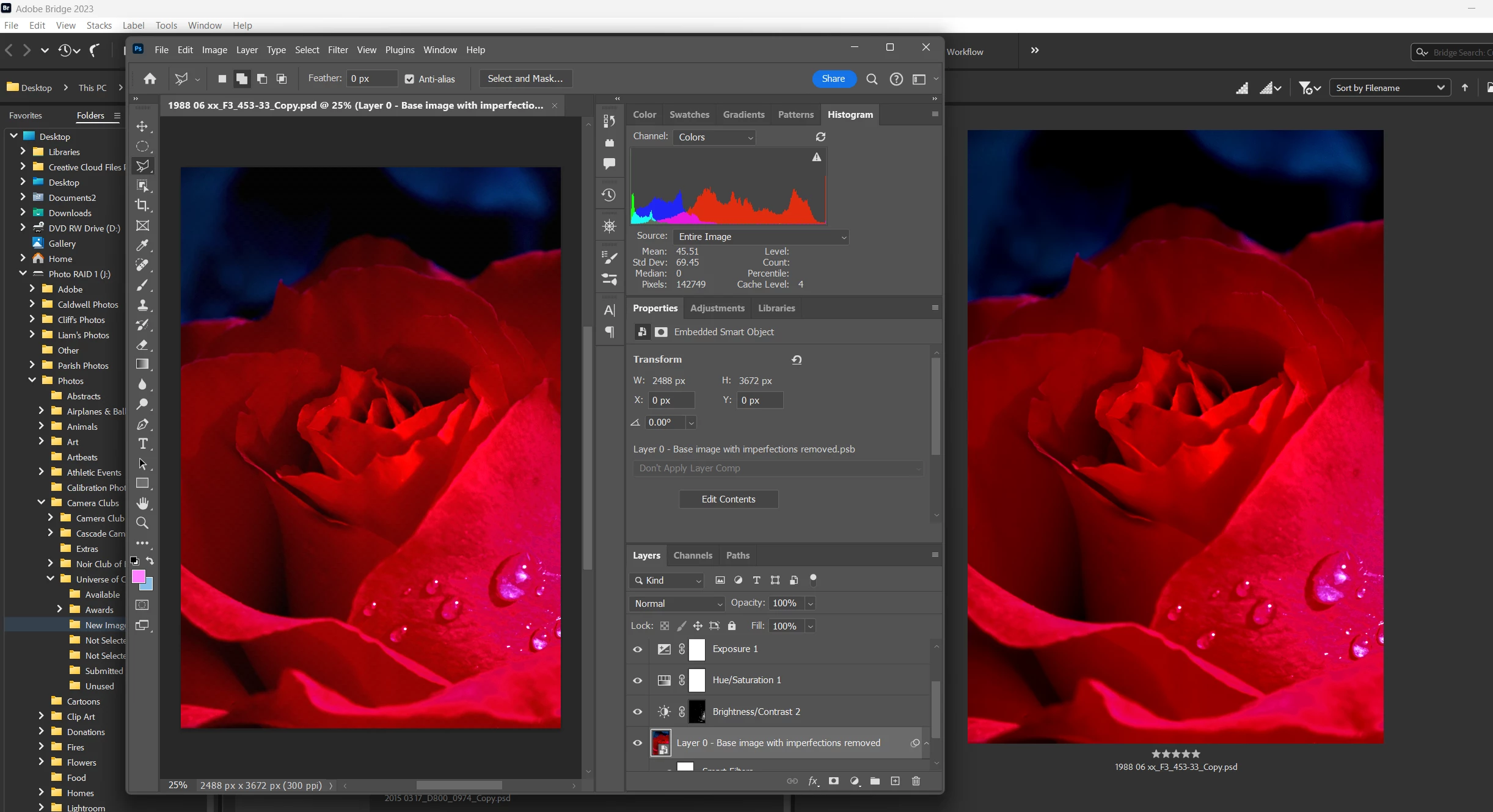
I have a second BenQ SW 2700 monitor and I see the same differences when the images are on separate monitors. My conclusion is that there's some difference in the way Photoshop Elements Organizer renders an image file vs the way Photoshop renderes the same file.
Any other thoughts, explanations or recommendations?


 AdChoices