fotografffic wrote I've been told in a response to a related questions I asked in another thread that when I move photos within Organizer the files will be renamed with a -1 suffix. But the original photos are actually duplicated, not overwritten!! Why?! Upon opening Organizer for the first time, I decided to better organize my photos and moved around hundreds of them. That's what you do with an organizer, right?! So I check my Windows 10 Pictures folder and find hundreds of exact duplicates (same size, dimensions, etc) of the photos I moved. These duplicate photos do NOT show in Organizer, only on my hard drive. I deleted them only to find that Organizer now says these photos are missing....and I have to reconnect each. Why does Organizer make duplicates? They consume disk space, a precious commodity for those of us who have a very modestly sized Solid-state drive. 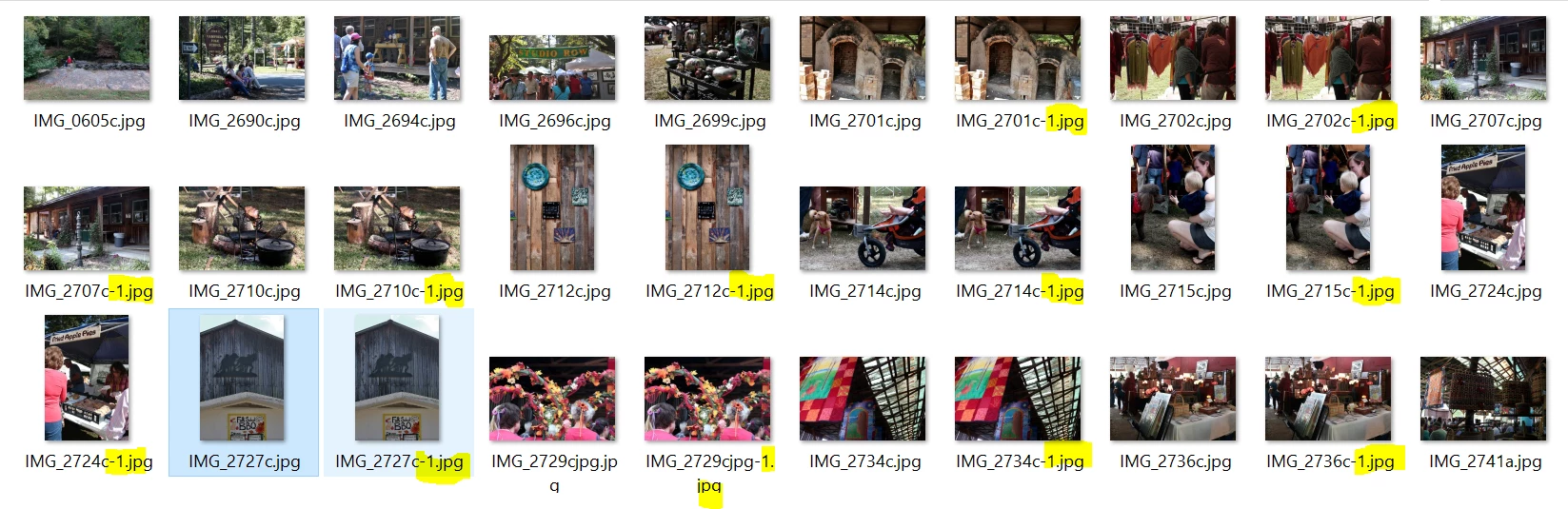
|
My answer is that I don't believe the organizer has created any duplicate. It has found duplicates and I can't explain what is going on in your computer. I have seen cases where the duplicates have been created by other processes (sync with the Cloud, Acronis services creating new drive letters... not only editing programs like Picasa) I don't understand at all how you have put your files on the computer after 'cleaning' the Pictures folder.
In other posts I have said that only the downloader can import duplicates on certain circumstances if you import from camera or card reader.
Even the 'watched folders' service only searches and indexes files in the catalog (only links).
I have never read of a similar case in this and other Elements forums.
What I have seen and I can explain is:
1 - The organizer is programmed to prohibit importing (indexing) duplicate files in the catalog.
2 - Duplicate file for a catalog are file with the same size in Kbytes and date_taken
3 - The result is what you are seeing: you have more files in your folder than in the catalog
4 - In the import process, the files are scanned to check if they are similar to those in the catalog (which explains that duplicates can be found in a batch process with an empty catalog at start. The first file found is imported, the duplicate is rejected and you get messages that files have not been imported because they are already in the catalog - they were not in the empty catalog, but they appeared in the course of the import process.




 AdChoices