
MarkPgh
Participant
August 5, 2020
Question

Why Doesn't The Automatic Colorize Tool Work?
  • August 5, 2020
  • 3 replies
  • 599 views

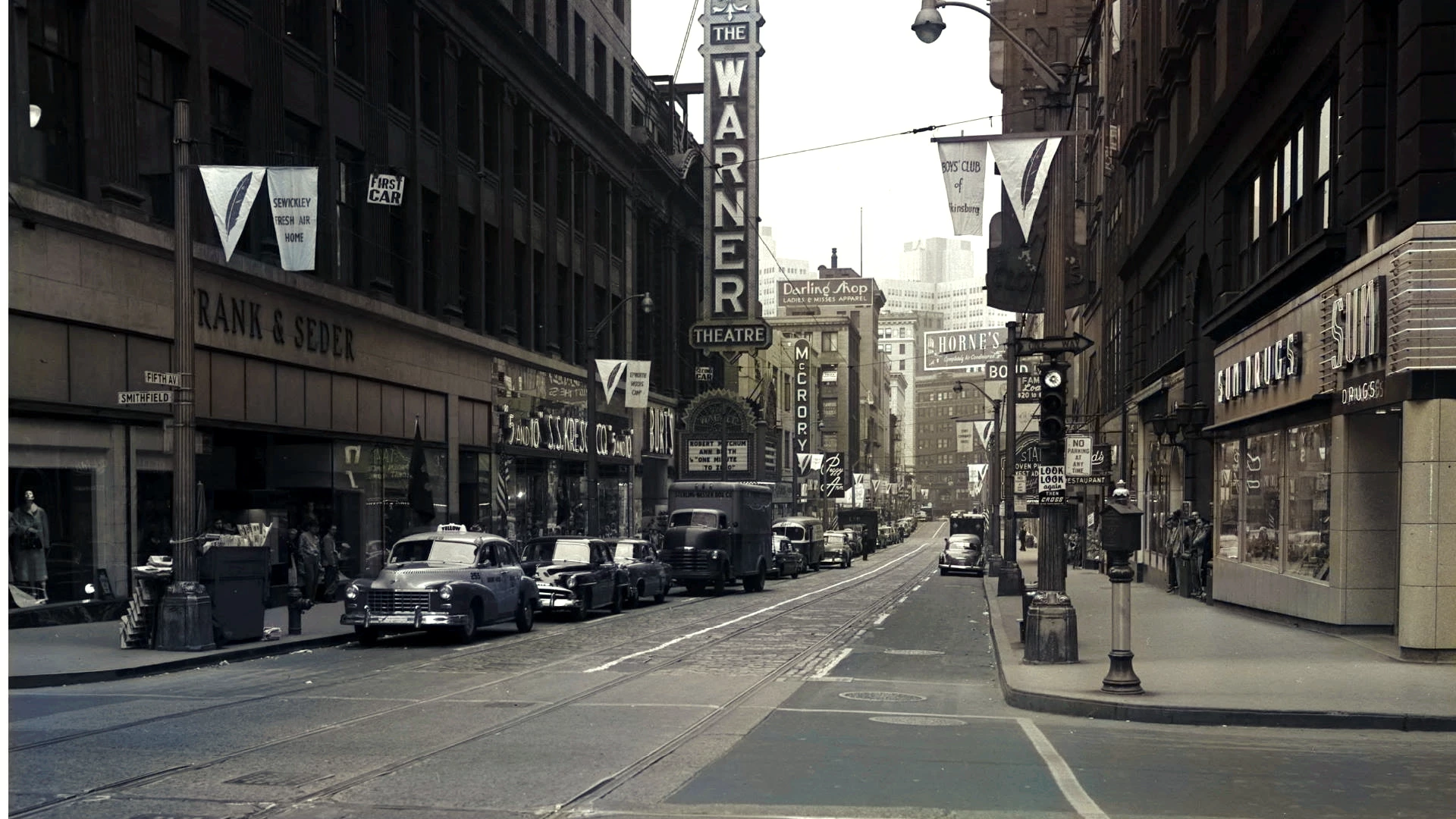
This old blank and white photograph has been automatically colorized, using Photoshop Elements 2020. As anyone can see, the tool hasn't done much at all. I know that I could use the section tool, choose colors, and colorize this picture manually. But, Adobe claims that Photoshop 2020 should colorize old photos, like this one, automatically. I have read, and watched the tutorials. This picture has been formatted correctly, and everything was done in accordance with the instructions. This tool just does not work very well.

This topic has been closed for replies.

3 replies

99jon
Legend
August 6, 2020

It looks like the image has already been colored in the darkroom as it has a sepia tone. So your only auto choices may be a cyanotype or platinum look for the overall image. Otherwise  you would need to switch to manual and use the droplets to color selective parts which would be time consuming.

c.pfaffenbichler
Community Expert
Community Expert
August 5, 2020

Ah, it seems Photoshop Elements has a »Colorize Photo«-feature … 

https://helpx.adobe.com/photoshop-elements/using/colorize-photo.html


So why don’t you post (including your source image and the result) over on the Photoshop Elements Forum? 

c.pfaffenbichler
Community Expert
Community Expert
August 5, 2020

»But, Adobe claims that Photoshop 2020 should color old photos, like this one, automatically.«

I usually try to read the What’s New-section for the new Photoshop versions but I seem to have missed that – could you provide a link to an Adobe page documenting such an automatic feature? 


And are you talking about Photoshop or Photoshop Elements?