Inspiring
October 6, 2019
Answered

Another Close Gap Issue (Adobe Premiere Elements 2020)

  • October 6, 2019
  • 11 replies
  • 1078 views

Tested on Windows 10.

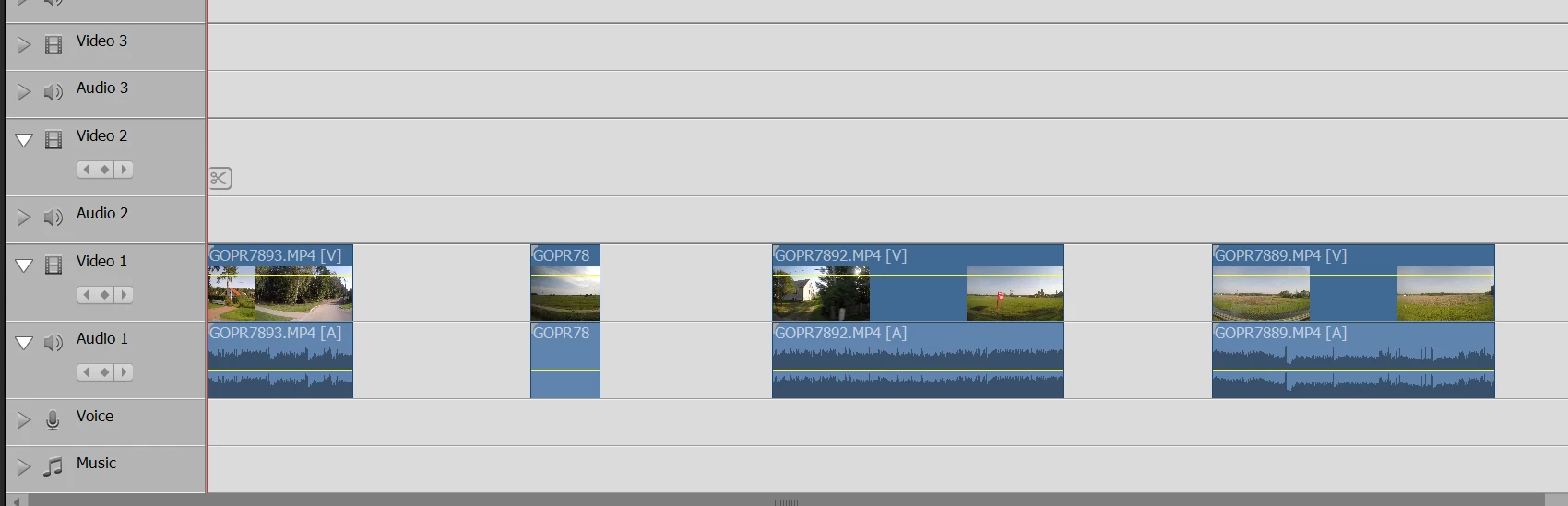
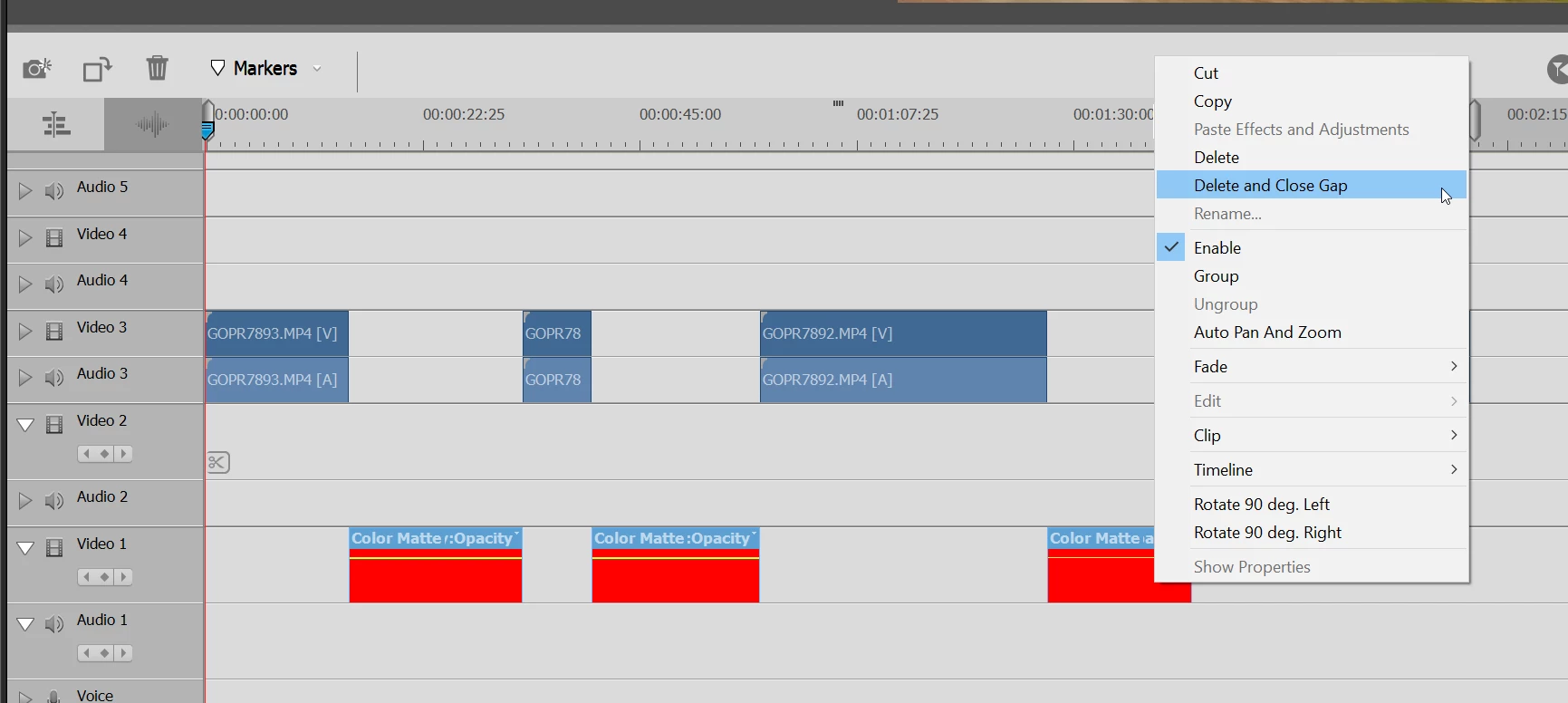
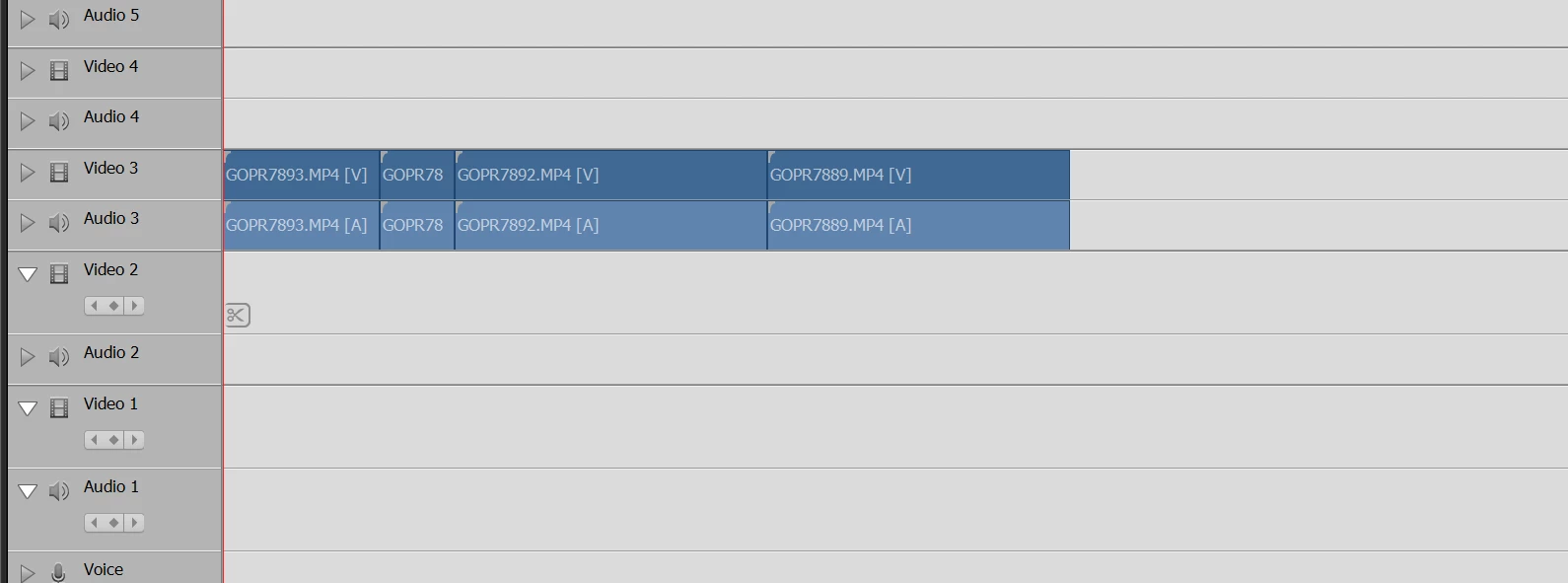
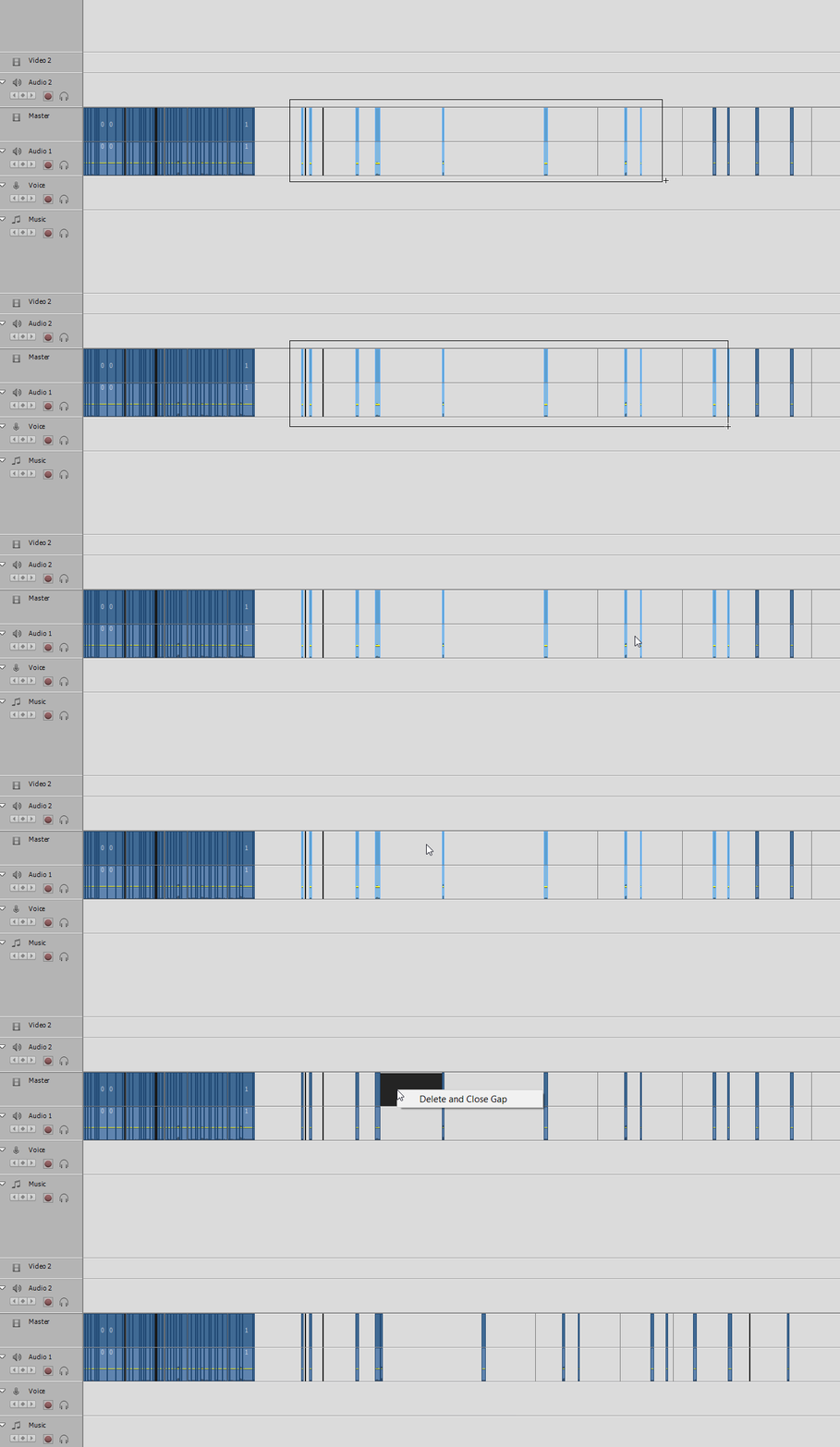
After multiple clips are selected via lasso method, I would expect the gap to be closed for all clips selected not just one.


Side question - does anybody know how to select all clips on a single track (not all tracks) via a keyboard shortcut?


Thx
 

    This topic has been closed for replies.
    Correct answer Ann Bens

    I think you are using the wrong videotool.

    All that stuff you want is in Premiere Pro.

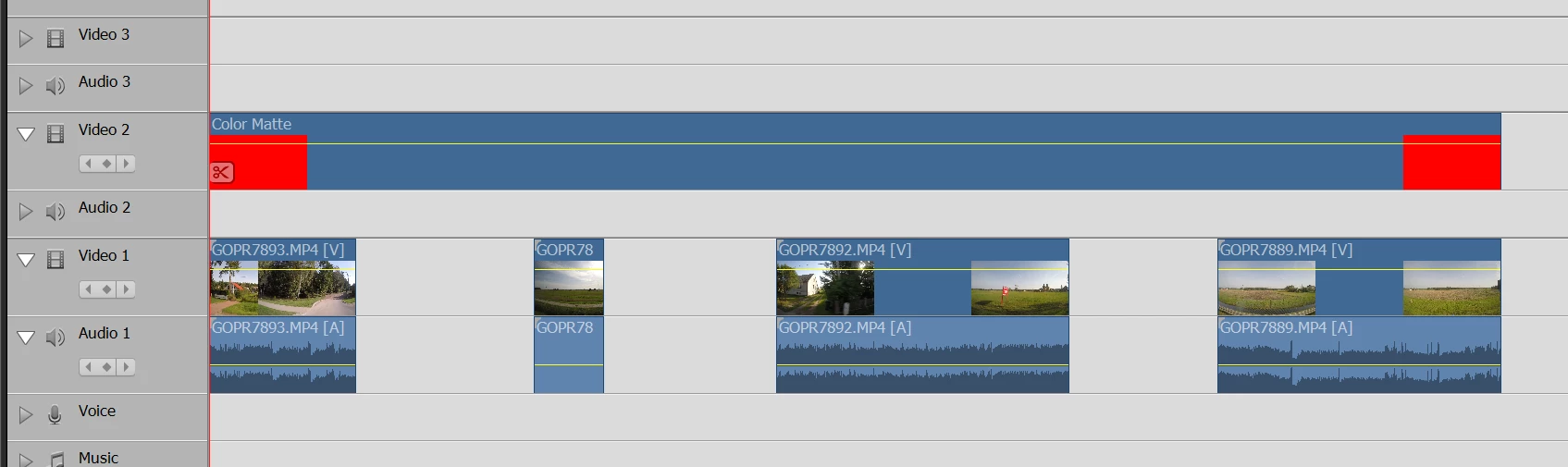
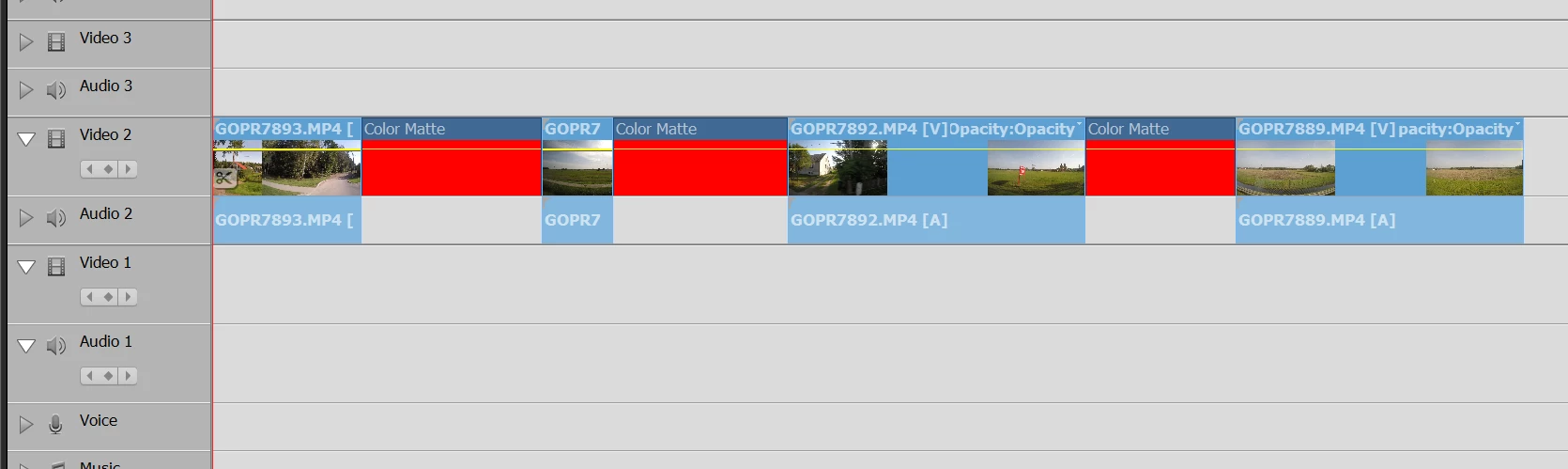
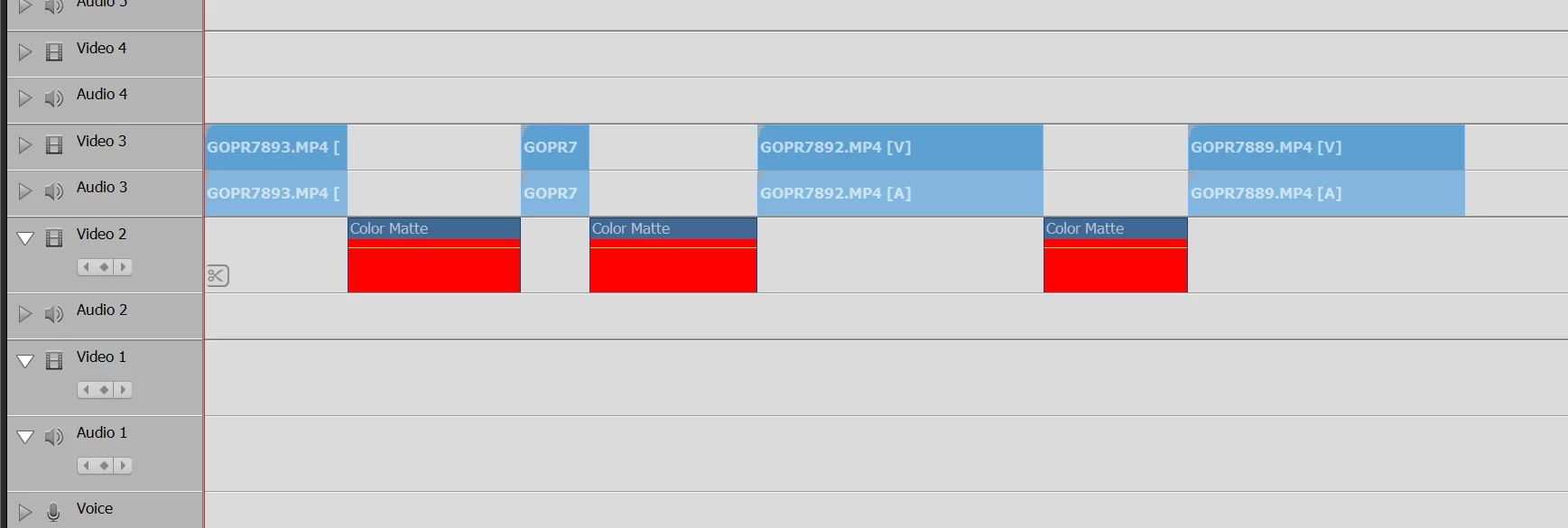
    Workaround as Delete and Close Gap will only work on track 1.


    11 replies

    Inspiring
    October 15, 2019

    I would think discussing where we would want to see improvements in the software is equally as valid.


    Ultimately feature and enhancement requests should be sent to Adobe but there is no harm whatsoever in having a discussion about it.

    Community Expert
    October 15, 2019

    Sorry if I was offensive.  I think the purpose of this forum has been to aid in making what Adobe produces work, or work better, to achieve the goals of users.   I have no idea where it is, but is sure to be a better communications link than this forum that will reach the marketers and developers who decide feature improvements.   That link may be here:  https://feedback.photoshop.com/photoshop_family/categories/photoshop_family_premiere_elements

    Inspiring
    October 15, 2019

    With respect I'm entitled to express my opinion with this software, and with greatest respect I don't need to be reminded that this is a "user forum" all the time. None of my opinions, which I stress are just my opinions, are directed towards users, only towards the software. I take care to be very polite to people, thanking them, and I'm not being "personal" to anybody so I would appreciate less of this please:


    "Somehow you seem to have some sort of personal mission to teach Adobe lessons you think they should learn. "


    I have already stated on previous posts, and indeed on this one, I will be contacting Adobe at some stage, I have already stated that I know these are user forums. Users should be entitled to express their opinions on software 


    Many thanks.

    Community Expert
    October 15, 2019

    "Let's face it they're just trying to push us into a subscription."


    This is a user to user forum where help, suggestions and ideas are shared.  Somehow you seem to have some sort of personal mission to teach Adobe lessons you think they should learn.  

    It might be more effective if you find a way to communicate with them directly.  This user form is only connected to Adobe in a very casual way.  

    Good luck with your campaign!

    Inspiring
    October 14, 2019

    "Elements is a consumer oriented program. Pro is for the avanced amateur and prof."


    The idea that this should only be a pro feature is kinda ridiculous, this is basic stuff.


    Let's face it they're just trying to push us into a subscription.


    Thanks for confirmation.

    Participant
    May 23, 2021

    I have found a useful way to overcome this by going to the timeline and start from the first clip. I press the PGDN buttom and then it stops in each gap/or video sequence. When I meet a gap i move into the gap and press the BACKSPACE. However I agree that there should be a easier way to work around this. This feature was easy to handle in Pinnacle Studio.


    Ann Bens
    Community Expert
    Community Expert
    October 14, 2019

    Elements is a consumer oriented program. Pro is for the avanced amateur and prof.

    Yes you can close gaps in one go provided nothing else is on other tracks to prevent from doing so.

    Before PrPro had this feature we closed gaps with the color matte trick.

    https://www.youtube.com/watch?v=I89jYuZYvP8


    Inspiring
    October 14, 2019

    Ann


    That would make sense although I still think it should be in Elements (in my opinion).


    Would you mind confirming that you can select multiple clips in pro and then close all the gaps in just a couple of clicks?


    Thanks.

    Ann Bens
    Community Expert
    Ann BensCommunity ExpertCorrect answer
    Community Expert
    October 14, 2019

    I think you are using the wrong videotool.

    All that stuff you want is in Premiere Pro.

    Workaround as Delete and Close Gap will only work on track 1.


    Inspiring
    October 14, 2019

    I find that extremely surprising, however I think the use case is more important than what app does what.


    The use case is obvious. If you've got a track with a whole load of gaps you want to remove then you can do so in one or two clicks. I had a track with over 100 gaps just now that needed to be removed, and before anybody asks, this is because of a specific way I am working right now, my process is not flawed.


    A feature request is coming Adobe's way I guess.

    Inspiring
    October 14, 2019

    That is unbelievable.

    And multiple close gap issue is ridiculous as well.

    Thx for your reply.

    Legend
    October 14, 2019

    I work with several video editing programs and I'm not aware of one that would close all of the gaps between your spread out clips in a single move, Alex.

    But I'd love to know of one of you do.

    Participant
    May 23, 2021

    Well I have used Pinnacle and here I could glose multiple gaps between many video sequenses. I have not change to Adobe because of fed up with Pinnacle stop responding...