
Participating Frequently
February 4, 2021
Question

Cannot update Premiere Elements

  • February 4, 2021
  • 11 replies
  • 1292 views

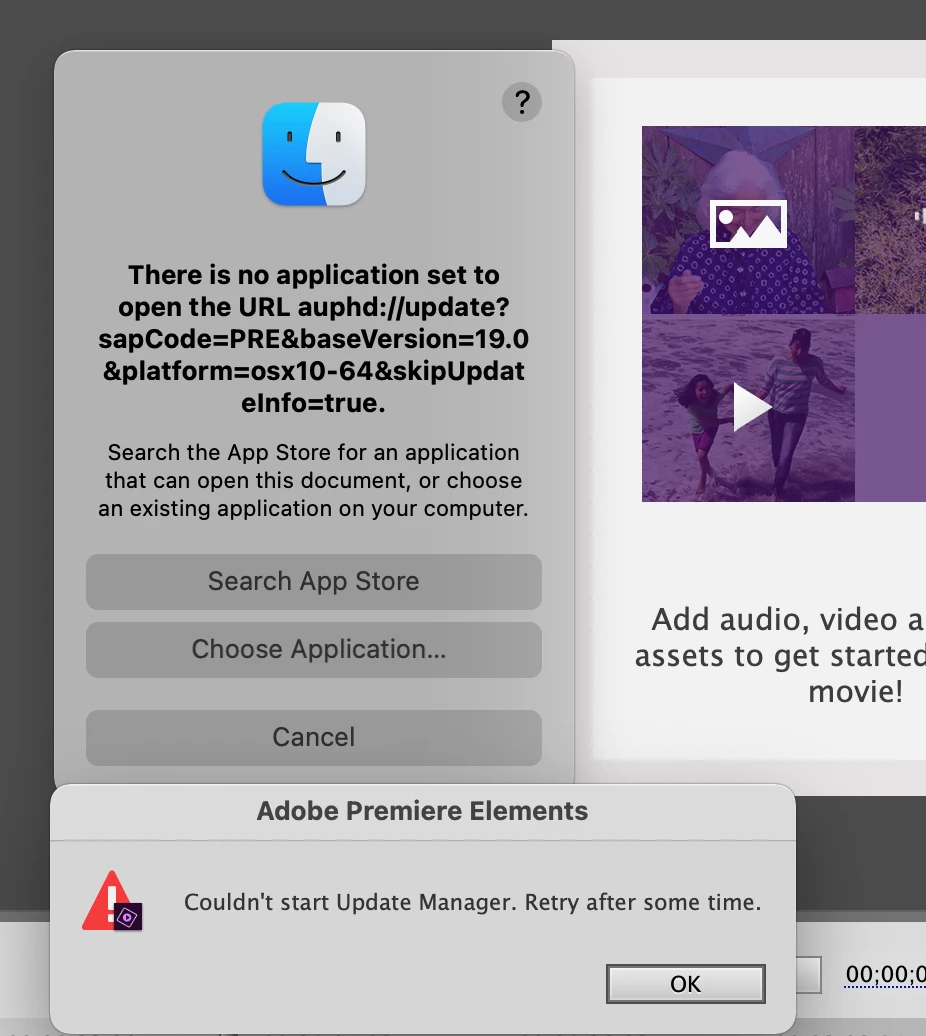
I'm trying to update Premiere Elements to the latest version. When I close the program and try to install the update I get the message 'Couldn't start Update Manager. Retry after some time'

I've been getting this message for a couple of days now. It's followed by 'There is no application set to open the URL auphd://update?sapCode=PRE&baseVersion=19.0&platform=osx10-64&skipUpdateinfo=true.'

I'm running on a 2020 IMac under BigSur. 

Many thanks

Chris 
This topic has been closed for replies.

11 replies

Community Expert
February 4, 2021

I'm having similar challenge.  When I open Premiere Elements it gives me a screen for update.  Nothing happens when I click on the button and my computer locks.   I've had to use the Task Manager to kill it.   I'm doing a complete uninstall and reinstall from a fresh download.   

Legend
February 4, 2021

Just curious. Are you both on Macs?

Participating Frequently
February 4, 2021

Yes I'm on 2020 iMac running Big Sur

Chris