
Participant
January 13, 2023
Question

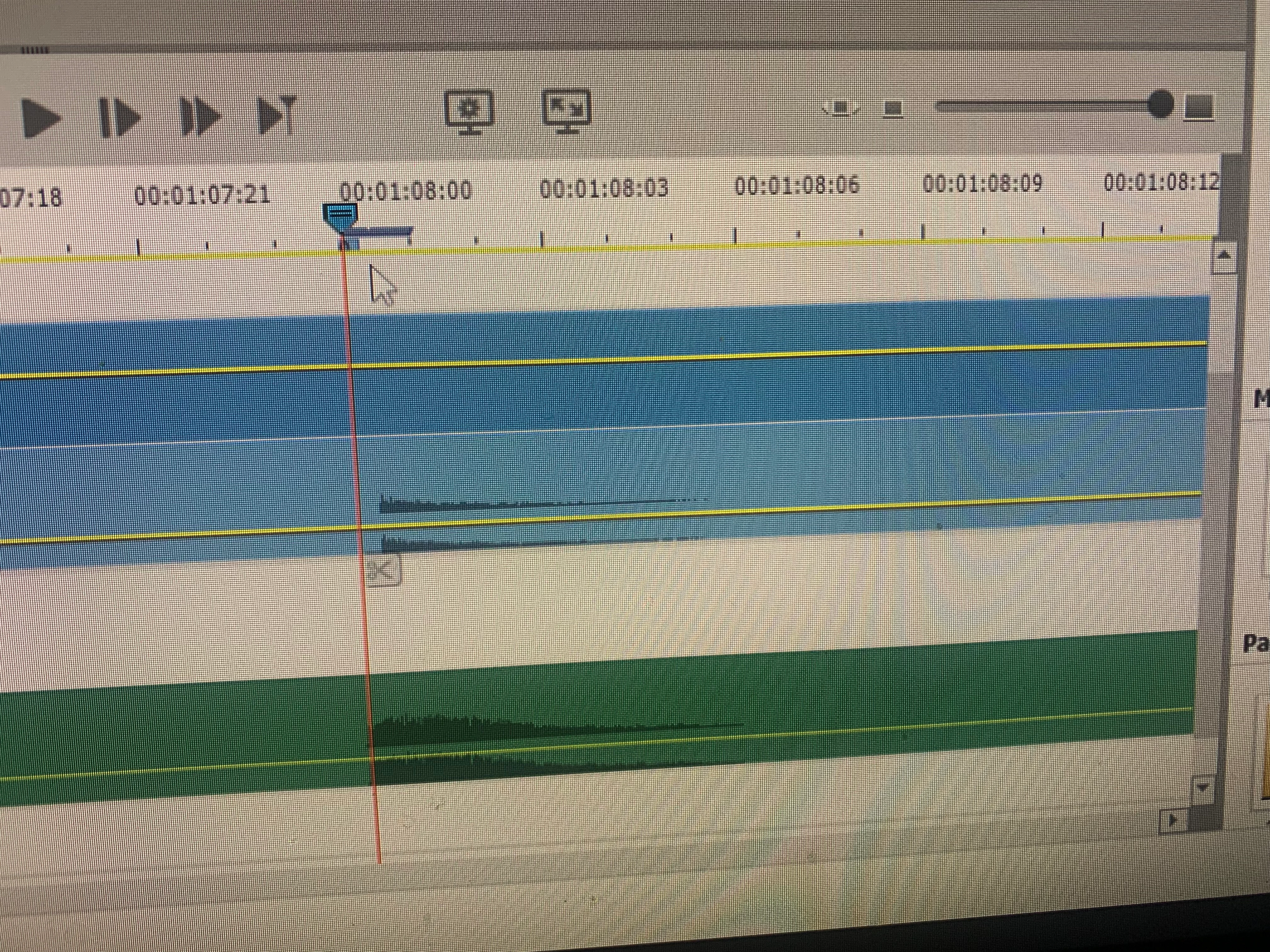
HELP! How Do I zoom in on timeline beyond the "zoom in limit" so I can align my audio and video??

  • January 13, 2023
  • 1 reply
  • 672 views

Hi there all,

I desperately need help. I'm trying to make a youtube video but I have seperate audio and video clips. I'm trying to align the audio from my high quality mic to the video clip's camera poor quality audio, so I can align the high quality mic audio with the video itself and then mute the video audio. BUT I CAN'T 

I can't align it because in the most zoomed in possible timeline, I can still only move the clips by the 00:00:00:01 second intervals, but I need like a 1/4 smaller interval than that to move the mic audio clip (bottom) to align with the (top) video audio clip in order for my audio and video to align.

This is super important and urgent, so please help, as if I can't align the video and audio then the elements program I bought is literally useless and therby I will want a refund. 
 

This topic has been closed for replies.

1 reply

Community Expert
January 13, 2023

You've reached a limit in Premiere Elements.  Other programs like Premiere Pro have an automated way of doing what you want.  However, there is a work around technique that is very good.   It uses the (free) program Audacity and you can see how it works here:  https://www.youtube.com/watch?v=E2kLOnOnx9c

Participant
January 13, 2023

Thank you Bill! This is really helpful. 

Tho adobe NEEDS to put in a new feature to extend the zoom in limit, I see no reason they can't do that if it's there in adobe pro...like I should be able to align video with audio in a 80$!!! video editing software, this is kind of insane I can't do that. Adobe needs to add in an effect or extend the timeline. Do you have any recommendations for how to notify the adobe team to put in a new feature??

Because also, as much as the workaround works, it's incredibly tedious when your working with say 2 hour podcast audio files that take 1 hour or more to just export with high quality from audacity on my computer.

Thanks again Bill!

John T Smith
Community Expert
Community Expert
January 13, 2023

I have read that the programming teams for P-Pro and P-Elements are completely different, so what is in one program is not always going to be in the  other one


This is a public forum with "some" Adobe staff participation, use the link below to make a report or request
-The Adobe employees who read here are support staff, not the programmers who make changes
-for PPro https://community.adobe.com/t5/premiere-pro-discussions/faq-how-do-i-file-a-bug-report-or-write-a-feature-request/td-p/13362039
--and https://community.adobe.com/t5/premiere-pro-discussions/faq-migration-of-uservoice-to-support-community/td-p/13365127
-https://www.adobe.com/products/wishform.html for everything else