


September 16, 2021
Answered

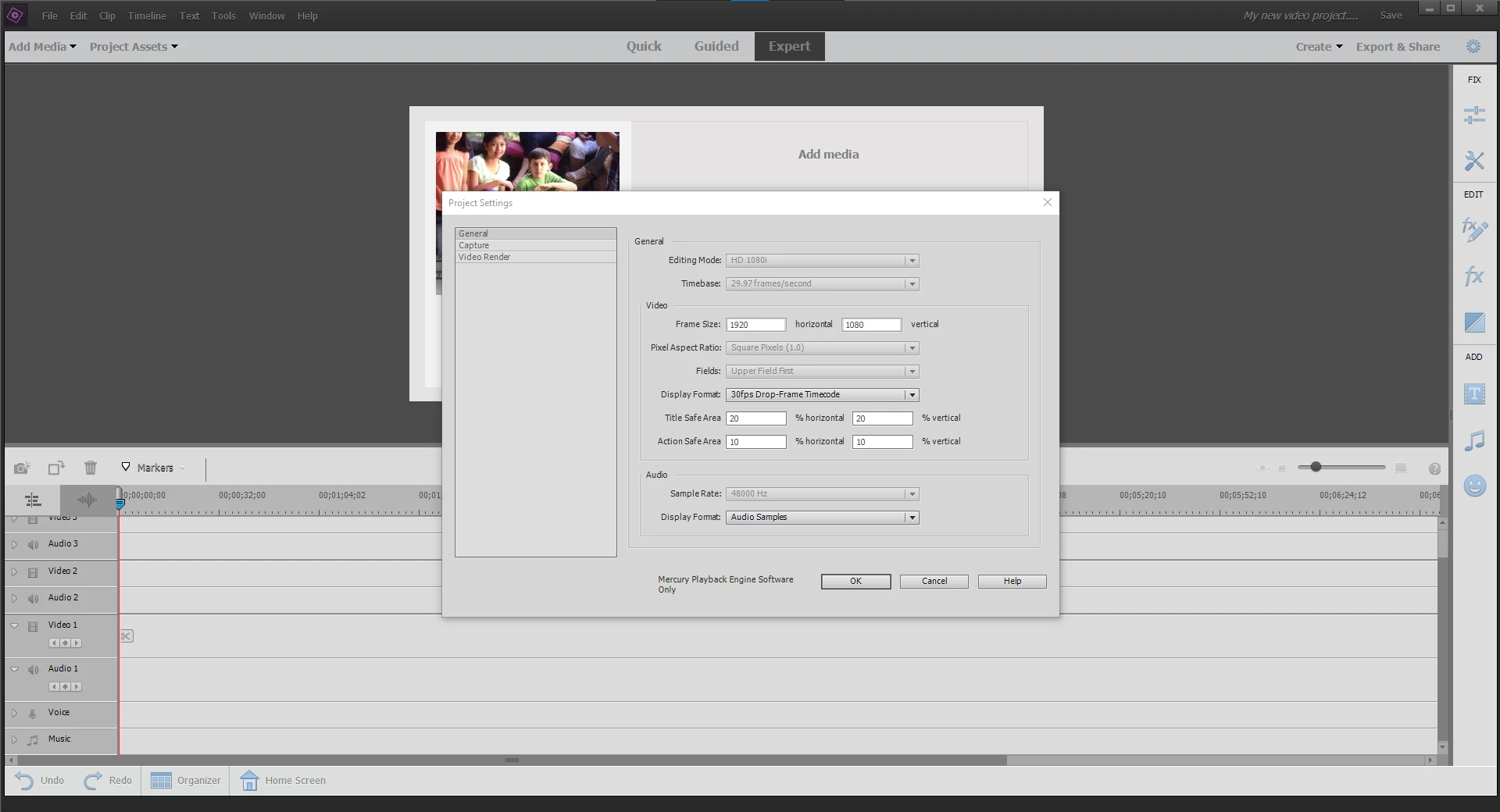
I can't edit project settings to create youtube shorts 1080x1920 dimensions

  • September 16, 2021
  • 1 reply
  • 1297 views

I have tried to edit the project settings so I can do 1080x1920 (vertical video) videos for Youtube Shorts however, the settings seem to be locked. I have tried editing as soon as the program opens up and creating a project with a preset to then attempt to edit again, but I have been unsuccessful.


Has anyone experienced these issues?
 

This topic has been closed for replies.
Correct answer

That is a shame but, I have found a good source to create my own custom presets thanks to this: https://community.adobe.com/t5/premiere-elements-discussions/how-to-change-the-project-ratio-to-9-16-1080x1920/td-p/11977147


1 reply

Peru Bob
Community Expert
Community Expert
September 16, 2021

Premiere Elements doesn't support vertical video.

Premiere Pro does.

Correct answer
September 16, 2021

That is a shame but, I have found a good source to create my own custom presets thanks to this: https://community.adobe.com/t5/premiere-elements-discussions/how-to-change-the-project-ratio-to-9-16-1080x1920/td-p/11977147