


Michael B. UK
Inspiring
October 25, 2019
Question

Question, does the TRIAL version of Elements 2020 allow the import of HEVC files?

  • October 25, 2019
  • 4 replies
  • 1086 views

I am strugglling to get HVEC H.265. imported into Organizer or Premier Elements. I have the latest October 2019 Windows, HEVC pluggin from MS $.99 and the Trial versions of Elements 2020. Any advice is very much apperciated 
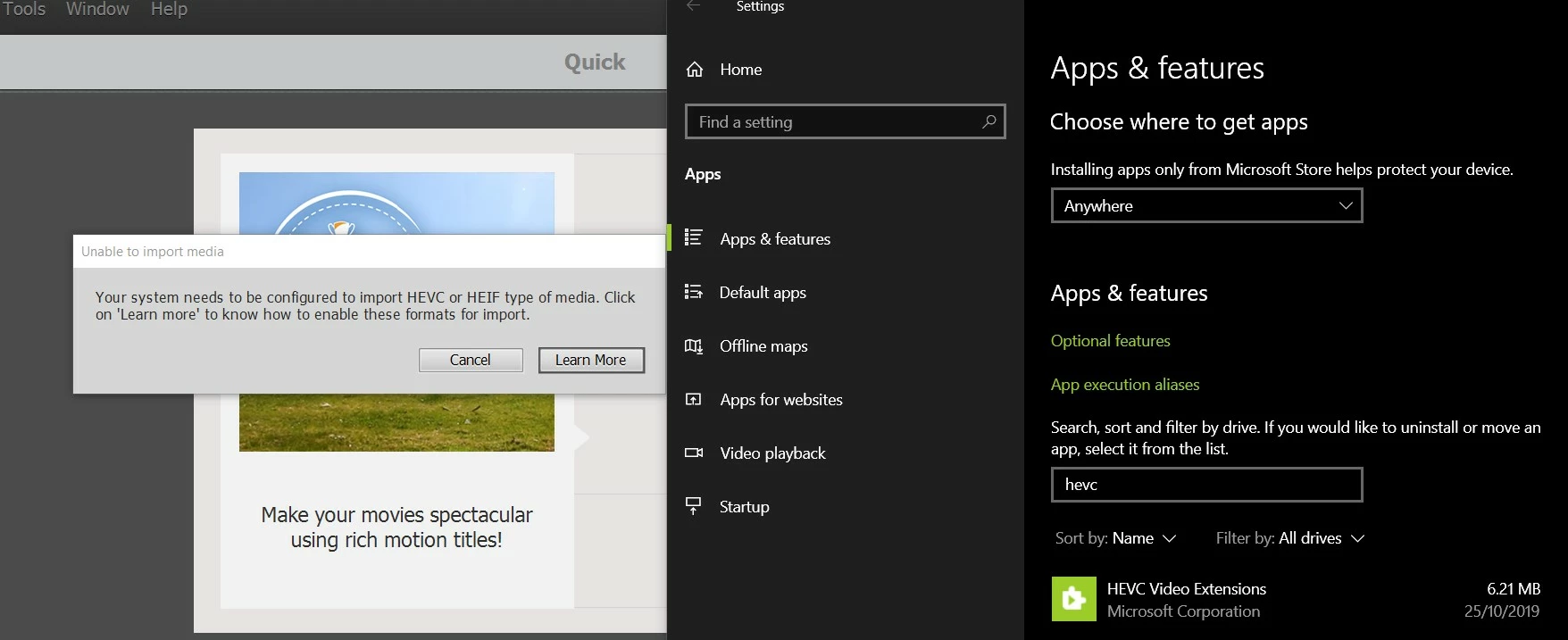
UPDATE 28th October 2019: The trial version does allow HEVC file imports, just not on one of my machines.

    This topic has been closed for replies.

    4 replies

    Shivangi_Gupta
    Community Manager
    Community Manager
    February 28, 2020

    Hi there,


    We're sorry for the experience you've had. We have been actively working on finding a solution to this issue. We have identified that this is happening because of the permissions provided to the HEVC video extension.

    Check out this article to fix it: https://community.adobe.com/t5/premiere-elements/faq-what-should-i-do-if-premiere-elements-2020-fail...


    Let us know if you have any questions.


    Thanks,

    Shivangi

    Community Expert
    October 27, 2019

    Mick,


    Thanks for the update.   HEVC (H.265) editing is a new feature.  There have been a couple posts with some confusion in them about if it works.  Part of it is the unusual requirement to buy a ninety-nine cent codec from Microsoft.   I've now have it working and you've got it working on a second machine.  I have to conclude it works.  In my case I think it was something went wrong installing the codec.  

    Community Expert
    October 26, 2019

    Mick,  

    I have the paid for with serial number version installed.   That shouldn't make a difference, but it might.  


    You might also try the "Online Support" choice in the Help menu.  Adobe staff can log on to your computer in an online "chat" and see what is happening.  

    If you want to try that, you can buy directly from Adobe and have a week (maybe two?) full refund window.  It is not as easy if you buy from a retailer. 

    Michael B. UK
    Inspiring
    October 26, 2019

    Update, I've installed the trial on another machine, it has no issue with HEVC files. It must therefore be a local issue. I might uninstall everything and start again. 

    Participating Frequently
    October 27, 2019

    I have the same problem. I have windows 10 pro version 1903, NVidia card updated, and Microsoft HEVC codec bought and installed. I cannot import HEVC videos saved with Samsung mobile on Elements Organizer neither open with premiere elements.

    Community Expert
    October 25, 2019

    The trial version is the same as the paid for version.  HEVC is supposed to work.  I tried some borrowed source files and got similar results.  I've not resolved it.  


    Would you send me a source clip via DropBox or similar for me to try on my machine.  I might get lucky and get it figured out. 

    Michael B. UK
    Inspiring
    October 26, 2019

    Hello @whsprague

    I have sent you a private message with a link to a sample file, thanks for any help


    Mick

    Community Expert
    October 26, 2019

    Rick,


    I got your iPhone sample.  Thanks.  Good news is that it worked on my computer in the PrE 2020 version.  Bad news is that it does not on yours and I don't know why.  


    (My other attempt at HEVC a couple weeks ago failed.  That may have been because the source of the borrowed clips was not reliable. ) 

    I'm quite sure HEVC won't work in the 2019 version.  My computer is a strong Windows version.  I paid Microsoft the $.99 for the HEVC codec and installed it.  However, I can't figure out how to find out through Windows if it really is installed!

    With the $.99 codec installed, I see a thumbnail in the Add Media window.   Do you see that?