



マーベラス_ビー4752
Participant
May 7, 2026
Question

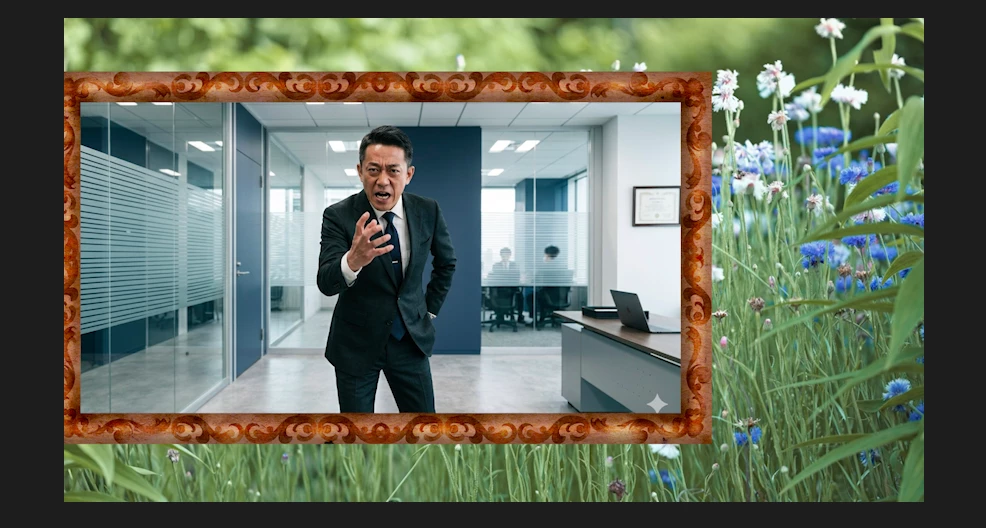
中央にある「額縁(フレーム)」の内側だけで、動画(または画像)を動かしたいです。(上下左右にパン・ズームするイメージです)

  • May 7, 2026
  • 1 reply
  • 15 views

Premiere Proの操作について質問です。


添付画像のように、中央にある「額縁(フレーム)」の内側だけで動画(または画像)を動かしたいです。
(上下左右にパン・ズームさせるイメージです)


現状、トランスフォーム(位置・スケール)を設定すると、フレームの外にはみ出して動いてしまいます。

フレーム内に表示を制限したまま、トランスフォームさせる方法はありますか?

初心者なので、できれば手順も教えていただけると助かります。
 

    1 reply

    Community Manager
    May 7, 2026


    Hi,

    Thanks for the question. You can mask the clip and use the controls like Position and Scale in Motion to move the clip. The masking tools have changed a bit lately. See this video: https://adobe.ly/4tr6OaF


    I hope that helps.


    Thanks,
    Kevin