Answered
文字の背景を徐々に不透明にしたい【初心者】
文字のバックを左側は不透明度90~100にして、途中から右側にかけてどんどん薄くしていきたいです。画面右側は不透明度0。画像素材でもいいのですが見つからなくて。プレミアムプロしか契約しておりません。上記可能でしょうか?ご教授願いたいです。

文字のバックを左側は不透明度90~100にして、途中から右側にかけてどんどん薄くしていきたいです。画面右側は不透明度0。画像素材でもいいのですが見つからなくて。プレミアムプロしか契約しておりません。上記可能でしょうか?ご教授願いたいです。
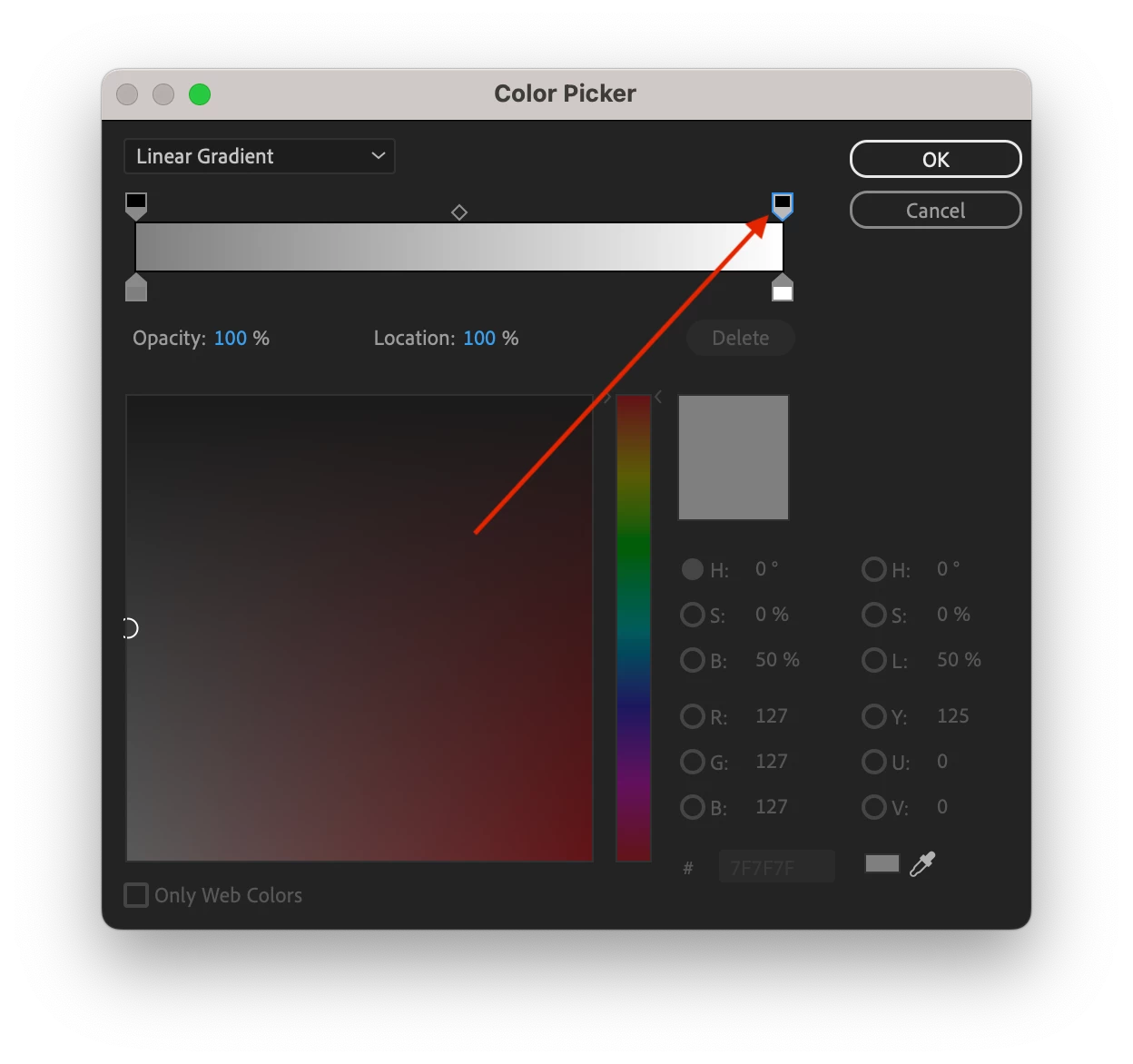
Use th rectangle tool to draw a rectangle the same size or bigger than your frame size. In the Essential Graphics panel, choose the 'Fill' option and then click on the colour swatch to choose the colour for your fill. In the Color picker window, choose Linear gradiant rather than Solid and then set the opacity of the right hand side to 0%.
Already have an account? Login
No account yet? Create an account
Enter your E-mail address. We'll send you an e-mail with instructions to reset your password.


 AdChoices