

Question
1 frame audio dissolves or long audio dissolves causing audio glitches in mxf export
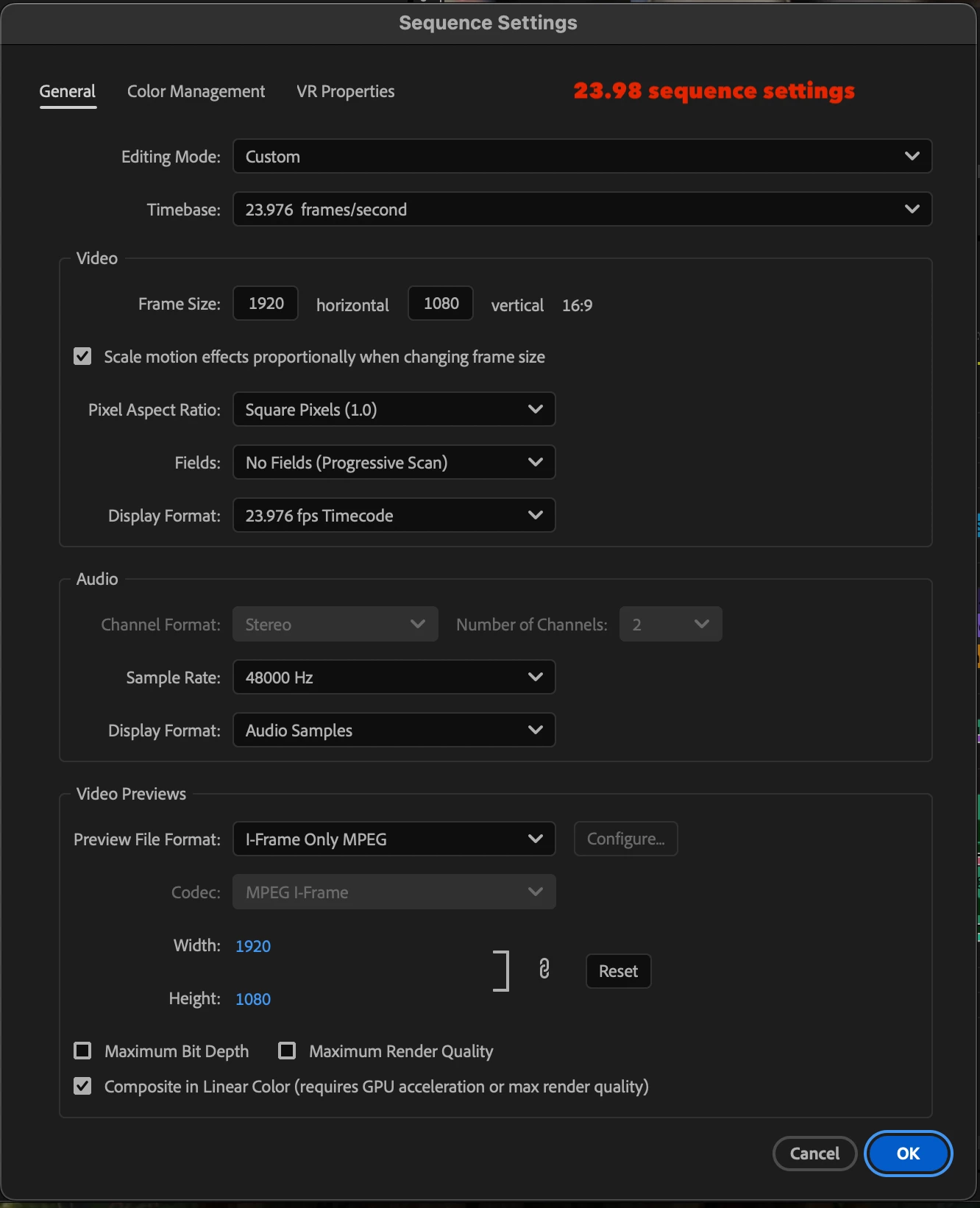
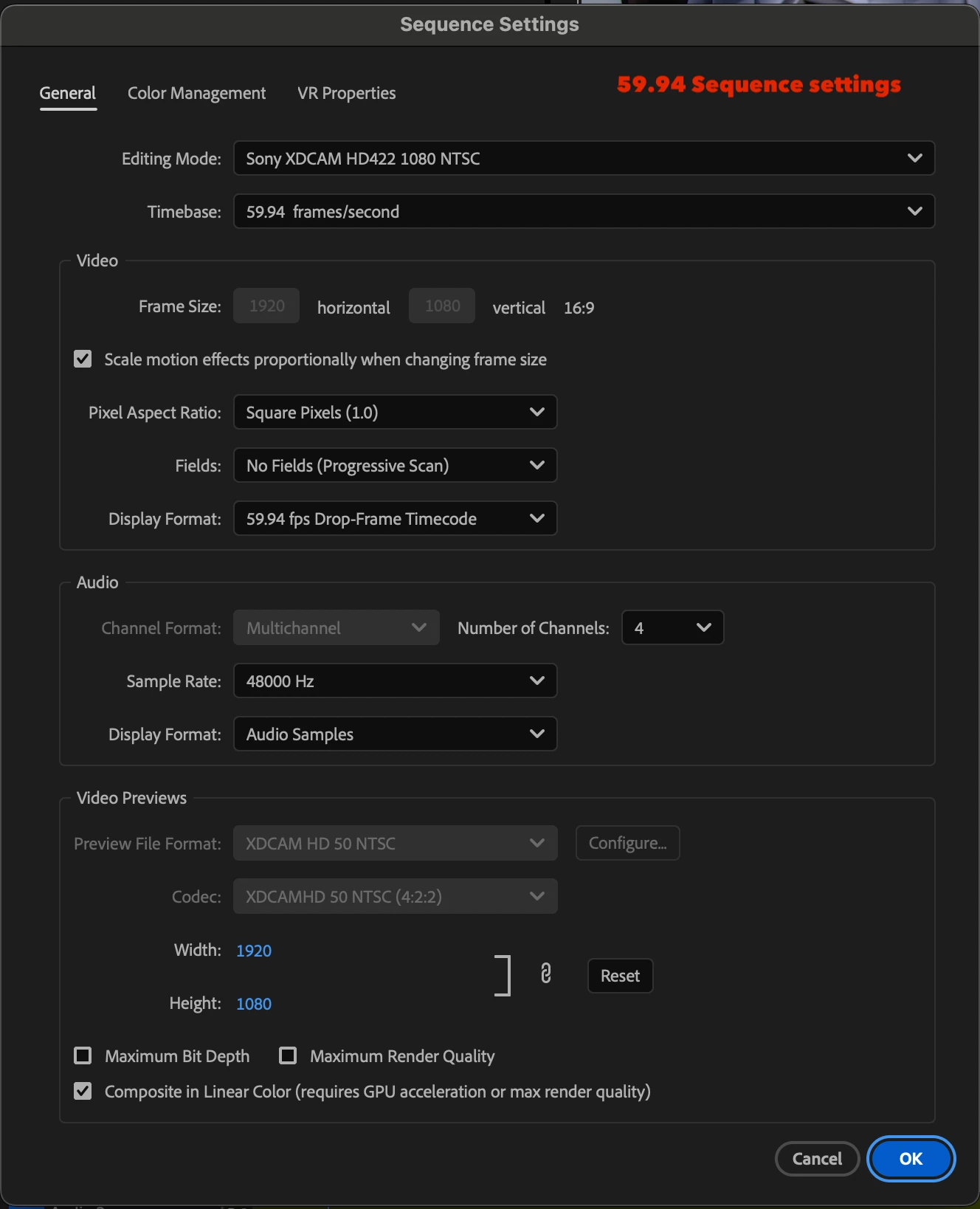
I've had an issue with audio glitches in my exports for the past 1-2 years, which I believe is caused by an audio cross dissolve either being 1 frame long or being TOO long. I'll edit in a 23.98 sequence, and I'll put a cut on my music (or dialogue) and then put a cross dissolve on that cut and change volume levels on both sides of the clip because I'm not a big fan of using keyframes, i find them a lot tougher to move around with easy unless like a cut. Then I nest that 23.98 sequence in a 59.94 sequence for export (the client broadcasts at 59.94. and no I will not be editing natively in a 59.94 sequence. Do not suggest that, that will not be happening.) After the 23.98 sequence is nested in the 59.94 sequence, I export as MXF OP1A. once the export is done, I take that MFX back into premiere to QC it. And as I'm playing it down, I can hear parts of the music that sound wrong like they were cut bad or something. So I'll go to that point in the timeline and it sounds fine but that same point on the mxf export sounds VERY different then the timeline. Interestingly enough the parts of the MXF export that dont match what i'm hearing on the timeline happen to be spots on the timeline that either have 1 frame audio dissolve or a very long audio dissolve. Please see attached screenshot for sequence settings.
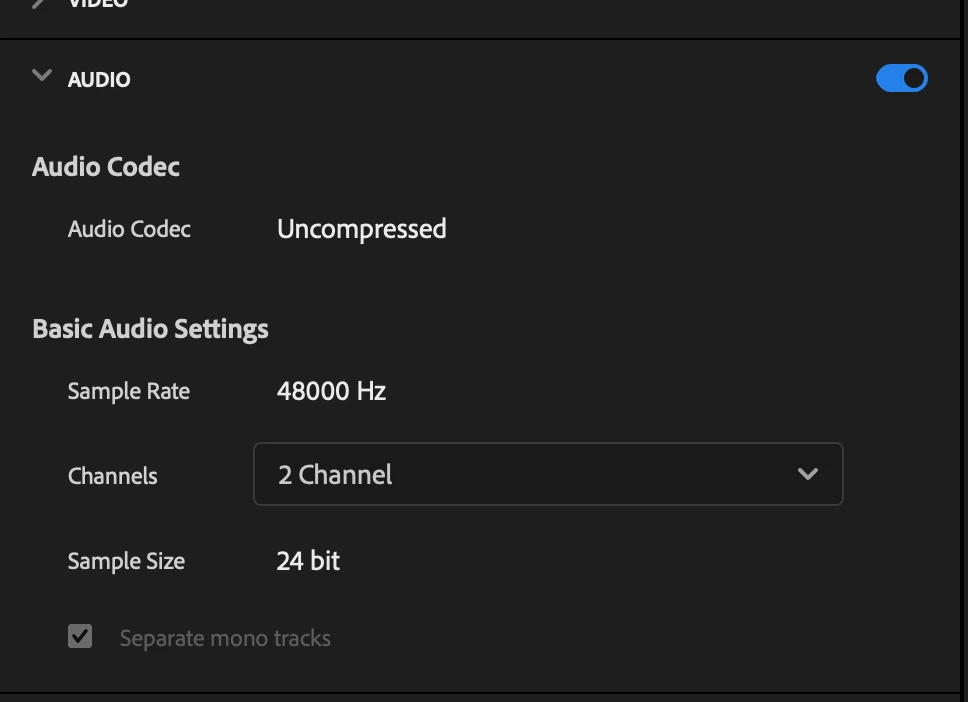
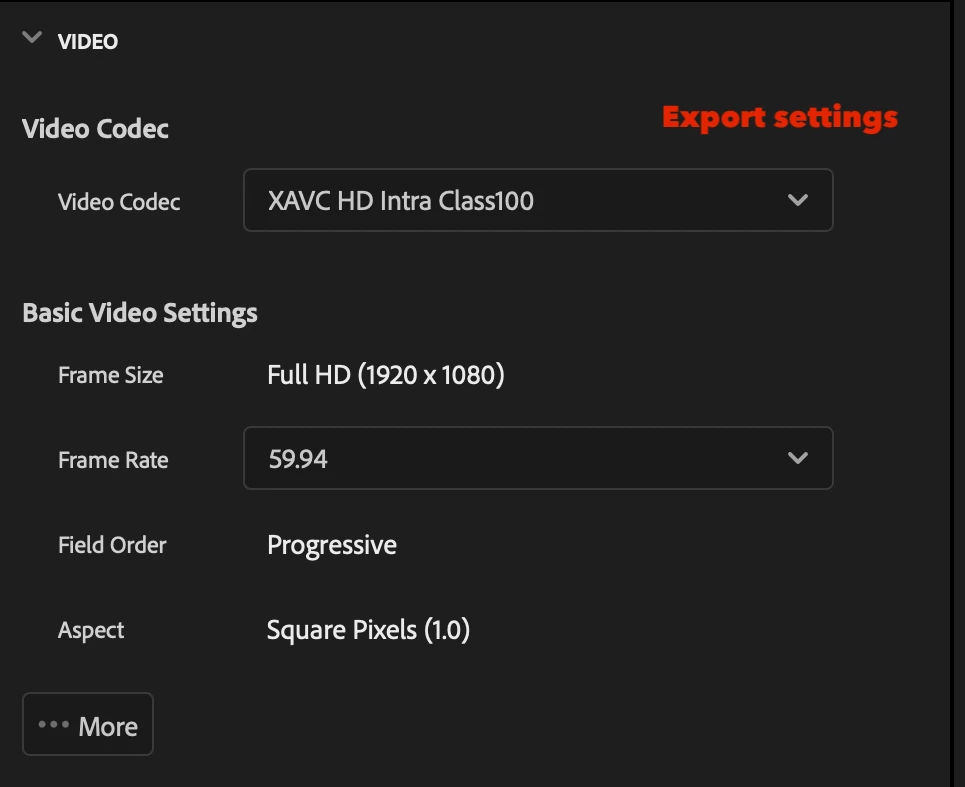
But when I hit export, I'm using a SAVED export preset. It's a fairly old export preset. I thought for a moment that maybe the issue with the export preset. But before I attempted to rebuild the export preset from scratch, I went to the spots on the timeline where the audio cross dissolve was only 1 frame long and increased it to 2 or 3 frames. and then I took the REALLY long audio dissolves and shortened them. and then re-exported and didnt hear audio glitches. which confirms my theory that the glitches imprinted in my export are coming from audio dissolves that are 1 frame long or fairly long. This sounds like a bug to me. I shouldnt be getting conflicting audio (in my exports) that don't match my timeline just because I have 1 frame audio dissolves on my timeline.
 AdChoices