
Participant
June 16, 2021
Question

30 fps to 60 fps in Premiere pro

  • June 16, 2021
  • 1 reply
  • 847 views

Hi!

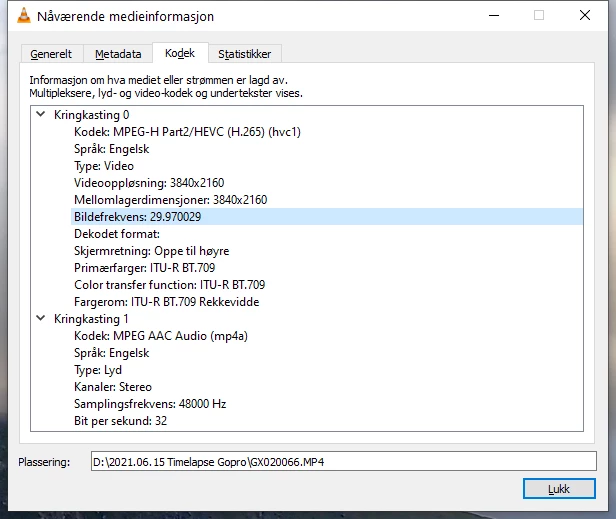
I have created a timewarp with my GoPro 9 camera. 

Its recorded in 30 fps, but i want to speed it up even more, so i want to go 60 fps. 

I might need to speed it up even more (its a looong timelapse) but i want to keep it smooth at 60 fps. 


How do i do that easiest in Premiere Pro 2021? 


(i see now thats its 29,97, so maybe 59.94 is the best to go with. 


This topic has been closed for replies.

1 reply

Inspiring
June 16, 2021

When you place the video clip in the timeline you can right click on the clip. You can adjust the speed by 200% or even 800%. 

Participant
June 16, 2021

That will not change it to 60 fps i think. 

Inspiring
June 16, 2021

In your prior post you commented about changing the speed.