

360 VR footage Fx : How to reorient the Point-of-view / Auto-rotate camera to track a moving subject
Hello,
After filming the dense flow of marathon runners with a 360 Ricoh Theta Z1 camera : I wanted to edit the 360 video to recenter the view on one runner by rotating the image to follow the runner’s motion and optionaly zooming/slowing down the sequence to review that short moment when you spot your friends.
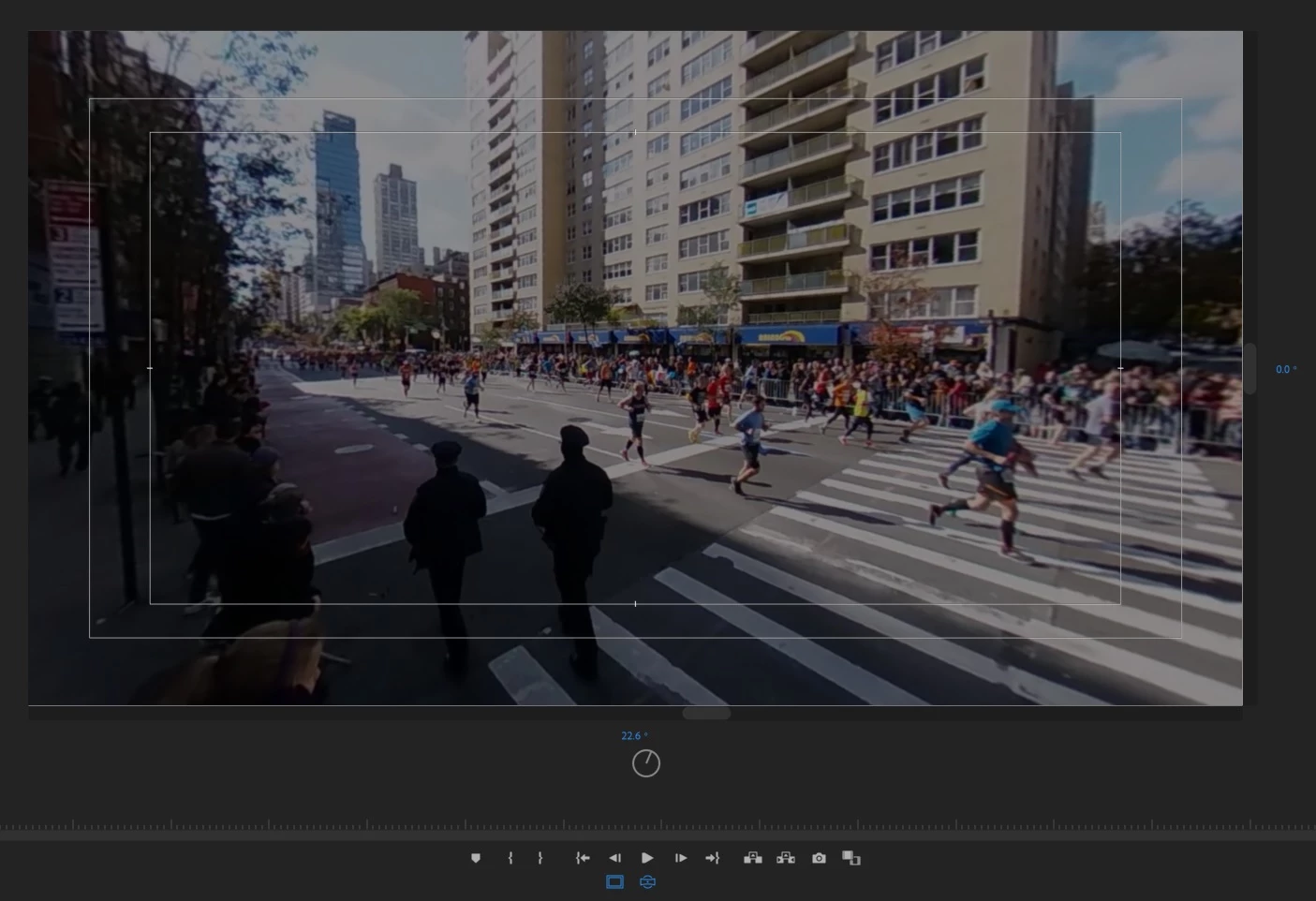
These are my findings and questions (please provide your feedback !) :
1. Auto Effects to track subject in motion and rotate camera - in other editing tool :
Being used to Insta360 camera and editing app too I found their effects called Pivot point and Smart track especially good at smoothly rotating the 360 view and easy to use :
- on a fixed element just by pointing at 2 orientations in the video swiping on the timeline and the sphere image to insert a hotspot very easily,
- on a moving element focusing one the subject in motion to keep the focus on it .
Searching on this I could not find similar functions in Adobe Premiere 2020... (Tracking mask does not apply well to track moving objects and reorient camera angle but more to track background elements for replacement)
2. The manual way with the VR Project effect in Premiere :
(See this useful youtube tutorial : How to track objects manually in a 360 video | Works with any 360 footage | Gaba_VR)
- using Immersive video / VR Projection effects
- defining several keyframes every 2 sec
- then recentering the point of view in the Program monitor in VR mode (use icons Safe Margins to have a frame, change orientation angle with the rotating circle and use Toggle VR video display to see the smaller main frame for the 360 view),
- looking at the camera angle value and setting that value back in the VR projection effect "Pan" attribute.
- add and moving to the next keyframe and redo this process...
So that when the runner is close enough ; the 360 camera sphere image would rotate like an operator would have done rotating a non 360 camera.
3. Results / Comments :
- Because the video resolution is not that good after zooming I found the overall rendering a bit disappointing even if the pan virtual movement works well as you can see in my youtube post here MARATHON NYC 2019 360 VR 76TH ST 1ST AVE 17M)
- Overall this is a very long process in Premiere as it requires many interactions like switching monitor to VR view / Zooming in the preview and playing with the angle to center the subject, Adjusting Pan value in the Effects panel with the keyboard arrows. (no way to transfer the angle value found in the Monitor preview to the Effects Pan value ?)
- Also i looked for automation and found a few plug-ins but it is hard to evaluate ease of use and benefit of each of them (good tracking, value for price...) - Any advice on that ?
- I wish Adobe can integrate a more automated workflow feature to support this effect like Insta360 does because it is so useful and common in 360 post-production...
=> Please share your thoughts or tips about this ! 🙂
Just to share how cool this type of effects could be in a longer video check this one : https://www.youtube.com/watch?v=3L5TRhnOSPY
 AdChoices